

20 Best AI Recruiting Software for 2026: Expert Reviews + Pricing
Independent reviews of the top AI recruiting tools in 2026, with side-by-side feature comparisons, real-world use cases, pricing breakdowns, and expert insights to help you choose the right platform.









Rather than replacing recruiters, the best AI recruiting software is designed to help them leverage artificial intelligence to source, screen, and hire the right fit more effectively. Some are great at (re)discovery and sourcing talent; others know exactly how to keep your interview scheduling and assessments neat and fair.
Of course, with so many new developments nearly every day, there is a lot of noise in this space, and it can be hard to tell what’s real and useful from what’s simply a marketing pitch or plain old hype.
At SSR, we test top AI recruitment platforms, analyzing their impact across hiring funnels, and identifying which options actually move the needle. This guide brings you the ones worth your time.
Between 2023 and 2026, we have analyzed over 60 AI recruiting software vendors, both the established and emerging ones. We strictly follow our vendor shortlisting methodology to narrow the list to the top performers that meet the needs of startups, mid-market companies, and enterprise HR teams per our internal tests and verified user surveys.
Specifically, each AI recruiting platform was reviewed using a five-part assessment framework, including AI features, user experience, and support quality.
- AI Functionality and Innovation: We assessed how each platform uses artificial intelligence in practice. We looked for practical features, including AI resume screening, intelligent matching, smart filtering, candidate rediscovery, recruiting chatbots, and automated interview scheduling — what actually helps shorten time-to-hire, reduce manual screening, or improve sourcing quality. We also evaluated how well these AI-powered features adapt to recruiter input or feedback to ensure the human-in-the-loop practice.
- User Experience and Usability: We prioritized AI recruiting platforms that are intuitive, easy to onboard, and require minimal technical expertise. This includes user interface, navigation speed, workflow setup, and how efficiently recruiters can complete common tasks. Just as importantly, we considered the candidate experience. This includes mobile responsiveness, chatbot clarity, application flow, interview scheduling, and communication quality.
- Customer Satisfaction: We collect, verify, and publish written user reviews through our own dedicated feedback portal. Every review goes through a manual quality check to ensure it reflects genuine, informed experiences from HR and TA professionals. To go deeper, we also ask these users to leave a video recording of their experience with the tool if possible. You’ll find these verified reviews and videos at the end of each detailed product review.
- Onboarding, Support, and Training: Software was evaluated based on how quickly new customers can get value. We considered implementation time, the quality of onboarding materials, and the accessibility of customer service. Where possible, we factored in long-term support quality by speaking directly with verified users who have used the product for 6+ months. This helped us understand whether support remains helpful post-purchase, especially when teams encounter integration issues, scaling challenges, or need guidance after new product updates.


Greenhouse

Greenhouse is a well regarded ATS designed for structured, high-volume hiring. From our first six years ago to our latest hands-on demo, the platform has proven to be one of the most thoughtfully built applicant tracking systems on the market, now even more capable with frequently launched and/or updated AI features spanning candidate filtering, scoring, and comms
PROS
- Rich AI features for candidate filtering, scorecard feedback, and email personalization.
- Excellent automation tools for scheduling and candidate communication.
- Structured hiring framework promotes fairness, consistency, and DEI goals.
- Supports integration with over 500 tools and counting.
- Customizable dashboards and workflows by role (e.g., recruiter, hiring manager).
- Greenhouse's onboarding feature is built and executed well. New hires transition smoothly from candidate to employee.
- iOS and Android apps work well for recruiters on the go. Users can review applications, schedule interviews, view candidates' profiles, and more.
- 450+ third-party integrations.
CONS
- Demo required for access to cost details. No free trial available.
- Advanced features may be overkill for small businesses with limited hiring needs.
- Some users report that external collaborators (e.g., agencies) face visibility limitations.
- Lacks native video interview, CRM-level nurturing, or true omni-channel sourcing.
- Greenhouse’s pricing is undisclosed, and they do not offer a trial version.
- Some users note that reporting customization is quite limited and difficult to navigate.
- In-person/live support could be improved.
We’ve been testing and tracking Greenhouse since 2019, and with each new demo, one thing stays consistent: structure is at the core of everything it does, and that’s a good thing if you’re running a high-volume, high-stakes hiring operation.
During our most recent walkthrough, we were reminded why so many mid-sized and enterprise talent teams rely on this platform. The system doesn’t just let you post jobs and track applicants. It encourages alignment upfront, and that’s often a game-changer. Before a single interview is booked, recruiters and hiring managers can collaborate on structured scorecards, interview kits, and approval workflows that define exactly what success looks like for a role. In one test, we used a job template for a sales manager opening. Within minutes, we had a tailored interview flow that made it simple to assign the right questions to each interviewer, removing the guesswork from candidate evaluation.
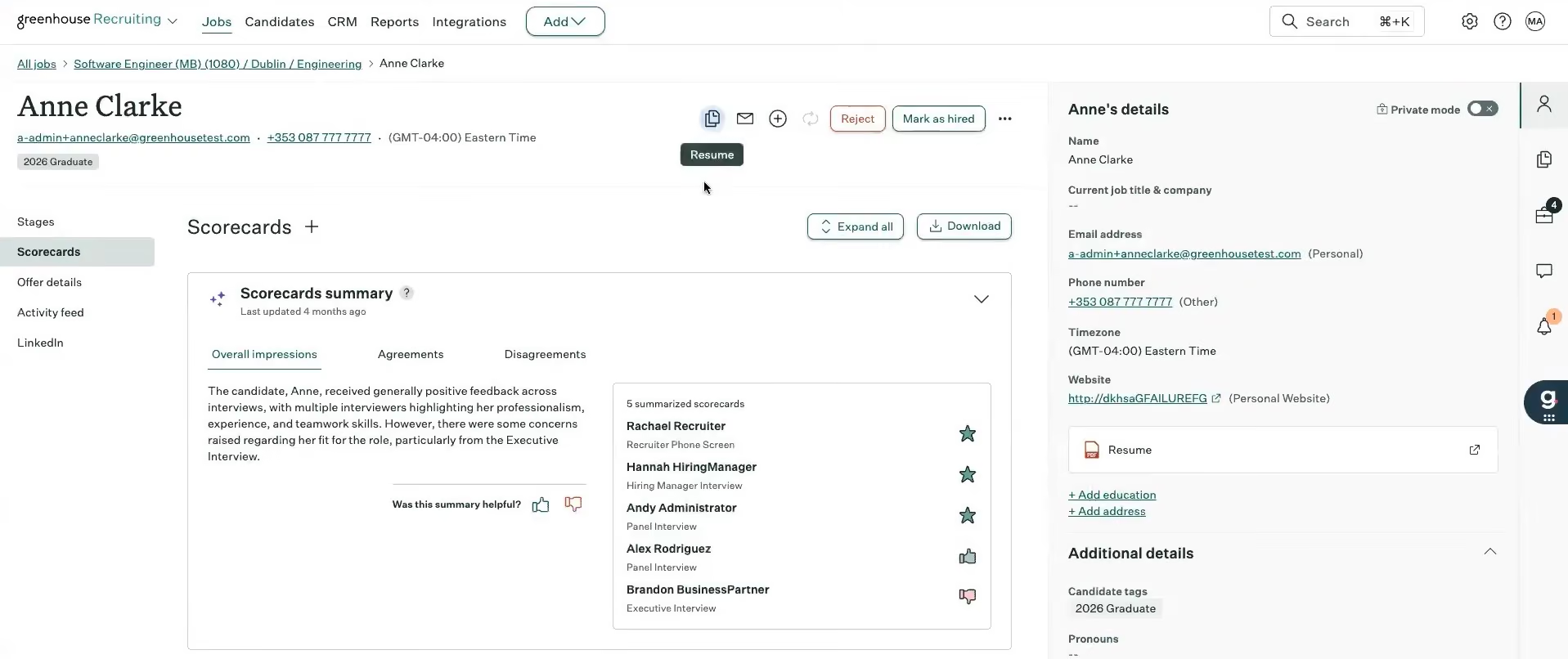
The automation features are where the time savings really kick in. We enabled a rule to automatically send scheduling links when a candidate cleared the screening stage, and sure enough, Greenhouse fired off a branded email within seconds. The self-scheduling tool synced with our test calendar and completely removed the usual back-and-forth. This alone could save hours for busy recruiting teams.
Greenhouse took its time rolling out AI, and it shows. The resume filtering tool isn’t flashy, but it’s accurate. When we uploaded a batch of mixed-quality resumes, the system surfaced qualified candidates with precision, thanks to keyword and skill matching. The AI assistant helped us clean up disjointed interviewer notes, rephrasing them into clear, structured feedback. Additionally, email campaigns can now be auto-personalized using candidate profile data, which makes re-engagement easier at scale.
Reporting used to be one of Greenhouse’s weak points, but that’s changed. We built a dashboard for a TA leader showing conversion rates from screening to offer, then created a second for executives with DEI and time-to-hire data by department. Both took less than 15 minutes to customize. You can even pin reports to your home screen, which is a small detail, but we appreciated not having to dig through menus every time.
That said, Greenhouse’s pricing isn’t published, and based on what we’ve seen, this platform lands has been firmly in the premium category. More importantly, many of its strengths, like automation rules and reporting, require clearly defined processes to unlock real value. For early-stage startups or teams still figuring things out, the configuration alone can feel overwhelming.
It’s also worth noting that Greenhouse is an ATS and not a full-funnel recruitment suite. If you’re expecting native multi-channel sourcing, video interviewing, or candidate assessments, you’ll likely be disappointed. To bridge these gaps, third-party integrations are necessary, and this vendor offers such options nicely.
Last but not least, Greenhouse is built for internal talent teams, not staffing agencies. While it technically allows collaboration with external recruiters, the experience is far from ideal. If you try simulating an external partner workflow, you’ll see that there’s no direct access to candidate pipelines, and the ability to interact with feedback is pretty basic.
SpotHero, PetVet, Zerocater, CarGurus
Greenhouse offers a tiered plan lineup to meet various hiring needs. The foundational plan, Core, includes essential hiring tools. The Plus plan builds on this with added automation, advanced configuration options, and in-depth reporting. For complex and global hiring, the Pro plan offers enterprise-grade features, including robust governance, security, comprehensive analytics, and extensibility.

Best For
Internal talent acquisition teams that manage multiple roles and stakeholders, and need to standardize how they evaluate and engage candidates across departments.


I use Greenhouse daily as the primary applicant tracking system for the organization. It supports end-to-end applicant workflows, from job creation and posting to candidate evaluation and hiring decisions.
- Greenhouse is highly configurable and allows teams to tailor workflows to their specific hiring processes.
- The platform offers an extensive library of native integrations with leading cloud-based tools.
- The company consistently releases thoughtful product updates that reflect input from experienced talent professionals.
As the Director of Talent Acquisition for Sponsors for Educational Opportunity, I selected Greenhouse to address the need for a highly configurable applicant tracking system that could integrate smoothly with our existing technical stack.
One of the primary challenges we aimed to solve was managing complex hiring workflows without relying heavily on engineering support. Greenhouse integrated seamlessly with tools like Calendly for self-scheduling and supported SSO through Okta, which aligned with our security requirements.
The platform is GDPR compliant, which was critical for supporting international hiring across the UK and EU. The system’s workflows aligned well with our WHO hiring process and offered BI capabilities that allowed real-time reporting on key hiring metrics.
From a budget perspective, Greenhouse was within our price range and more cost-effective than Lever. The RFP and sales process was also more efficient and transparent compared to other vendors we evaluated.
- Access to the most advanced customization features requires purchasing the highest-tier package.
- Due to GDPR compliance, candidate and job data is segmented, which makes holistic reporting more complex without additional tools.
- The frequent product updates require close coordination with a customer success representative to stay current on changes.
Greenhouse is intuitive and can be configured without significant engineering involvement. The workflow automation tools allow customization down to the individual user level, which helps drive adoption among hiring managers and leaders.
Compared to similar systems, implementation feels more approachable and structured. The training and enablement library is extensive and supports both administrators and end users effectively.
Cost should be evaluated beyond licensing and annual fees, including expenses related to integrations, configuration, and specialized modules.
Another factor to consider is whether external expertise will be required to implement and manage the system, based on your team’s technical capacity. Compatibility with the existing technical stack is critical to avoid manual processes and inefficiencies.
Customer service quality should be assessed early, including access to support contacts, training resources, and response timelines.
Greenhouse has continued to evolve by improving system accessibility and updating interfaces to align with ADA standards. The organization consistently invests in refining usability for a broader range of users.
They are intentional about developing and maintaining customized APIs with leading applications. These updates reflect a clear focus on long-term scalability and system interoperability.
Greenhouse is well-suited for mid-sized, tech-forward organizations with structured hiring processes. It works best for teams that have baseline technical proficiency with cloud-based platforms.
Organizations that can dedicate a systems administrator benefit the most from its configuration depth. It supports teams that require flexibility, automation, and detailed reporting.
This tool is not a good fit for organizations without a dedicated systems administrator who can manage configuration and ongoing optimization. It may be excessive for teams with low hiring volume or very simple recruitment needs.
Organizations seeking a plug-and-play solution with minimal setup may find the system too complex for their requirements.

GoodTime
For TA teams aiming to reduce manual admin in their interview scheduling process without sacrificing candidate experience, we believe GoodTime is one of the most comprehensive tools available. With the latest updates to Orchestra, its workforce of AI agents, it can now automate candidate advancement, scheduling, sentiment analysis, and interviewer capacity planning.
PROS
- AI agents automate scheduling, rescheduling, and candidate communication across channels 24/7.
- Automated workflows handle recruiter briefing requests, rejections, and other communications at scale.
- The capacity planning dashboard analyzes interviewer availability by job, stage, and trend.
- Summarizes candidate sentiment by department and time frame for post-interview insight.
- Built-in interviewer training workflows and load balancing.
- Integrates with Workday, iCIMS, Greenhouse, SmartRecruiters, and other top ATS platforms.
- GoodTime’s automation speeds up hiring, making it possible to complete the entire candidate pipeline within two weeks.
- The platform offers extensive customization, such as creating custom tags, setting interviewer availability, and designing templates for panels and emails.
- Custom branding options reflect your company's personality, making the tool feel more engaging and less generic.
- Their customer support is excellent, with 24/7 chat assistance, a dedicated Customer Success Manager, and a team that actively addresses bugs and feedback.
CONS
- Only available to teams with 250+ employees (or expected to hit that within the year).
- Doesn’t currently support sourcing or onboarding
- Setup and customization can be complex.
- Occasional bugs have been reported.
- Pricing may be prohibitive for leaner or early-stage teams.
- Because of its complex functionality, GoodTime’s user interface can be a bit tricky for a new user to navigate.
- Occasional bugs are reported by its users, mainly related to syncing with the calendar and ATS.
- Unless your team hires a large number of people, GoodTime can be expensive.
GoodTime has always been known for its ability to make scheduling engaging and straightforward, but with its most recent product updates, it’s pushing into full AI recruiting assistant territory, and the results are promising.
The platform now uses its Orchestra AI agents to automate more than just calendars. GoodTime can automatically advance qualified candidates, send rejection emails, trigger recruiter briefing requests, and even hold natural, human-sounding conversations with candidates. These agents, according to our tech tests, do a phenomenal job with scheduling, answer pre-interview questions 24/7, and escalate to a real recruiter (via Slack or Chrome) when needed.

Another strong feature is AI-powered interviewer capacity planning. Instead of relying on static availability, we like that GoodTime lets TA teams assess bandwidth based on availability trends, decline rates, and who is actually qualified to run each interview type. When hiring plans scale, recruiting leaders can now see what it will realistically take to execute them.
The AI agents also summarize candidate sentiment post-interview by department and time frame. We can imagine how helpful this functionality will be for TA and HR leaders, as it gives them a new layer of feedback so they don’t have to (and should not) rely solely on NPS surveys or anecdotal input.
Importantly, all of this is layered on top of what already made GoodTime great: branded, self-service portals, automatic load balancing across interviewers, and a structured training system for growing your interviewer pool.
To be fair, though, GoodTime is not a full recruiting automation suite. Rather than duplicating applicant tracking or sourcing features, it acts as the orchestration layer that connects with your ATS and HR tech stack. This specialized focus allows it to go deeper on scheduling, candidate communications, interviewer training, and insights — areas where most generalist systems fall short. Hence, that means you’ll need to integrate with multiple platforms to run a complete recruitment funnel.
Setup can take some upfront work, particularly for large or complex organizations with layered workflows or multiple business units. Integrating with ATS systems like Greenhouse or Workday is possible, but according to some TAs we were in touch with, it often requires technical lift and careful change management.
Some users have noted occasional technical hiccups, such as time-zone mismatches or calendar sync issues. These are generally resolved quickly, but teams running primarily international hiring may want to pay close attention during setup and testing.
Finally, pricing can be a barrier. Costs are customized based on company size, interview volume, and contract length. While the resulting quote may be seem too costly for smaller teams, TA leaders often justify the investment with efficiency gains, reduced coordinator workload, and stronger candidate experiences.
Over 300 companies, including HubSpot, HelloFresh, and Pinterest.
GoodTime's pricing is customized and thought out for companies with a minimum of 250 employees, or those anticipating reaching that headcount.
Best For
If your team is running dozens (or hundreds) of interviews a month and looking to automate the surrounding admin while keeping a high bar for candidate experience, GoodTime is one of the most advanced AI recruitment tools available for that purpose.
We use GoodTime to automate and streamline interview scheduling with candidates. It integrates with our Google Calendar and Greenhouse to match interviewers and candidates based on availability.
GoodTime also helps us coordinate panel interviews, save time, and manage interviewer load. It reduces manual intervention and ensures a more consistent process across all hiring stages. We rely on it daily for operational efficiency in our recruitment workflows.
- GoodTime automatically schedules interviews, significantly reducing time and manual effort.
- It provides a professional and streamlined self-scheduling experience for candidates.
- The portal offers analytics on interviewer performance, time-to-hire, and scheduling efficiency, which helps us make informed improvements in our hiring process.
We decided to purchase GoodTime in 2023 to improve the efficiency of our recruitment process.
Before implementing GoodTime, our recruiting team spent an excessive amount of time coordinating interview schedules, exchanging countless emails, managing time zone mismatches, handling limited visibility into interviewer availability, and resolving scheduling conflicts.
This slowed our hiring process and created substantial manual administrative work. Our time-to-hire ranged from 6 to 12 weeks and contributed to an unprofessional candidate experience.
With GoodTime, we automated interview scheduling, aligned interviews with hiring team availability, and ensured a consistent candidate experience. The time spent scheduling interviews was reduced by over 40%, allowing the recruitment team to focus on candidate engagement and strategy.
We shortened our overall time-to-hire by an average of 15%. Candidates appreciated the ease of scheduling, and hiring managers found the process more streamlined and transparent.
I have been using GoodTime for over two years and have seen measurable improvements in scheduling speed and candidate satisfaction. One standout benefit is its ability to optimize interviewer load balancing, helping us scale hiring without overburdening the recruitment team.
- We found the interface and setup process complex initially, especially when integrating with Greenhouse.
- The pricing was slightly high for us as a startup.
- Customization was limited, and our more complex workflows were difficult to implement.
- The platform has bugs and can confuse candidates when scheduling interviews across international time zones.
GoodTime stands out by focusing heavily on automation and optimized interviewer matching. Unlike Calendly, GoodTime offers features tailored for high-volume recruiting and provides better control over the interview process.
When buying a tool like GoodTime, key criteria include seamless integration with your ATS, calendar, and communication tools—especially since we encountered issues with Outlook. It should be user-friendly for recruiters, interviewers, and candidates.
If your hiring teams are distributed globally, ensure it supports time zone alignment and is scalable. Lastly, assess the pricing structure, included features, and the quality of customer support.
When I started using GoodTime, the dashboard and navigation were not user-friendly. Over time, the platform introduced a redesigned dashboard with improved navigation, making it easier to track interview progress. The multi-day calendar view enhanced scheduling flexibility.
Reporting tools have improved, allowing data filtering by department and reducing scheduling errors. Integration with Greenhouse has also strengthened, particularly with bulk messaging capabilities.
GoodTime is ideal for mid-size to large companies with high-volume hiring needs. It suits recruiting teams that conduct panel interviews, operate across multiple time zones, and aim to prevent recruiter and interviewer overload. It is especially effective for organizations using Greenhouse or Lever.
GoodTime may not be suitable for small organizations or startups with infrequent hiring. If you only schedule a few interviews each month and don’t require panel coordination, the tool may be too complex and expensive. In such cases, simpler tools like Calendly or manual scheduling may be more practical and cost-effective.

Humanly
Humanly.io's approach to AI recruiting optimizes recruiters' repetitive interactions inside the candidate screening, interview scheduling and conducting, reference checking, and re-engagement processes. It’s ideal for high volume, hourly, and early career hiring.
PROS
- Humanly offers a user-friendly experience for both applicants and employees.
- It lets you source candidates from LinkedIn, Indeed, Facebook, and the likes.
- When it comes to integrations, you can organize candidates in tools like Bullhorn, ADP, Greenhouse, Lever, and a few other ATSs.
- The platform automates the initial screening and interview scheduling processes, saving you a great deal of time.
- There's built-in functionality for taking notes and generating transcripts of interviews, as well as providing insights about each candidate based on the conversation.
- Users highly appreciate the helpfulness and responsiveness of Humanly's customer support team.
- Humanly leverages a huge database of candidates to present you with talent from all corners of the globe. You can also source new ones through their Chrome extension while browsing sites like LinkedIn and GitHub.
- The Humanly tool integrates with hundreds of ATSs, providing an upgrade to your sourcing that won’t require you to switch tools.
- Generative AI is cleverly implemented for messaging candidates, automating campaigns, and ranking candidates at various stages of the hiring funnel, yet a human can step in and take over at any time.
- Their reporting module is among the cleanest and most in-depth we’ve seen for this kind of tool.
CONS
- There isn’t a way for candidates to reschedule interviews if they need to.
- The platform doesn’t send interview reminders to either candidates or interviewers, a feature a few users said would be “nice to have.”
- Pricing isn’t publicly available, and there are no free plans or trials either.
- The range of prebuilt third-party integrations is somewhat limited.
- Since it’s a tool that was relaunched after a company acquisition, there might be some changes in the near future that could impact your workflows.
- The price point might be a bit steep for smaller teams, but they do offer custom prices based on the functionality you need and the number of users.
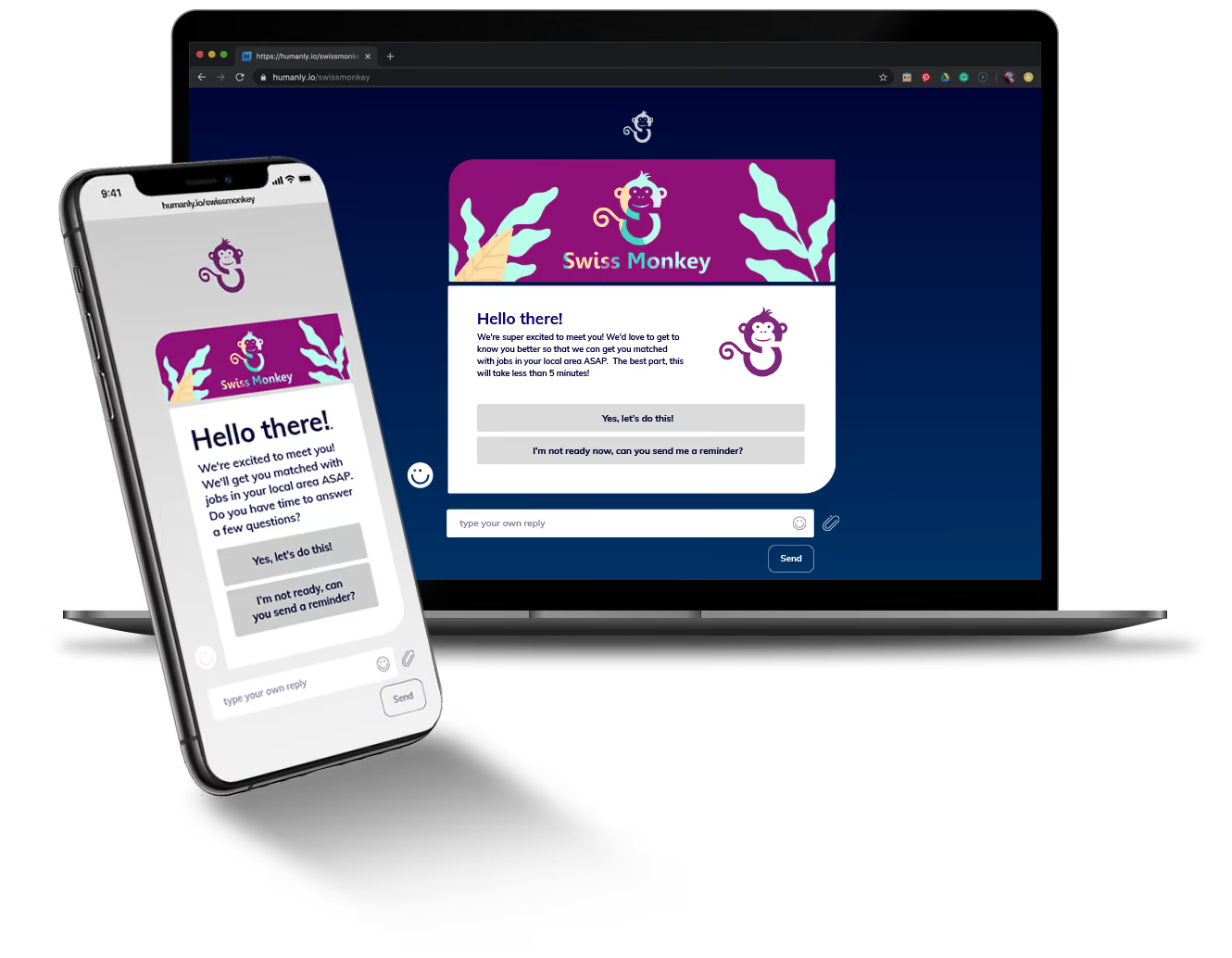
Humanly has designed an AI-powered chatbot that is specifically built for mid-market companies in need of a tool that is simple and fast to implement. Recently, they started referring to this assistant-like bot as an “AI co-pilot”, which we think is an accurate term. The bot can automate screening, scheduling, and even join live interviews. From the latter, it can produce notes, entire transcripts, and insights based on the conversation.
Those insights are easy to share with the rest of your team, and come in handy to optimize future interviews, zone in on particular aspects of candidates (like how they answered a particular question), and, in general, save time while vetting. One thing we’ve always liked about Humanly is that they integrate easily with most ATSs, saving you the manual work of inputting data into another system.
We keep in touch regularly with the team at Humanly, and they are usually up to all sorts of interesting things. The latest rollout is a conversational AI that conducts structured, real-time video interviews — a bold step toward scaling early candidate engagement. Trained on your job criteria and employer brand, it interacts with applicants conversationally, aiming to be “human enough” to draw out authentic responses without pretending to replace real recruiters. Feedback from the HR community has been mixed: some see it as a powerful way to ensure every applicant gets a fair shot, especially in high-volume pipelines where most never reach a live interviewer. Others caution that it risks feeling impersonal, potentially eroding candidate trust. From our view, it’s a thoughtfully executed tool that, when implemented with transparency and human follow-up, could meaningfully improve both speed and fairness in early-stage hiring.
Their use of AI is also generative. For example, the bot can produce a draft of a follow-up email after an interview or another hiring step. You can just tweak the email and hit send, or automate it completely for other steps.
While there are some ‘nice-to-haves’ that the tool may be lacking (as explained in the cons section of this review), Humanly is worth looking into when it comes to AI recruiting tools. If you're a mid-market company looking to add a chatbot, text recruiting, or AI capabilities to your talent acquisition tech stack, do check them out.
World Flight Services, Mossadams, Microsoft, The Key, Fazoli’s
Humanly’s pricing is not disclosed upfront. You may contact their Sales team for a price quote.
The most recent addition to Humanly’s hiring suite is their interview intelligence module. This is the part where the AI co-pilot can join live interviews and take notes. One cool recent feature is how the bot can do a pre-screening chat interview, and then hand off the candidate to a human when it’s time for the live conversation, while keeping the data of every interaction.
Recently, we also got to see an example of the interview summary that the bot generates (and send via email) and it’s one of the best examples of interview intelligence we’ve seen.
Best For
Medium-sized companies that want to streamline their recruiting processes with a special eye toward reference checks. Humanly is especially tailored for businesses that already have sourcing sites and an ATS in place, but need a solution to connect the two and accelerate things.

We use Humanly to assist us with our recruitment efforts. The tools support us with candidate vetting, interview scheduling, and post-interview documentation. We also utilize the automated candidate follow-up tools to aid in our relationship management efforts. Once we began utilizing the tools, we saw improvements in our relationships with candidates and decreases in the loss of candidates during the application and hiring process. Humanly has also been helpful in assisting us with tracking recruitment metrics and trends for KPI purposes.
The candidate interview scheduling option is very useful in streamlining the interview process. The candidate notifications have played a key role in providing relevant information to candidates regarding positions and the hiring process. The candidate tracking metrics provide insightful data that can be very beneficial to organizations.
Our small recruitment team was struggling to create solid applicant pools for vacant positions within our organization. We were also missing opportunities to hire qualified candidates in a timely manner because of our highly compliant-driven, paper-intensive hiring and interview process. Our time-to-fill rates were continually increasing, creating a very frustrating environment for the hiring departments, candidates, and our recruitment team. We needed a way to streamline our processes.
Humanly helped us by providing a platform to support the automation of our candidate interviewing and selection process, including ways to reduce our manual documentation steps. During the three years since it was implemented at our organization, Humanly allowed our recruitment team to refocus their efforts on sourcing candidates and relationship building to fill vacancies more effectively and efficiently.
The integration of data may be more challenging with some ATS systems than with others. Our organization experienced several issues in this area, as the process was not as straightforward as we anticipated.
Humanly is not much different from its competitors in terms of the types of tools it provides. Where it shines is in the overall ease of using its tools and the service provided to users.
When considering this type of tool, people should identify the specific service gaps they need to address and how the implementation of this tool will help solve them. Research plays a critical role in this process. Many companies offer similar options, so conducting due diligence is key to finding a company that provides the necessary tools, service, support, and price to fit your needs.
I'm not sure how the tool has changed over time.
Humanly can be beneficial for any type of user or organization.
None that I can think of.
Workable
Workable’s AI job posting tool is among the best we’ve seen due to how easy it is to incorporate GenAI into the mix and the quality of the results. Some other features that also impressed us during testing include applicant tracking, screening assistant, AI video interview, and even core HR.
PROS
- Advanced AI-powered job description tool with customizable tone and version control.
- Salary Estimator provides competitive pay ranges for US and UK jobs.
- AI Screening Assistant scores and summarizes candidate-job fit.
- In-house AI video interview tool and AI-Recruiter for passive candidate sourcing.
- Over 290 integrations are available, plus API support.
- You can post jobs with one click to over 200 sites. You also get access to access to Workable’s talent pool with over 400 million profiles.
- Workable has built-in cognitive and personality candidate assessment. The platform also has features for offer management, which means you can create offer letters and collect e-signatures without needing to use third-party tools
- You can reduce unconscious hiring bias with Workable’s anonymized screening feature. It helps you hide identifying candidate information from the sourced and applied stages of the hiring process.
CONS
- Extra fees for texting, video interviews, transcription, and Salary Estimator.
- Sourcing capability is not as comprehensive as that of dedicated platforms.
- No recruitment chatbot functionality.
- Workable doesn’t provide automated reference checking and onboarding features.
- Useful features such as candidate texting, video interviews, and assessments are not offered in any of Workable’’s plans and instead, sold separately.
- Several users complained about the reporting feature not being detailed or customizable enough, and that the candidate search function could use more filters.
After nearly 2 years of closely watching Workable, we can confidently say that it’s a powerful platform that has evolved significantly over its decade in the recruitment tech market. With over 30,000 customers, Workable has solidified its reputation as one of the top AI-driven recruiting tools, thanks to its advanced automation workflows and a growing list of integrations.
Many offer AI-powered job description features, but none have surpassed what we’ve seen in Workable. It doesn’t just stop at crafting first drafts of job postings based on the role title and requirements. It also allows users to adjust the tone (formal, friendly, or engaging), revert to previous versions, or even regenerate specific sentences to suit particular needs.
Another feature that positions Workable a step ahead of platforms like Lever or JazzHR is the addition of a Salary Estimator. In our test, this provided us with a competitive pay range for attracting top talent.
Workable’s AI-Recruiter tool for passive candidate sourcing, while not as comprehensive as some dedicated sourcing platforms we know, like Gem or Fetcher, is sufficient for SMBs. During our Standard Plan trial, we received 75 profile views, which allowed us to preview candidates and see why the system matched them to our job postings— all without relying on external apps (read: additional fees).
We were equally impressed with the AI Screening Assistant. It provided both profile scores and a detailed summary of how well each candidate matched our job’s requirements, which made the whole screening process labor-saving.
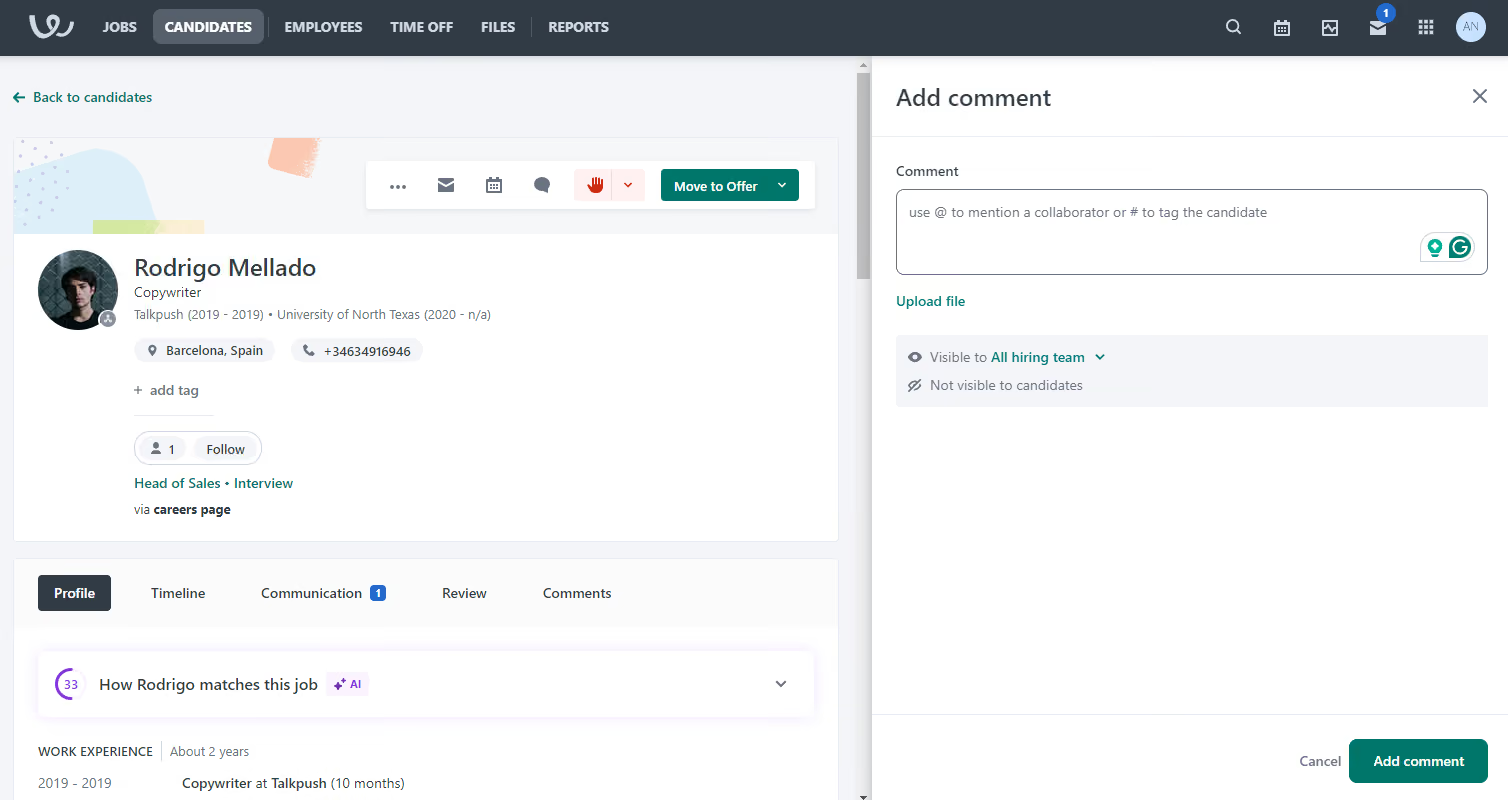
It was also convenient to have everything under one roof with an AI video interview tool in-house. However, it’s worth noting that this feature, along with transcription capabilities (via third-party tools like Supernormal or BrightHire), comes at an additional cost.
On the pricing front, Workable starts at $299 per month, which is steeper than competitors like Manatal ($15 per month) or Wellfound (free). This higher price point reflects its robust feature set. Still, we can see how budget-conscious teams might find this a bit much.
Workable is also geared towards in-house recruiting, so we wouldn’t recommend it if you're part of a staffing agency. And for those who focus heavily on chatbot-driven candidate screening and communication, you might want to look elsewhere, such as Humanly or Paradox, which excel in that area.
30,000+ companies, including Cytora, Karo Healthcare, and Frosch.
Workable has two plans: Standard ($299/month), and Premier ($599/month). Premium add-ons, such as Texting, Video Interviews, and Assessments, start at $59/month. A free trial is available, and discounts apply when bundling Recruiting and HR products.
Best For
SMBs seeking a well-rounded, AI-enhanced applicant tracking system that can also handle sourcing, screening, and interviews in-house.
I used Workable on a daily basis to manage our full-cycle recruitment process. It was my go-to tool for posting open positions across multiple job boards, screening incoming applications, and coordinating with hiring managers.
One of the main workflows I relied on was creating and managing customized hiring pipelines, which helped us track candidates by stage and ensure timely follow-up. I also used Workable to schedule interviews, send automated communications, and collect structured feedback from interviewers, which kept everyone aligned.
Additionally, I generated reports through Workable to monitor our time-to-fill, source effectiveness, and overall hiring activity, which supported more strategic decision-making in our talent acquisition efforts.
Workable has an intuitive interface that makes it easy to navigate and manage the entire hiring process efficiently.
Its customizable hiring pipelines and automation features helped streamline collaboration with hiring managers and improved overall workflow.
The reporting and analytics tools provided valuable insights into our recruitment metrics, supporting better strategic planning.
My prior organization implemented Workable to improve and centralize our recruiting process, which had previously been inconsistent and heavily reliant on manual tracking through emails and spreadsheets.
We needed a tool that could streamline job postings, manage candidate pipelines more effectively, and improve collaboration between hiring managers and HR. Workable provided a user-friendly interface, automated workflows, and seamless communication with candidates, which helped us reduce time-to-hire and improve the candidate experience.
It also offered valuable reporting features that gave us better insight into our recruiting metrics and helped us make data-driven decisions. I personally used Workable for about a year, and it’s become an essential part of the hiring process.
Workable’s pricing can be high for smaller teams or companies with fluctuating hiring needs.
Sometimes there were duplicate candidate profiles that Workable didn’t detect.
Integration options with some third-party tools were limited or required workarounds.
The higher-level plans did offer good features, including AI and ATS systems. Workable was also mobile-friendly, which isn't true for some competitors.
Customers should primarily consider how many job openings they currently have and how many they plan to post. It’s also essential to think about which features they actually need and whether they intend to use the system for the entire hiring process or just for posting jobs.
The integration of AI has been a more recent development.
Smaller to mid-sized companies that don't have ongoing hiring efforts can benefit from Workable.
Larger organizations and organizations that have high turnover or minimum wage jobs won’t find Workable the right fit.

Recooty
For SMBs that want to start hiring quickly without wrestling with complex AI recruitment software, we highly recommend Recooty. It’s one of the few ATS tools at this price point that includes built-in AI resume-matching, email scheduling, and multilingual support across eight languages.
PROS
- Recooty's affordable Starter plan costs $79 monthly for 5 jobs and 20 users.
- Native AI tools for resume screening, candidate scoring, and job description generation included across all plans.
- Highly intuitive interface requires little to no training needed to operate.
- Supports 8 languages and enables posting jobs to over 250 global job boards.
- One user liked the usability of the software, stating that it is 'easy and self-explanatory.'
- The ability to post a job on multiple platforms makes it efficient, as per one user who labels Recooty a 'one-click job posting solution.'
- The company offers a cheap subscription, making it affordable for small businesses.
CONS
- No free-forever plan. Only a 15-day free trial offered.
- Lacks mobile app and Chrome extension (though both are in development).
- Limited native integrations and customization compared to some competitors.
- Missing key hiring features like salary estimators and employee referrals.
- The company does not have a mobile application.
- Recruitment features can be quite basic compared to some competitors.
- Integrations are somewhat limited.
- Not suitable for large enterprises with more job postings and locations.
Recooty’s AI recruiting features offer a promising boost to its lightweight ATS, adding smart functions to a pretty simple tool. We checked out these features in a recent product trial and found a combination of handy automation, good time-saving options, and a few areas that still need to catch up with more advanced competitors.
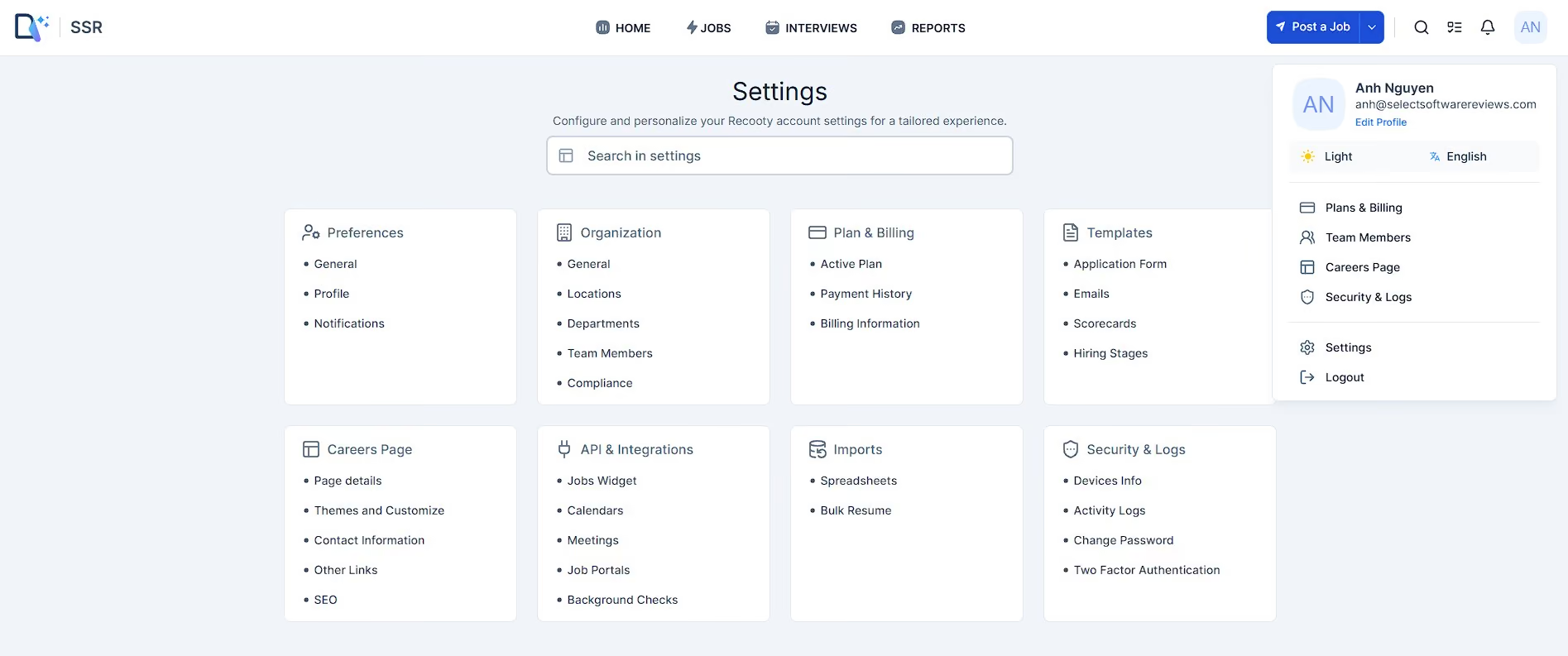
One of the first AI features we explored was the job description generator. It’s an easy-to-use tool that quickly produces functional templates. For small teams or first-time recruiters, this can be a real time-saver. To be fair, though, Recooty doesn’t let you adjust the tone or customize benefits based on location the way some other vendors like Workable do, meaning some manual editing is still required.
Recooty’s AI scoring is where the tool really shines. As applications start coming in, you can filter candidates based on AI match scores, which compare resumes against the job description. During our test run, this feature allowed us to focus on the most relevant applicants quickly. Plus, each candidate profile has an AI-generated summary that highlights key skills, experience, and education—another factor to speed up the applicant screening process.
We also appreciated how these scores fit into the candidate pipeline. For example, you can apply filters to shortlist only those within a specific AI score range or by status (like Interview Round or Shortlisted). This mix of automation and user control is well thought out for an SMB-friendly ATS.
While not strictly “AI,” Recooty's workflow automation includes email scheduling options that react to candidate status changes, such as interview invites or rejections. You can set these with customizable delays (anywhere from 30 minutes to 2 days), a simple but smart layer that improves the candidate experience and boosts recruiter efficiency!
That said, Recooty’s AI toolkit generally feels somewhat basic. For teams needing deep AI customization, predictive hiring analytics, or an applicant pre-screening agent, Recooty isn’t quite there yet.
We also noticed that some standard ATS features are still being developed, including mobile access, a Chrome sourcing extension, and employee referral programs.
15,000+ companies, including Barnhart Group, Blue Arrow, and Pani.
Recooty offers a 15-day free trial and three paid annual plans starting at $79 per month.
Best For
Small and mid-sized businesses that want an affordable, AI-enabled ATS with minimal setup, particularly those hiring across multiple languages.

Puck
Puck stood out for combining audio-based AI screening with employee audio clips that help attract candidates. We think they are particularly compelling for teams hiring large numbers of hourly or in-person workers, where short, no-scheduling interviews can remove friction from the screening process.
PROS
- Audio-only AI interviews typically take less than 5 minutes and require no scheduling or camera.
- Employee mini-podcasts bring authentic employer voices to career sites and job pages.
- AI evaluates candidates against customizable criteria and provides scores, reasoning, recordings, and summaries.
- Interviews and evaluations support 33 languages, helping teams assess candidates in their native language.
- Resume matching automatically ranks inbound applicants against job-specific evaluation criteria.
- Audio-only AI interviews typically take less than 5 minutes and require no scheduling or camera.
- Employee mini-podcasts bring authentic employer voices to career sites and job pages.
- AI evaluates candidates against customizable criteria and provides scores, reasoning, recordings, and summaries.
- Interviews and evaluations support 33 languages, helping teams assess candidates in their native language.
- Resume matching automatically ranks inbound applicants against job-specific evaluation criteria.
CONS
- Audio-only screening is a weaker fit for roles requiring video or on-camera assessment.
- Puck’s ATS is relatively lightweight.
- Employer functionality is desktop-only today, with mobile access still on the roadmap.
- ATS integrations are currently limited to Greenhouse, iCIMS, Lever, Ashby, and Pinpoint.
- Audio-only screening is a weaker fit for roles requiring video, identity, or on-camera assessment.
- Puck does not offer candidate sourcing; their ATS is also relatively lightweight.
- Employer functionality is desktop-only today, with mobile access still on the roadmap.
- ATS integrations are currently limited to Greenhouse, iCIMS, Lever, Ashby, and Pinpoint.
Puck takes a unique approach to recruiting by using audio across candidate attraction and screening. The process can start with employer-branding content: employees participate in recorded conversations that Puck's team turns into polished podcasts and short-form social clips in roughly 2 business days. Those podcasts can be mapped to specific roles, departments, and locations on the career site, allowing employers to tailor their messaging to different openings.
Once candidates apply, Applicant Match can help recruiters prioritize who moves into screening. The platform generates evaluation criteria from job descriptions and ranks inbound applicants against them, which can be useful for teams dealing with large applicant pools. From there, SMS invitations from Puck’s AI Recruiter lead candidates directly into a short AI phone interview without requiring scheduling, a video call, or a camera.
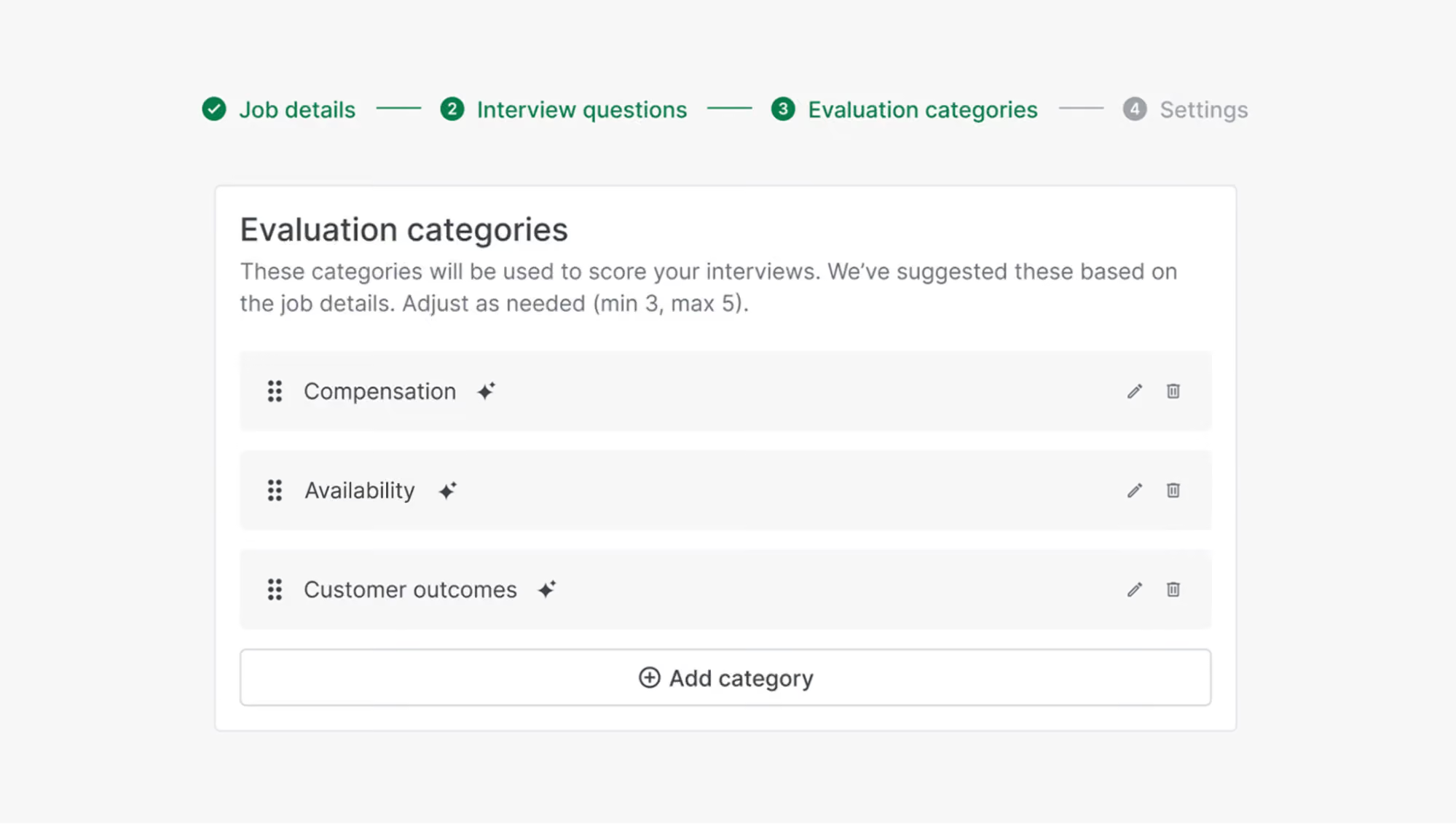
We see the strongest use case in hourly and in-person roles. The vendor specifically designed their phone-based workflow around candidate populations where fraud tends to be lower, and the economic incentive for candidate misrepresentation is limited. Removing scheduling and camera requirements can also make interviews easier for candidates to complete. The trade-off is that audio-only screening may provide less verification for high-skilled or fraud-sensitive roles (a video platform could be a better choice for those).
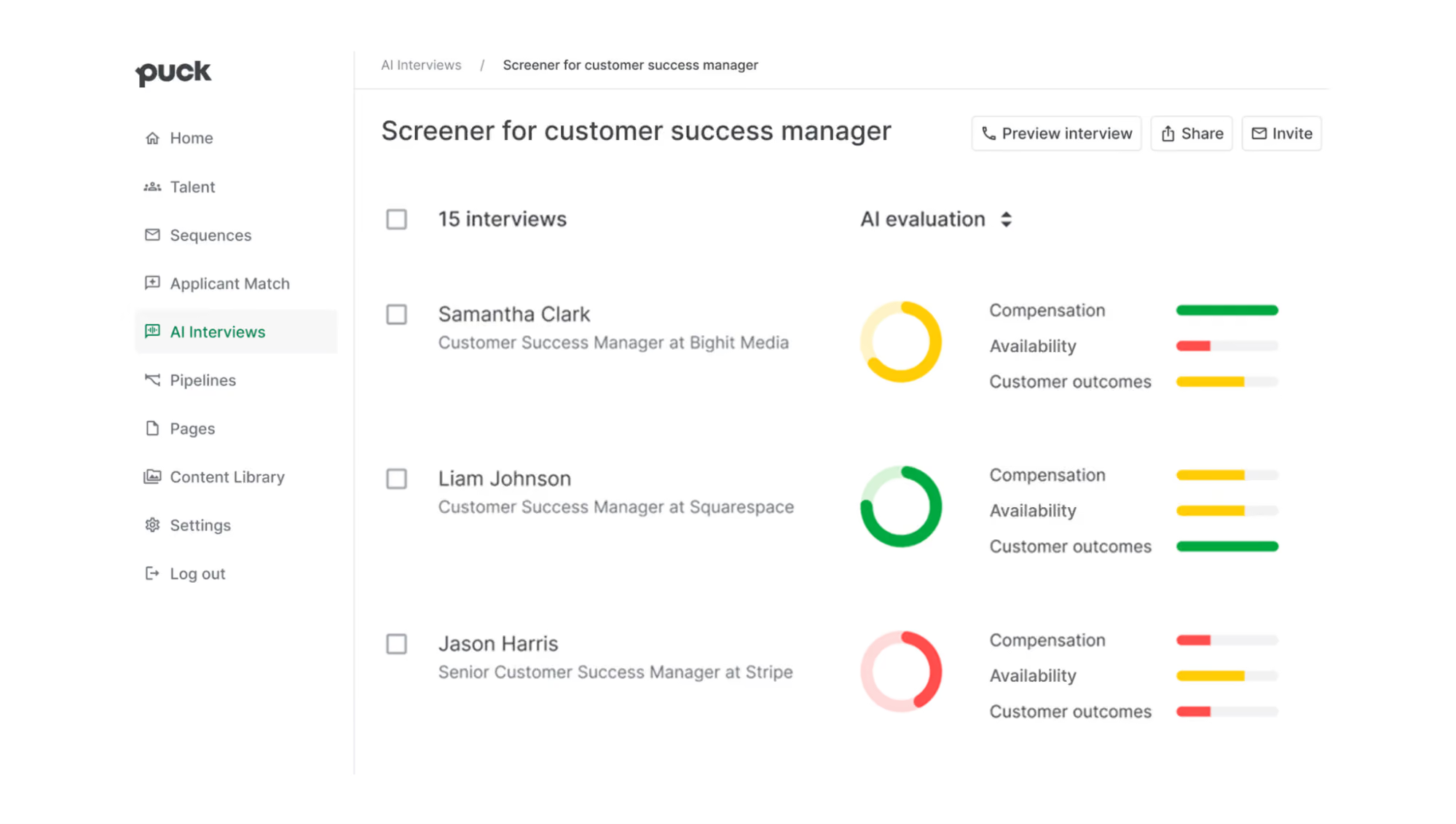
We also like that, after the interview, Puck’s AI Recruiter scores candidates against your set criteria and provides reasoning rather than just a single overall score. You'll also receive recordings and summaries and, importantly, can override an AI grade. The vendor says those overrides create a feedback loop that helps their system develop a more company-specific scoring approach. We like the human-in-the-loop design, although we wish the vendor provided more detail about how that learning process is managed and monitored.
A few other things to keep in mind about this AI recruiting tool: First, Puck’s ATS cannot replace dedicated systems like Workable or Greenhouse due to its lightweight design. Second, native ATS integrations are restricted to Greenhouse, Lever, Ashby, iCIMS, and Pinpoint. Finally, administrative functionality remains desktop-only today, with mobile access still on the roadmap.
SKIMS, Lyft, Armani, Welch's, Avalara
Puck offers 4 pricing tiers:
- Starter: $300/month ($3,600/year) for small teams without an ATS connection.
- Standard: $600/month ($7,200/year) for recruiting teams with an existing ATS; this is their most common tier.
- Pro: $1,000/month ($12,000/year) for higher-volume recruiting.
- Enterprise: Custom pricing.
Best For
Lean and mid-market recruiting teams hiring at high volume, especially for hourly and in-person roles where fast, low-friction screening matters more than video or identity verification.

Paradox
Paradox has a stellar implementation team, and its flagship product, Olivia, is an excellent conversational AI tool for large enterprises to engage and prescreen candidates at scale.
PROS
- Cuts down on back-and-forth communication between job candidates and recruiters.
- We’ve found their implementation and customer service are very efficient and accessible.
- The conversational AI can answer candidate questions in over 100 languages.
- Paradox's back-end system can be translated into more than 30 languages for users.
- Their implementation and customer service is very efficient and accessible. You will not only get a Customer Success Manager to help you with every step during your implementation phase but your issues will also likely be resolved within the same day. Unlike many vendors, you can contact their support team via phone and explain your issue in real-time.
- It’s very time-saving and cuts down on back-and-forth communication between job candidates and recruiters. As Derek B, Head of Recruitment at a large-sized enterprise puts it, “Olivia helped us shave our response time from 7 days to under 24 hours. This time saving ensured that the applicants we chose to interview were the best of the bunch.”
- Olivia, their AI chatbot is programmed to respond to candidates in a way that feels personal, as if a real person is responding. What’s even better is that despite complete automation, you can see all chats and manually override them if need be.
CONS
- Custom requirements can take time to deliver.
- The AI assistant is intelligent and has a human touch, but at the end of the day, Olivia is still AI. At times when you want nuanced answers in conversations, a recruiter will have to operate the chat manually.
- Their support team has been responsive, but sometimes the resolution to an issue isn’t tested from Paradox's side before being passed over to customers.
- Undisclosed pricing, no free trials.
- Although you can get some data and feedback about your company and its processes, analytics is not very robust in Paradox. If you’re looking for advanced features that let you slice and dice your data in various ways, you’ll have to look for other applications.
- Their AI assistant is intelligent and has a human touch but at the end of the day, Olivia is still AI. At times when you want nuanced answers in conversations, you’ll have to manually operate the chat.
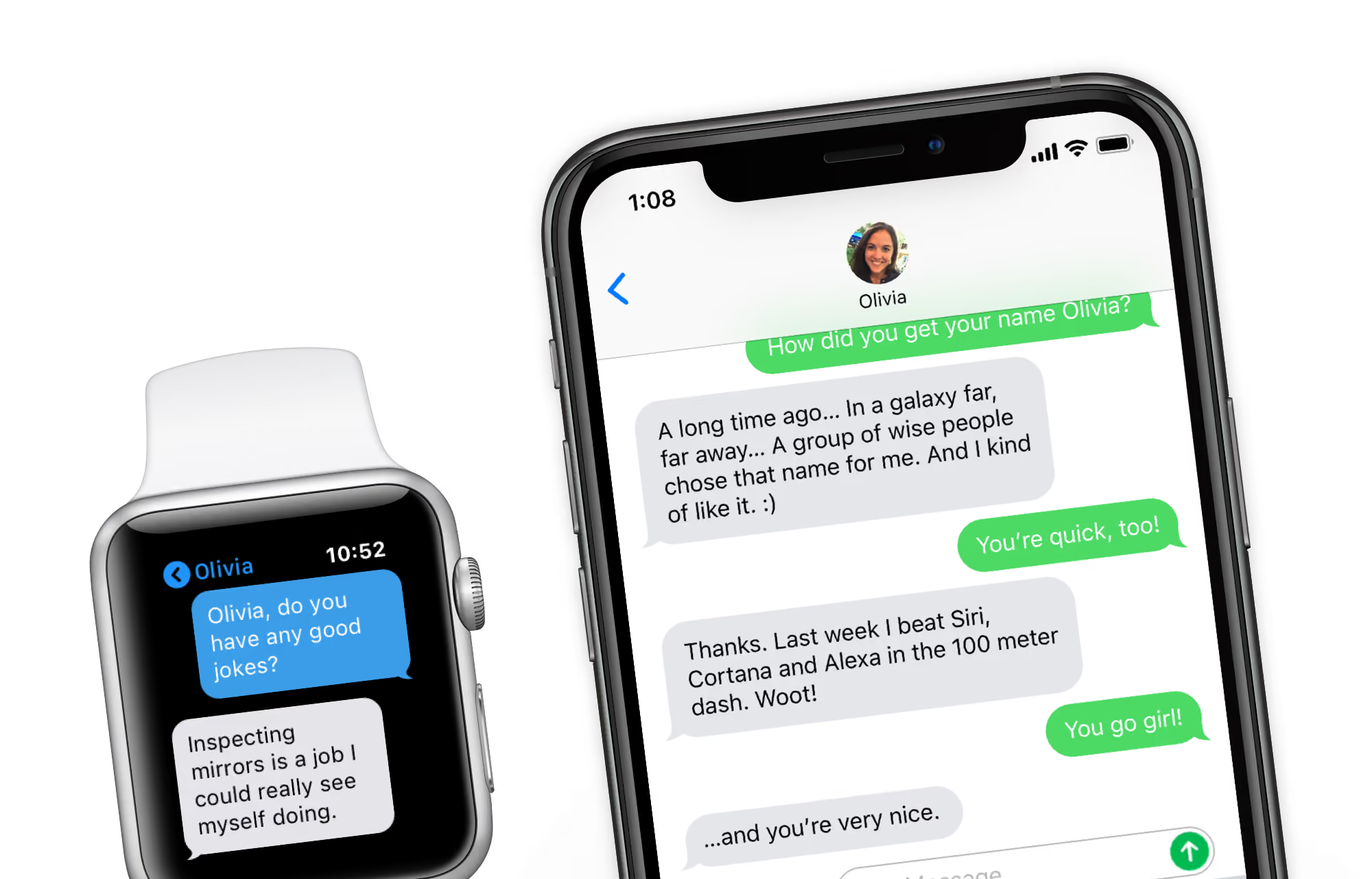
Paradox relies on a conversational AI engine called Olivia, which acts as a mediator between recruiters and candidates for passing relevant information, taking requests, and answering questions. While we don’t think it makes all the conversations feel just like humans talking to humans, it does a great job of making the interactions human-like enough.
Our first impression of Paradox's screening capabilities was impressive. The platform's ability to advertise job posts through physical billboards, flyers, and social media, coupled with Olivia's round-the-clock availability for welcoming and screening applicants, can be a game changer for quickly filling multiple positions.
As interacting with AI has become increasingly comfortable, especially when the conversation holds meaning in today’s world, Paradox's trained AI— Olivia, has done a great job engaging with candidates on behalf of recruiters. Olivia can text candidates, share relevant job descriptions, collect candidate information, schedule interviews, and operate outside recruiters' working hours.
However, like any other AI recruitment tool, it may not handle inquiries beyond its programmed knowledge. Tasks such as assessing qualifications or verifying email addresses are better suited for experienced recruiters.
Unilever, McDonald’s, Amazon, 3M, CVS Health, Nestlé, Lowe’s
Pricing is not disclosed upfront. You will have to schedule a demo to get custom pricing.
Best For
Large/international enterprises that deal with high-volume continuous hiring.

We use Paradox to expedite the interview process. We were able to reduce the time from application to interview by 4 days. It also allows us to keep a steady pipeline of applicants moving through.
I like how customizable and user-friendly Paradox is. We have received positive feedback from applicants. Paradox has multiple features that allow your own brand voice, look, and feel to come through.
We implemented Paradox at my most recent employer to provide a higher-touch applicant experience. Paradox allowed us to provide on-demand answers to questions and immediate interview scheduling to prevent losing applicants to other employers.
Paradox initially required a heavy lift to add all the information on the back-end necessary before launch. It was very time-consuming for my lean HR team.
Paradox differentiates itself from competitors from the avatar function to the scheduling process. They made getting to know our company and applying seamless for applicants.
People should consider whether they want a fast, efficient, and high-touch experience for candidates. This tool may not be best suited for industries where more in-person connection is necessary to qualify candidates before moving to an interview.
Paradox has added API integrations, updated its tool look and feel, and improved its reporting capabilities.
There are several different ways Paradox can be used. All features do not need to be turned on at once. The platform is flexible to meet the specific needs of each organization. Companies with high applicant counts could benefit from this tool to expedite getting someone from the point of application to in-person interview by keeping applicants engaged through a speedy process. A great tool for high-growth and fast-paced environments needing to hire a large number of people quickly.
Paradox would not be a great tool for organizations with low applicant volume or very minimal open positions.

Manatal
Manatal tops its affordable pricing off with AI-powered actions, such as candidate filtering and recommendations. This, combined with its user-friendly interface make the AI recruiting software a solid option for small and midmarket businesses worldwide.
PROS
- Manatal is quite affordable. Pricing starts at 15 USD/month.
- Offers a 14-day free trial for users to test before making commitments.
- Reasonably easy to use. It features drag-and-drop-enabled pipelines, making it simple to organize applicants.
- AI-based recommendations feature scans job descriptions then searches the user’s talent pool and brings up candidates most suited for the job.
- Offers 24/5 online support, email support, documentation and video explainers, and free onboarding and training.
- Manatal is quite affordable and offers a 15-day free trial for users to test it out before making commitments.
- Manatal is fairly easy to use. It features drag-and-drop enabled pipelines for candidate organization.
- Manatal’s AI-based recommendations feature can save hiring managers quite a bit of time. It’s able to scan job descriptions then search a users talent pool and bring up candidates most suited for the job.
CONS
- The AI recommendations feature works best with resumes in English and doesn’t work as accurately with other languages.
- Manatal doesn’t have a free plan.
- There are limited prebuilt integration modules.
- Only Custom plan users can access API and Zapier integrations.
- Can’t use Boolean Search or Advanced Search simultaneously.
- The AI recommendations feature works best with resumes that are in English, and doesn’t work as accurately with other languages according to several users’ feedback. Several users have also complained about Manatal’s interface only being available in English and that career pages cannot be published in languages other than English and Spanish.
- Manatal doesn’t offer a free plan. We mention this as a con as several SMB-geared ATSs do offer a free-forever verison, and that puts Manatal slightly behind competition.
- Manatal doesn’t offer prebuilt integration modules. They do have an open API that allows users to plug in third-party products and custom tools, but that required a bit more time and technical knowledge to accomplish. It’s also worth mentioning that only Custom plan customers can access Manatal’s API and Zapier integration. Customers on the Professional and Enterprise plan cannot.
- Users can search for candidates via Boolean Search or Advanced Search, but cannot combine the two search methods together. E.g users cannot use the Boolean search operators (AND, OR and NOT) within Manatal’s Advanced Search tab.

Manatal goes above and beyond the typical features expected from a budget-friendly ATS by incorporating AI-powered actions, such as candidate filtering and recommendations. This makes it a standout option, particularly for SMBs looking to streamline their hiring process.
One of the first advantages we noticed of Manatal is its affordability, with pricing plans starting at just 15 USD per month. The platform also checked the user-friendly UI box for featuring drag-and-drop-enabled pipelines.
As we tested the tool, we found the AI-based recommendations feature to be an excellent way to automate prescreening. This feature scans JDs and matches them with the most suitable candidates from the user’s talent pool.
Since coming across the tool and speaking to their team on several occasions, we’ve always appreciated their customer service focus. They offer 24/5 live chat, email support, documentation, and free onboarding and training.
Among Manatal’s client list, you’ll find names like Unilever, Coca-Cola, Panasonic, Ogilvy, and Toyota.
Manatal offers four plans with options for monthly and annual billing. When billed annually, they cost as below:
- Professional Plan: $15/user/month, includes up to 15 jobs per account and 10,000 candidates. Unlimited guests can be added.
- Enterprise Plan: $35/user/month, provides unlimited jobs, candidates, and guests.
- Enterprise Plus: $55/user/month and includes all Enterprise features, user groups, open API access, SSO log-in, priority support, and access to Beta features.
- Custom: Custom pricing. Tailored for larger businesses seeking advanced functionalities and support.
Best For
Small and midmarket businesses prioritizing affordability and simplicity.

Being in talent acquisition, I use Manatal every day for recruiting for our 38 offices. The key workflows I use are receiving resumes through different job boards, which includes premium posting and free job boards, reviewing resumes, scheduling interviews, connecting with different users, getting feedback from managers, and maintaining employee databases.
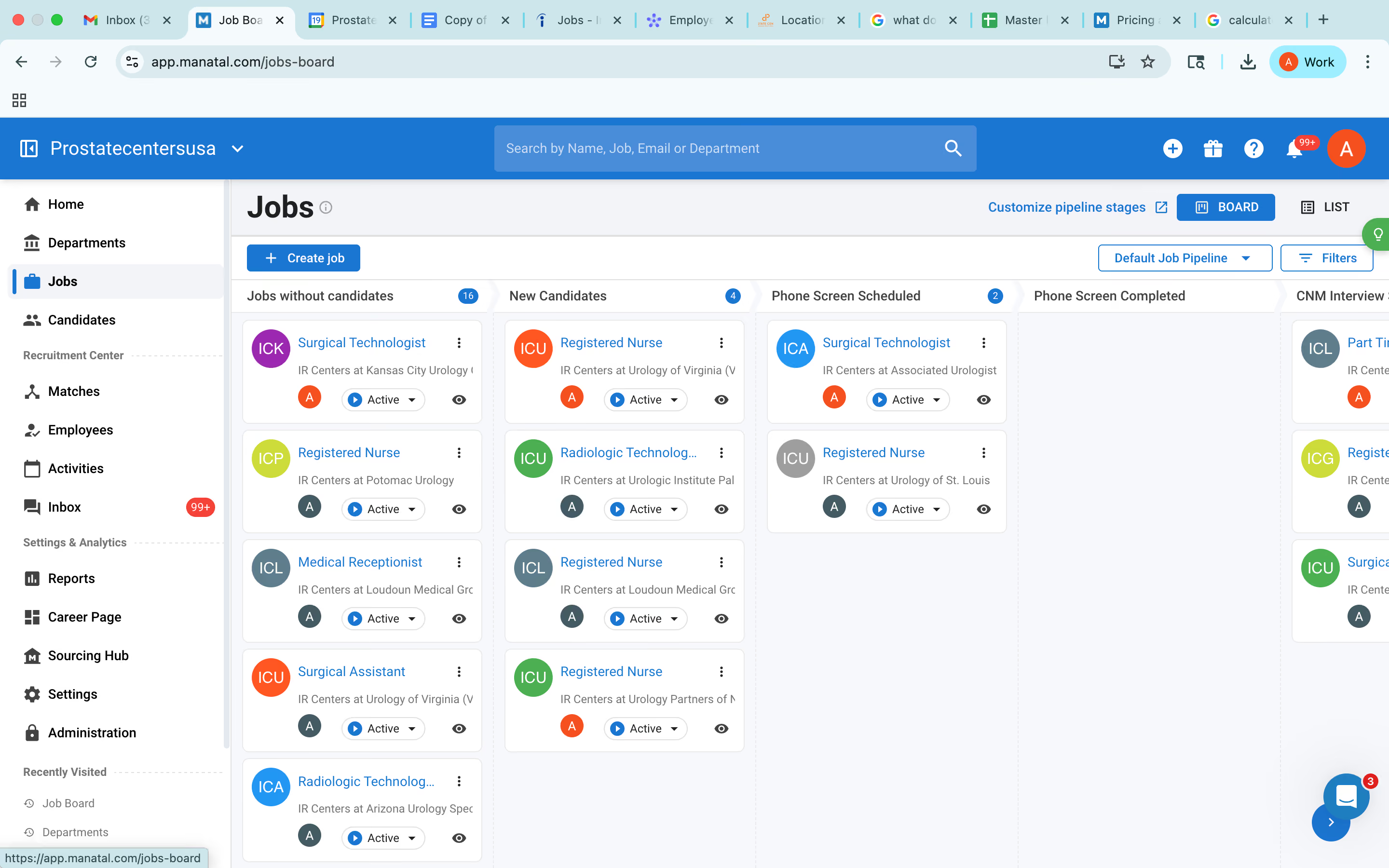
Manatal is easy to use. It is budget friendly. It has good customer service.
We are a healthcare startup and we needed an ATS. We were initially using Excel but wanted something more for tracking all details like how many candidates are in play for each open role, who are in the interview stage, and who are in the offer stage.
Depending on our needs, we subscribed to Manatal as it met our budget and needs. I have used it as admin for 4 months now and trained my team on it too. It is a budget friendly tool and has a good customer support team.
Sometimes it is slow in parsing resumes, so it takes time to pull details. The job posting via Manatal to job boards takes 24 to 48 hours, which delays recruitment, as recruitment is about speed and accuracy.
When a job is filled, we tend to archive it and the candidates linked to it are also archived, so if we need those candidates to be seen for another job, we have to restore the job first, and I wish the job could be archived without the candidates.
I have used JobDiva and ADP, and I liked those interfaces better. I still prefer JobDiva because its speed is good and it has many ways to generate reports.
We must understand the business need, how many users will be using it, how much we want to spend, and why we need it. It is also important to consider whether it will be user friendly, whether it allows transition of data from a previous tool or source, and how the support system and customer care are.
Manatal constantly takes feedback to improve the product.
Manatal is good for small businesses in corporate recruitment with a small team.
Large organizations with more users, like Amazon, will not benefit from Manatal.

Hirefly
We loved Hirefly for its ability to reduce the manual work from recruiting with well thought out AI recruiting tools built-in. Autopilot delivers interview-ready candidates without manual sourcing, while FastTrack cuts down resume review time by sorting applicants into clear, actionable categories.
PROS
- Facilitates both inbound and outbound talent sourcing.
- AI finds, contacts, and shortlists interested candidates with minimal setup.
- Two-way integrations with major applicant tracking systems.
- Autopilot and FastTrack’s sourcing engines learn from user feedback to improve results.
- Autopilot only needs a job description and three LinkedIn profiles to start sourcing candidates.
- FastTrack significantly speeds up resume screening with pre-filtered candidates.
- System continuously learns from recruiter decisions to improve candidate matching.
CONS
- Lacks features beyond candidate sourcing.
- No open API while custom integrations only for large deals.
- Not ideal for recruiting for roles not well-represented on LinkedIn, as its outbound sourcing tool relies on LinkedIn's dataset.
- Somewhat limited ATS integrations, no open API.
- Autopilot's starting price of $2,000 per month may be too expensive for some.
- FastTrack trial only available after a sales demo.
It’d be a lie if we said we didn’t doubt Hirefly’s claim of eliminating the need for manual sourcing and reducing resume review time by 80%. But we’re happy to report that throughout our tech tests, the vendor’s Autopilot for outbound sourcing and FastTrack for inbound application review just showed they both have a knack for taking the legwork out of recruiting.
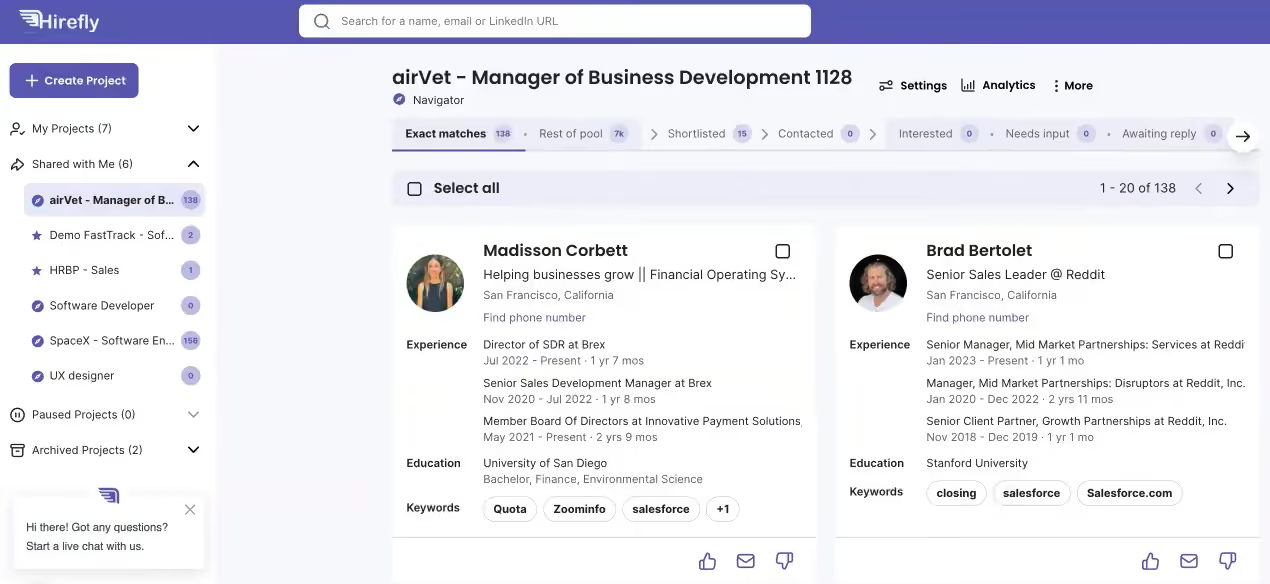
Our experience with Autopilot was smooth, with minimal setup and the AI delivering interview-ready candidates within a matter of days. By simply inputting a job description and three examples of ideal LinkedIn profiles, we received a list of the five most promising candidates that the AI had sourced and reached out to. Plus, it learned from our feedback (whom we rejected/approved, our reason notes) to improve the next batch it sent.
With the ability to get our hands on top candidates this fast with no manual sourcing required, we can imagine that those without in-house recruiters and overloaded talent teams who simply don’t have time for outbound prospecting will find Autopilot particularly valuable.
That said, because this outbound sourcing tool relies on LinkedIn’s dataset, it’s less effective with roles that aren’t well-represented there. For example, if you’re hiring for blue-collar roles like warehouse workers or local retail managers, you're better off with a job board like BlueCrew or Snagajob.
Another tool we assessed was FastTrack, which caters to inbound candidate management. Compared to traditional ATS filtering, this tool felt a lot easier to work with. When we ran it through a test batch of applicants, the AI did a solid job correctly classifying candidates into Great Fit, Borderline, and Poor Fit categories. Similar to the algorithms behind Autopilot, FastTrack’s sorting mechanism also learns from recruiter feedback, meaning that over time, it gets better at ranking candidates for you.
We can appreciate Hirefly’s integrations, but only from a distance. While the AI recruitment platform integrates with major ATS providers, there’s no open API. Custom integrations are possible, but as the vendor honestly shared with us, only for deals large enough to justify them.
Due to this limitation, if you’re using a niche ATS that Hirefly doesn’t support, you may find the adoption challenging. What if you don’t plan to use any ATS at all? We don’t think it makes much sense to opt for FastTrack, but Autopilot should still be worth considering especially if you’re after outbound sourcing.
JLL, Lyft, Indeed, and ZipRecruiter are some of the companies that use Hirefly.
Hirefly offers two pricing structures for their sourcing tools: Autopilot, which starts at $2,000 monthly per job slot, and FastTrack, which ranges from $50 to $100 monthly per job slot, depending on the chosen package size.
Best For
Companies that regularly fill white-collar worker roles at scale looking for a powerful AI recruiting platform that could replace a traditional sourcer or agency.

Pinpoint
Pinpoint earns its place on our shortlist by doing something most AI recruiting platforms struggle with: making AI explainable. Rather than hiding scoring logic behind an opaque engine, it puts recruiters in the driver's seat at every step, reviewing criteria before candidates are scored, seeing exactly why a score was generated, and choosing which features to use at all.
PROS
- Transparent, editable AI Candidate Match Score with human oversight
- AI filters structure unstructured applications into searchable data
- AI Resume Redaction reduces early-stage review bias
- Full audit log of AI actions for compliance and team alignment
- Granular permissions for AI output configuration and viewing
- AI Notetaker maps video interview answers to scorecard fields with timestamps
- Automated rejection routing, silver medalist tagging and candidate self-scheduling
- Recently added One-Way Video Interviews feature and AI tool integrations
- Pinpoint is an agile ATS that is highly customizable and values collaborative hiring.
- It’s got a simple and transparent pricing structure.
- Pinpoint offers unlimited jobs and team members in all of its plans.
- Their customer service team is highly praised by users.
- The career site builder is very robust, allowing teams to attract and convert the right talent.
- There are over 100 HR software integrations to choose from, and Pinpoint’s team is adding 3-5 every month.
CONS
- Better suited for in-house TA than staffing agencies
- Pricing may be prohibitive for smaller teams
- AI Copilot limited to individual records, cross-candidate comparison on roadmap
- MCP dashboards require external AI tools, not native to Pinpoint UI
- The employee onboarding module does cost extra.
- It isn’t the best fit if you’re looking for the cheapest ATS.
- There free trial is only available upon request.
What makes Pinpoint stand out isn't the breadth of its AI feature set but the deliberate restraint in how those features are designed. This is a platform that clearly thought hard about where AI should and shouldn't make decisions, and that philosophy shows up everywhere.
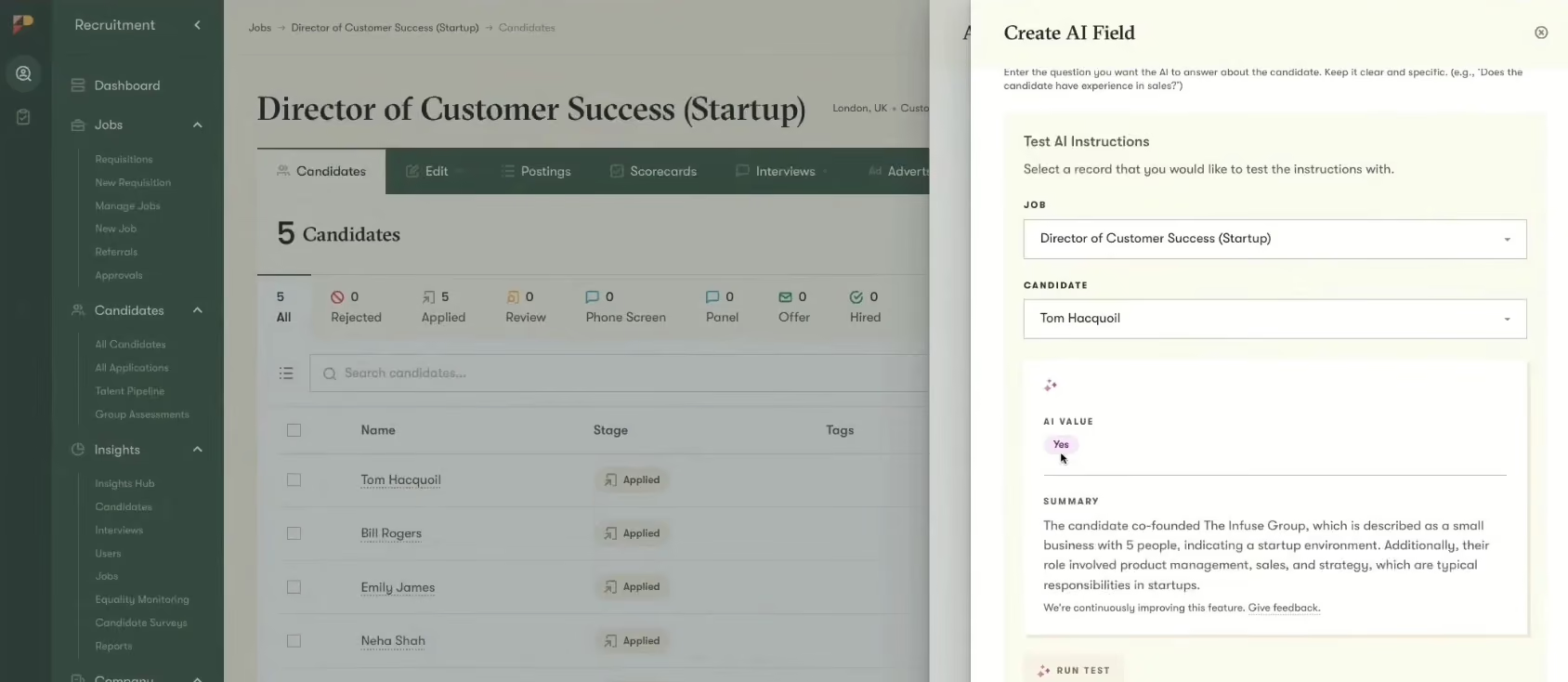
Start with the AI Candidate Match Score. In our testing, before a candidate was evaluated, we were presented with the scoring criteria and given the option to review, edit, or refine them entirely. Once we approved the criteria, candidates were scored consistently across the full applicant pool. The scores themselves come with plain-language explanations of why a candidate ranked where they did. For a TA team that needs to explain decisions to a hiring manager or, more critically, to a compliance officer, that explainability is worth a lot. The system is also testable before you apply it: you can run a sample candidate through the criteria to validate outputs before scoring your live pipeline.
The AI Candidate Filters are where we saw the most practical time savings. We built a custom filter targeting a specific combination of technical skills and industry experience, and within seconds, Pinpoint had parsed resumes, application forms, and cover letters to populate results across our test candidate pool. The ability to pull from multiple source documents simultaneously gave us a more complete picture of each applicant. The outputs are configurable too: scores, yes/no flags, or summaries, depending on what your team actually needs downstream.
We were also impressed by AI Resume Redaction, a feature that strips demographic identifiers from applications before they are reviewed. It's not glamorous, but it's exactly the kind of structural intervention that makes DEI commitments operational rather than aspirational.
The AI Hiring Copilot is an agentic assistant embedded in every candidate record, and it behaves exactly as you'd want an AI agent to: it retrieves context, proposes a next step, and then waits for human approval before doing anything. Recruiters can save custom prompts for repeated queries,which can be pretty useful during implementation when teams are standardizing how they review candidates. Currently the Copilot is scoped to the candidate you're actively reviewing while cross-candidate comparisons are on the near-term roadmap as Pinpoint expands its context window from individual records to jobs and beyond.
The AI Notetaker and AI One-Way Video Interview scoring features are now live and according to our tests, they are a great help for those often in high-volume hiring contexts where synchronous interviews create scheduling bottlenecks.
To be clear, Pinpoint does serve some staffing and agency customers, but the platform's design assumptions are most aligned with internal TA functions. If your team is dependent heavily on multi-channel outbound sourcing, you'll find the platform's focus leaves some gaps.
300+ companies, including CoinShares, Pathways Global, Grant Thornton, Icario, and Pivot Energy.
Pinpoint's annual billing plans are: Growth ($345/month) and Enterprise ($1,200/month). Startups with <50 employees may qualify for their startup program.
Best For
Internal talent teams that want AI-assisted screening and prioritization with full transparency, human oversight, and auditability built in.

We use Pinpoint daily, it's an ATS, so it does the typical things an ATS does. This includes, creating career pages on our corporate website that explains some basics about Article, and allows a candidate to decide if they’d they feel they’d be aligned to working with us.
On the career site, all the open jobs are visible for potential candidates to see. They can then decide to apply, upload a resume and fill in some basic info. On our side of the ATS, we create the jobs that are posted - designing the interview flows, application questions, and scorecards, then advertising them to the selected job boards.
We use Pinpoint to evaluate the viability of applicants, referrals, and candidates we source, being a single point of truth. Once candidates are selected to proceed, we use Pinpoint to move through the interview process, giving the hiring manager visibility into the hiring process.
For candidates, we use Pinpoint to schedule and communicate with candidates, who are selected for this process, but also to reject those candidates who are not. There is a lot more of course but this is a basic walk-through, and I’d assume if you’re reading this, you have a good idea of what an ATS does.

They're an ATS that is ascending, and not coasting on reputation; they've continuing to evolve, with new useful features, and integrations quickly rolling out.
Overall, I’d argue that Pinpoint puts candidates first, with easy applications and great branded communication. Adding to this, candidate-centric design is the built-in self-scheduling for interviews, and including a candidate NPS score - this is key to letting my team and I understand the candidate experience.
The new automation feature they launched where you can create rejection emails based on application questions has saved my team a lot of time by not having to screen candidates who do not meet minimal requirements, currently, this is about 29% of applications. We have been creating custom rejection emails for each automation, this allows the candidate to know specifically why they were rejected, and if they answered the application incorrectly by mistake, allow them to reapply.
I’m also a fan of their pronoun feature, which allows candidates to share their preferred pronouns. Little touches can make a huge difference when building inclusive hiring practices.
They continue to have fantastic support and as a partner, they really care about my team and our success. Adding to this are the people they hire, who are really great and it makes interacting with them so much easier.
With less talk/hype and more substance, you can tell they focus on the product and customers, not on the hype marketing machine jumping on whatever the trendy topic is.
We have used Pinpoint for 2+ years now, with a TA team that was quickly growing (we’d have over 20 users at peak). As an organization, we had just started hyperscaling, and we end up growing over 3x in under 18 months.
As we started on this journey, I quickly found that the ATS we were using, couldn’t keep it up. It was, designed for SMBs and smaller recruitment teams. One of the biggest pain points was it lacked the ability to reject candidates through an anonymous email, instead, when candidates were rejected it came from each recruiter's email - given the volume of applicants, this solution was not feasible and would lead to a poor candidate experience.
Additionally, the previous ATS ecosystem was small and wasn’t growing quickly, and it lacked the ability to build a career site out of the box.
We also needed the ATS to be easy to use, not just for the recruiters, but also, for the number of new hiring managers who would quickly need to understand how to use the ATS. This made the case to look replace the old ATS clear, we made a scorecard and started to evaluate our ATS options, ultimately landing on Pinpoint.
- Some of the UI/UX could be improved, particularly when you're screening large volumes of candidates, minor but it would be helpful.
- Because it lacks a deep integration into LinkedIn, we need to use LinkedIn’s “job wrapping” feature.
- The newer automation feature is really powerful, however, setting them up requires too many clicks, it’s not a huge deal, but it could be made smoother.
Much easier application process than most ATSs, making it very candidate friendly. Overall, they nail the mid-market really well, with enough features, integrations, and reporting, but they’re not hard to use and overly cumbersome compared to big ‘enterprisey’ ATSs.
When selecting an ATS I’m a proponent of using the following ranking:
- Candidate experience, regardless of the market, the best talent will always have options, if the application experience and communication experience is poor, they’ll choose to work elsewhere
- Recruiter experience since they use the tool the most. If they don’t like it, or it’s overly complex they’re going to work around it, rather than through it
- Hiring manager experience, will they log in, and actually use it
- Support, if I have an issue will it get resolved?
- Ecosystem/ integrations, an ATS should not do everything, rather it’s the hub to connect point solutions with
- I'm a huge fan of how they rolled out candidate pronouns, allowing candidates to share their preferred pronouns when applying.
- Multiple new integrations have been launched.
- Much faster page loading response times from when we first rolled it out.
Mid-sized to enterprise organizations.
I'm not sure. Maybe small companies that don't have a dedicated HR team.

Pin
Pin combines agentic sourcing and shortlisting with a candidate database that nears 800 million profiles. Its AI agents also handle automated email and SMS outreach in one workspace, giving lean teams smart sourcing that usually needs several tools.
PROS
- Every candidate profile carries its own LLM thread that generates a fit score, verifies your criteria, and estimates current salary.
- Hundreds of granular filters go beyond title and company size to department-level tenure, startup experience, and specific investors.
- Agents study the hiring company, propose shortlists in batches you approve or decline, and draft personalized email, LinkedIn, and SMS outreach.
- A free plan and a 14-day trial let teams test before committing, which is uncommon among AI sourcing tools.
- Search runs on plain-language prompts plus hundreds of filters, from department-level tenure to the investors behind a candidate's past employers.
- Each result gets its own LLM thread that scores fit, checks your criteria, and estimates salary, so sourcing lists arrive pre-qualified.
- Coverage reaches passive candidates well beyond LinkedIn job postings, the pool most sourcing teams struggle to tap.
- Sourced candidates flow straight into automated email, LinkedIn, and SMS sequences without a second tool.
CONS
- Pin meters contact reveals monthly credit caps on every plan, so heavy-sourcing teams can hit limits fast, raising the real cost.
- Pin focuses on outbound headhunting and does not parse inbound applicant resumes, so teams might still need a separate applicant tracking system.
- SSO/SAML and SCIM provisioning are only available as paid add-ons on the higher tiers-
- Pin is new to the market, with a still-thin independent track record compared with established sourcing tools.
- Every contact reveal draws on a monthly credit cap, so high-volume sourcing teams can exhaust their allowance before month's end.
- Pin draws candidate data from undisclosed third-party sources, so coverage and freshness are hard to audit before buying.
- Pin sources and engages candidates but does not parse inbound applicants, so teams may have to run Pin alongside an applicant tracking system rather than in place of one.
- As a tool that launched in late 2024, Pin has a short public track record next to incumbents like hireEZ and SeekOut.
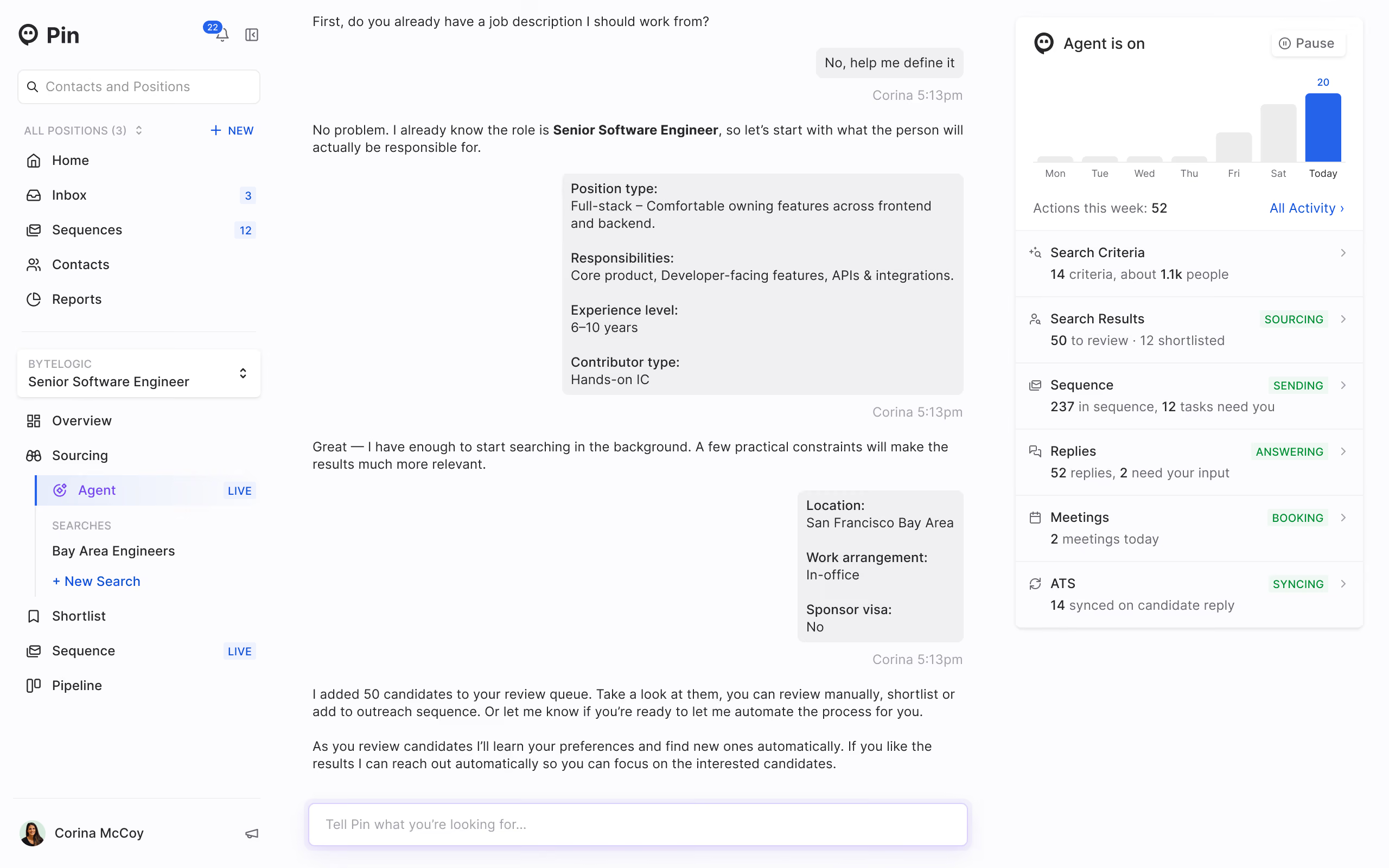
We sat through a full demo with the Pin team, and Pin earns its place here by handling the whole sourcing motion in one pass. You describe a role in plain language, and agents research the company, search a database Pin says tops 800 million profiles, and return a ranked shortlist with per-candidate fit scores and salary estimates. The filters held up when we pushed on specifics, down to department-level tenure, startup experience, and the investors behind a candidate's past roles.
What sets Pin apart came through in our own calls with HR tech buyers. An enterprise talent acquisition leader who had used SeekOut called it only adequate and described wanting precisely what Pin does: drop a job description in, get aligned profiles back. Where SourceWhale concentrates on outreach sequencing and leaves sourcing to your pipeline, and Juicebox caps searches tightly, Pin runs sourcing, fit scoring, and multichannel outreach together, then hands recruiters a daily task list to work.
Pin fits how we at SelectSoftware Reviews see AI in hiring: a multiplier for recruiters, not a replacement, since a human approves or declines every match agents propose. Pin is outbound-focused and does not parse inbound resumes, so one staffing-agency owner we spoke with pairs it with a separate applicant tracking system. Commercially young since a late-2024 launch, Pin also meters contact reveals by credit, which heavy-sourcing teams should price first.
Pin has not publicly disclosed its customer count or named clients.
Pin publishes four tiers, with annual billing as the default.
- Free: $0 for 1 seat with capped weekly contacts, one job, and email-only outreach.
- Solo: $99 per month billed annually for 1 seat, 500 monthly contacts, and multichannel outreach.
- Professional: $135 per user per month billed annually ($179 monthly) for unlimited seats, 1,000 contacts per user, and standard ATS sync.
- Business: custom pricing for higher contact volumes and unlimited credits.
A 14-day trial is available, and contact reveals are metered by credit on every plan.
Best For
Pin is best for lean in-house recruiting teams, staffing agencies, and founders who do their own outbound sourcing and want search, scoring, and outreach in one tool.

Juicebox
Juicebox’s Find Similar Profiles, Talent Insights, and sourcing agents help recruiters discover and expand candidate pipelines in ways that feel different from traditional sourcing workflows. During our testing, these AI recruitment tools reduced some of the manual searching and filtering typically involved in building candidate lists.
PROS
- AI sourcing agents provide contextual explanations for candidate recommendations.
- Find Similar Profiles helps recruiters expand pipelines from a small set of example candidates.
- Natural-language search reduces reliance on complex Boolean strings.
- Auto-drafted email replies help streamline candidate communication.
- Profile citations provide additional context behind AI-generated recommendations.
- Talent Insights surfaces labor market and candidate data for sourcing decisions.
- 50+ ATS and CRM integrations (Business plan).
- Multiple AI-assisted ways to filter candidates, including natural language prompts, Boolean, and manual options.
- AI sourcing agents and contextual reasoning automatically rank candidates against custom hiring criteria.
- Offers advanced filters, such as career-growth signals and funding-stage targeting.
- Agents automate sourcing and messaging workflows.
- Multistep outreach sequences combine automated email with manual, nonautomated steps for phone calls and LinkedIn.
- Native Find Similar Profiles functionality helps recruiters quickly expand candidate pipelines from ideal examples.
- Talent Insights provides market and talent-pool intelligence to support smarter sourcing decisions.
- Offers hiring manager workflows and a Slack integration that facilitates collaboration.
- Frequently rolls out new features and product enhancements.
CONS
- Lacks AI-powered scheduling, chatbots, and automated job description generation found in some competing platforms.
- Primarily focused on sourcing and outbound recruiting rather than full ATS functionality.
- Primarily focused on sourcing and outbound recruiting rather than full-funnel recruiting workflows.
- NonBusiness plans include chat and email support, but not the guaranteed 24-hour response SLA that Business tier customers get.
- No native applicant tracking system.
Juicebox AI recruiting software’s focus is clearly on sourcing and candidate discovery. During our testing, we spent the most time with its sourcing agents and the Find Similar Profiles feature, both of which are central to the platform's approach to talent discovery. The sourcing agents surfaced candidates alongside contextual explanations for why they matched a search, while Find Similar Profiles allowed us to start with two or three strong candidates and generate a much larger list of profiles with similar characteristics. Combined with natural-language search, this resulted in a sourcing workflow that generally required less manual refinement than traditional keyword-based approaches.
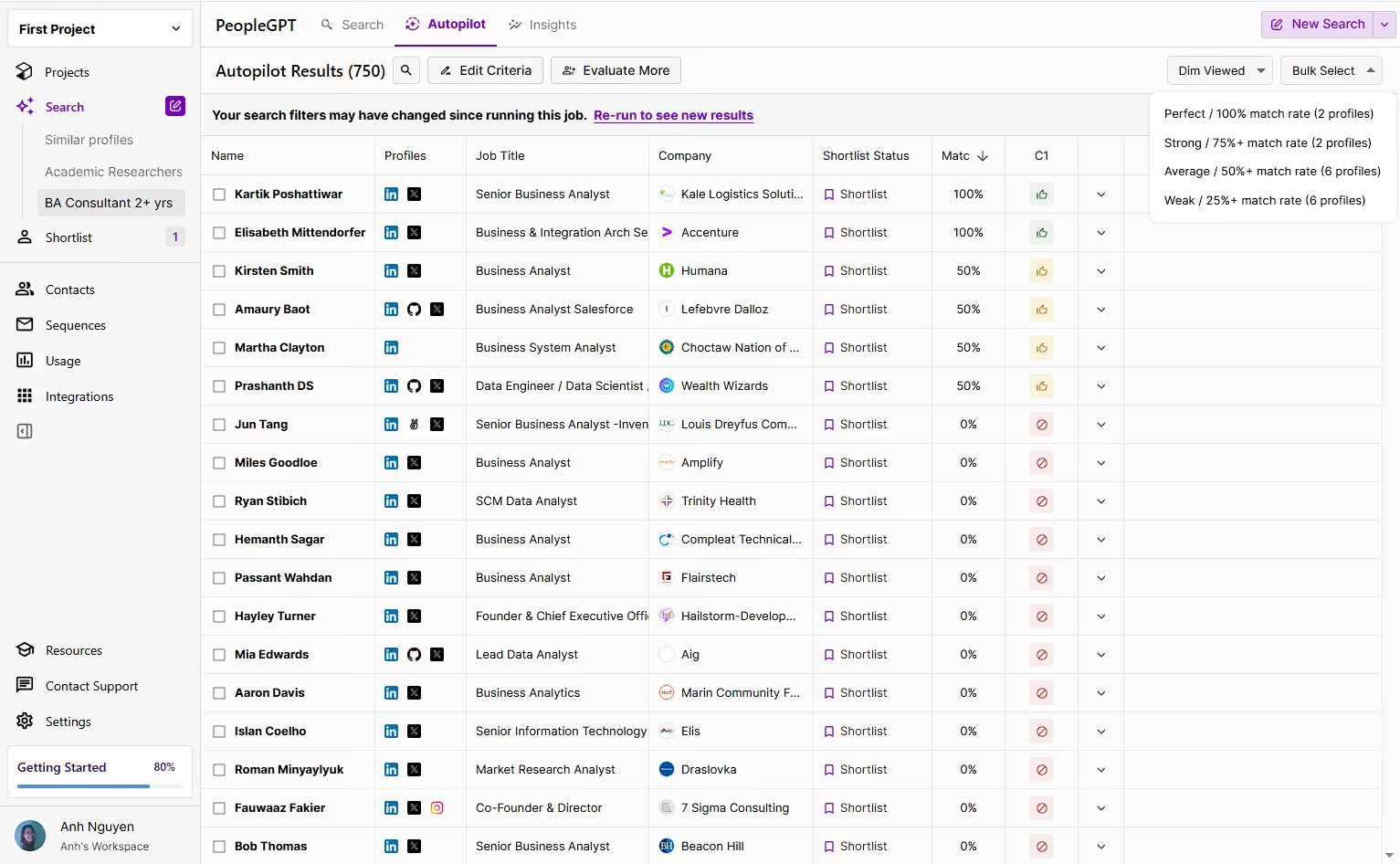
Beyond sourcing, we found the auto-drafted email replies more practical than we initially expected. The feature used AI-generated outreach assistance to draft candidate replies, which the team could then review and send. While most drafts still benefited from recruiter review, they reduced some of the repetitive communication involved in outreach. Profile citations served a similar purpose by showing which parts of a candidate's background influenced a recommendation. We appreciated having that additional context rather than relying solely on AI-generated rankings.
From a usability perspective, Juicebox was relatively easy to navigate. Searches were completed quickly during our testing, the interface felt uncluttered, and core workflows such as launching outreach sequences required little setup. Feedback from verified users echoed many of our observations, particularly around the platform's speed and flexibility when building candidate pipelines.
That said, Juicebox remains a specialized tool. It does not include interview scheduling, recruiting chatbots, or job description generation, which may limit its appeal to teams seeking broader recruiting automation. Platforms such as Workable cover more of the recruiting lifecycle, whereas Juicebox focuses primarily on sourcing and outbound engagement.
We think Juicebox is most compelling for recruiting teams that spend significant time identifying and engaging candidates. Organizations looking for a complete recruiting platform will likely need additional tools, but teams focused on sourcing may find its search, matching, and outreach capabilities worth considering.
5k+ organizations, including Ramp, Samsara, Cursor, Notion, and Lovable.
Juicebox offers four plans: a free tier, Starter at $119/seat/month ($99 billed annually), Growth at $199/seat/month ($179 billed annually), and a custom-priced Business plan, with an optional AI Agents add-on at $199/agent/month.
Best For
Juicebox is best suited for sourcing-focused recruiting teams that want AI-assisted candidate discovery, explainable candidate matching, and outbound recruiting workflows.

Braintrust
Unlike video interview tools that only record answers, Braintrust’s AI actively conducts interviews, asks follow-ups, answers applicant questions, scores candidates, and delivers a recruiter-ready shortlist. It is one of the best applications of AI in candidate screening we’ve seen to date.
PROS
- The AI voice interviewer responds naturally, asks follow-up questions, and adapts intelligently beyond scripts.
- Models are designed to avoid bias by excluding personally identifiable information.
- Candidates can complete interviews at any time, improving flexibility and convenience.
- Recruiters get a centralized dashboard to watch interviews, read scorecards, leave notes, and process candidates through the pipeline.
- Multilingual support allows interviews in up to 10 languages for global hiring.
- The AI voice interviewer responds naturally, asks follow-up questions, and adapts intelligently beyond scripts.
- Models are designed to avoid bias by excluding personally identifiable information.
- Candidates can complete interviews at any time, improving flexibility and convenience.
- Recruiters get a centralized dashboard to watch interviews, read scorecards, leave notes, and process candidates through the pipeline.
- Multilingual support allows interviews in up to 10 languages for global hiring.
CONS
- The platform doesn’t include tools for proactive candidate sourcing.
- Built-in ATS features are basic compared to standalone applicant tracking systems or recruiting CRMs, but the tool would integrate to such platforms.
- Recruiters must manually reach out to past candidates to re-engage them, as automation isn’t included.
- The platform doesn’t include tools for proactive candidate sourcing.
- Built-in ATS features are basic compared to standalone applicant tracking systems or recruiting CRMs, but the tool would integrate to such platforms.
- Recruiters must manually reach out to past candidates to re-engage them, as automation isn’t included.
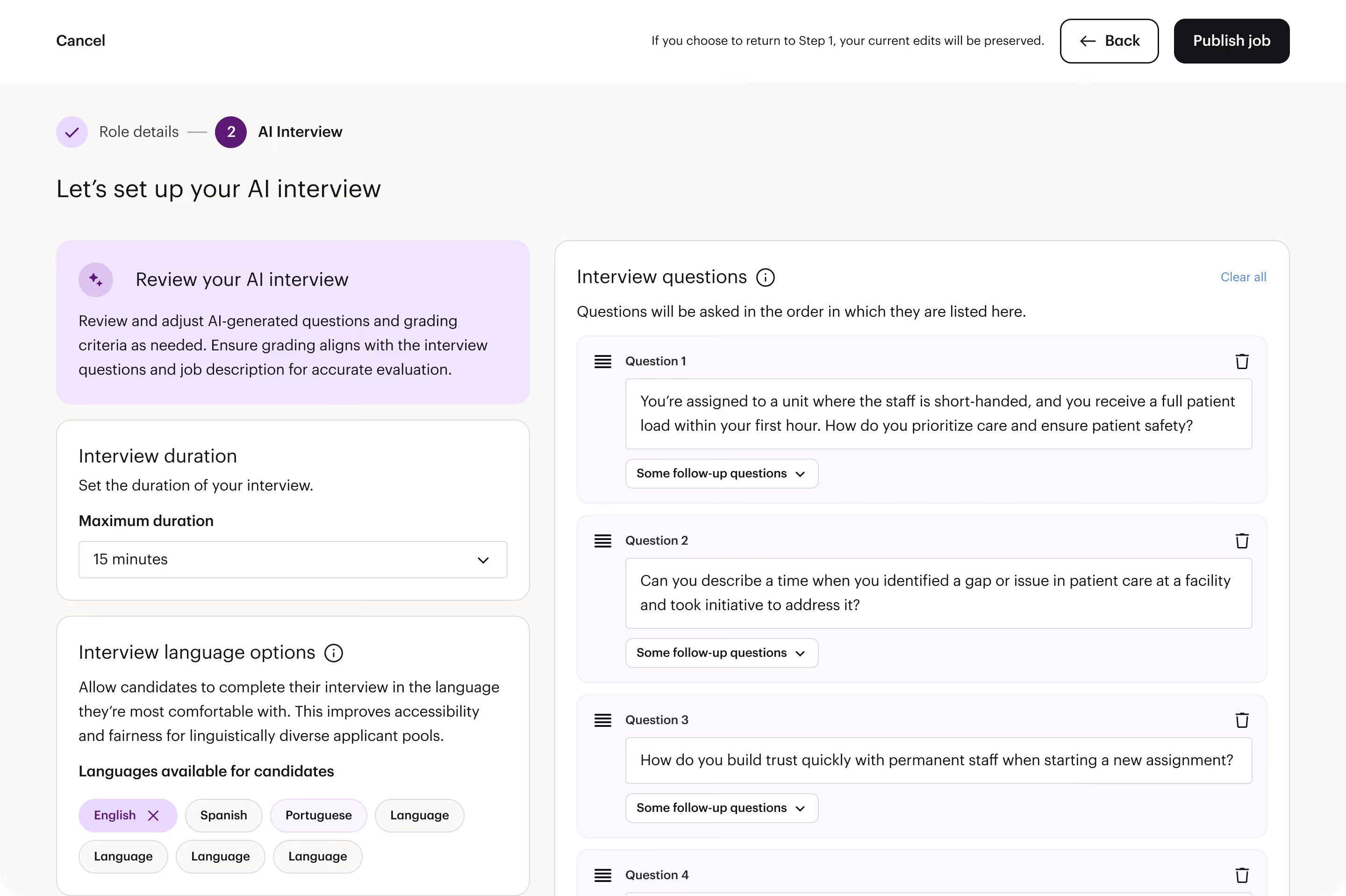
Braintrust’s AI recruiter, Braintrust Air, impressed us during our demo and personal testing by delivering one of the most realistic AI-led interview experiences we’ve seen. When we tested it ourselves (albeit outside our professional domain), we were struck by how naturally the AI interviewer—named AIR—held the conversation, doubling back with clarifying questions and even acknowledging our attempts to adjust equipment mid-interview.
Unlike static video interview platforms, Braintrust Air actively engages with candidates. In our experience, it quickly identified knowledge gaps, provided precise feedback, and produced a detailed interview scorecard outlining strengths, weaknesses, and suggested improvements. The AI interviewer was tough but fair, pointing out well-founded observations about the conversation in an easy manner for a recruiter to grasp and assess for next steps, if any.
The recruiter part is where Braintrust, already quite impressive in terms of AI interviews, is bound to grow more in the coming years. The dashboard is very straightforward, allowing hiring teams to see interview recordings, AI-generated scores, and scorecards. Notes can be added collaboratively, and recruiters can move candidates through hiring stages directly in the platform. While Braintrust can function as a basic ATS for smaller teams with simple hiring workflows, it truly shines when integrated with systems like Greenhouse or Workday for enterprise users. This hybrid approach enables teams to integrate the AI directly into their existing hiring stacks without disrupting more complex processes.
We appreciated the transparency around roadmap developments. Features such as recruiter intro videos, company-level culture questions, and expanded language support demonstrate a commitment to evolving the platform in response to customer needs.
However, Braintrust’s core strength is squarely in interviewing and initial screening. The product doesn’t offer sourcing capabilities or advanced CRM-like candidate nurturing on its own. While recruiters can revisit past candidates stored in the platform, automated re-engagement workflows require external systems or integrations.
Braintrust’s notable customers include NASA, Nike, Nestle, Guardian, Google, Wayfair, and Goldman Sachs, among others.
Braintrust’s pricing is custom-based on company needs. However, they offer a try-before-you-buy model, which sometimes resulted in hires directly from the trial pool. For the most accurate quote, visit their pricing page or contact their sales team.
Best For
Companies in industries with high application volumes and frequent turnover—such as staffing agencies, retail, fast food, and healthcare—who need to efficiently screen large candidate pools with a rigorous AI interviewer.

- We use it for skills-based sourcing, candidate screening, and interview coordination based on verified skills and experience.
- We also use Braintrust for candidate screening, which helps streamline evaluations and maintain a high-quality talent pool.
- It is a great tool for coordinating interviews, making it easy to schedule each one.
- Braintrust has a transparent fee structure, which creates trust and predictability.
- It is a great source of specialized talent.
- AI assistance helps reduce time in the hiring process.
We chose it to access talent and enable efficient workflows, particularly in supporting strategic HR processes such as recruitment and selection (talent acquisition).
Before implementing it, many of our workflows were manual and time-consuming, which limited our ability to operate strategically.
This tool helped streamline operations, improve processes, and centralize information, allowing teams to work more efficiently.
- The reporting features are fairly limited, so it’s hard to get deeper insights into hiring performance.
- I wish there were more customizable dashboards to better track progress and metrics.
- More detailed data on the talent pipeline would make planning and decision-making easier.
Braintrust feels different from other tools because you’re working directly with talent from its own network, not through layers of recruiters or agencies. That makes the processes more transparent, faster, and manageable. The built-in AI also helps streamline matching and screening, saving time and reducing a lot of manual work compared to similar platforms.
When buying a tool like Braintrust, buyers should first look at pricing and make sure the model is transparent and sustainable. It’s also important to evaluate the quality and size of the talent marketplace, along with how easy the platform is to use in daily workflows.
Finally, consider confidentiality and whether it integrates smoothly with other systems already in use.
Braintrust has evolved from just a decentralized marketplace into a platform with strong AI integration, making it easier for users to connect and find work.
It now offers valuable networking opportunities and tools that help users understand labor law concepts according to their location.
Braintrust is ideal for organizations that need highly specialized and flexible talent. It works well for companies looking to hire experts for short-term projects or with specific technical skills. It also suits freelancers and professionals seeking meaningful, high-quality work.
Braintrust is not a great fit for organizations looking for long-term, full-time employees or on-site jobs. It’s less useful for projects that don’t require specialized skills or flexible, remote talent.
Companies needing large-scale, traditional hiring might find it limiting. Braintrust works best for companies that need temporary or project-based talent.

HireVue
HireVue’s AI recruiting tool is designed specifically for enterprise-scale hiring needs. We love how the vendor has blended virtual assistance/automation with responsive human support. Plus, the 2-decade of experience makes it a safe choice for organizations preferring a well-established brand.
PROS
- HireVue AI can free up recruiters’ time by doing initial screens and messages.
- Recruiters can change the playback speed of the interview while watching to save time.
- Excellent implementation team and customer support.
- Transparent pricing structure.
- AI virtual assistant screens, messages and collects candidate responses autonomously
- On-demand video interviews with adjustable playback speed for recruiter efficiency
- AI Interviewer conducts 24/7 voice interviews with validated scoring and recruiter-ready shortlists
- Science-backed scoring built on 70M+ validated interactions with bias-mitigated outputs
- Audit-ready workflows with configurable governance controls for enterprise compliance
- 45+ ATS integrations stacking conversation and assessment signals
- Highly responsive implementation team and customer support
CONS
- Not very affordable compared to competing vendors.
- No free trial.
- Integration partners are limited.
- Pricing geared toward companies with 2,500+ employees, limiting accessibility for smaller teams
- Limited integration partners beyond ATS platforms
- Asynchronous interviews can allow candidates to tailor responses, requiring human review to catch misrepresentations
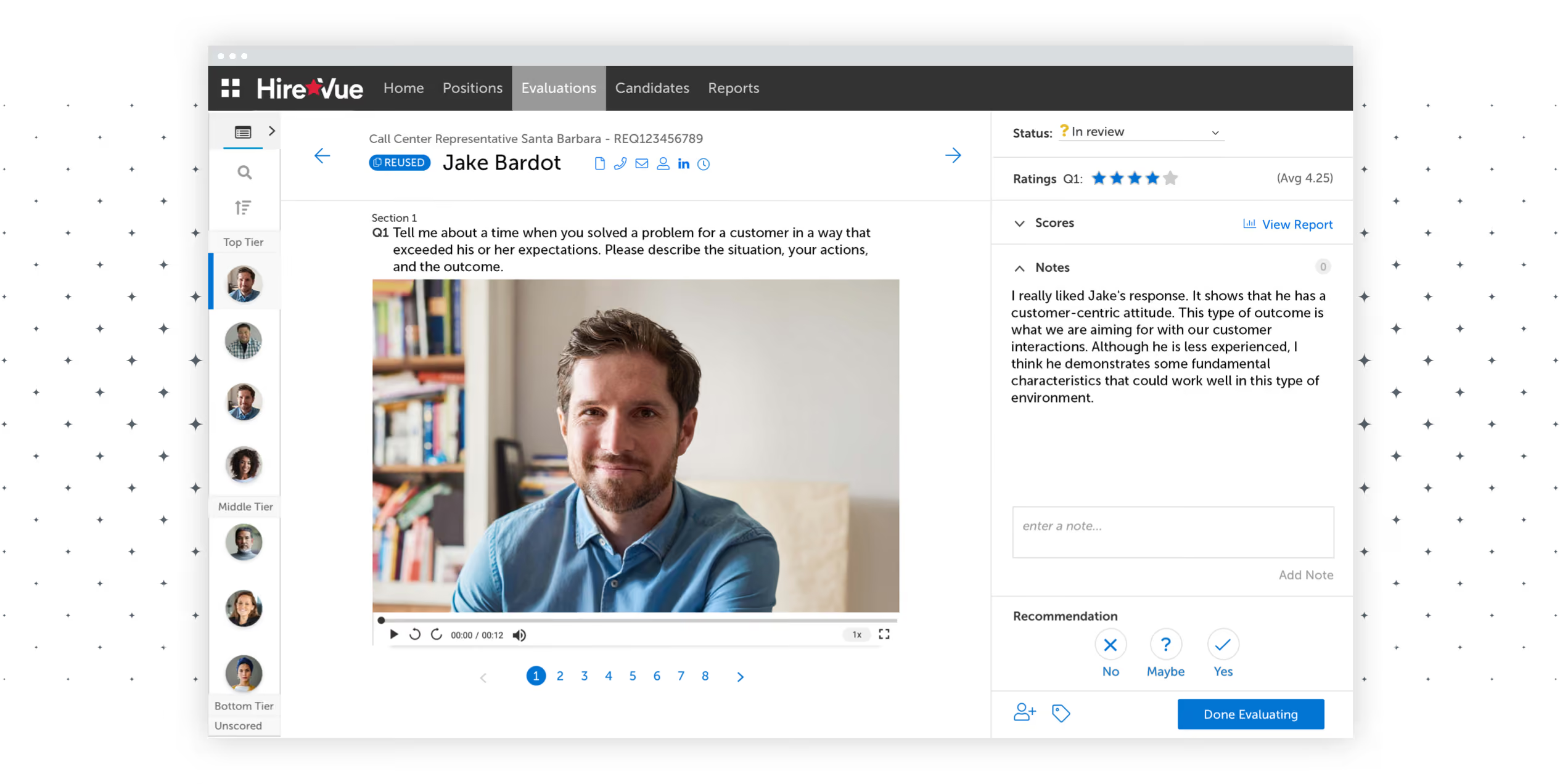
HireVue is an AI-driven recruiting platform that automates workflows. They have video interviewing, assessments, scheduling, and text message recruiting solutions. Its technology is designed to reduce human bias and increase diversity.
Our favorite feature of HireVue is its Virtual Hiring Assistant. It efficiently screens candidates, guides them to relevant job openings, schedules interviews, manages events, and coordinates with candidates on behalf of recruiters.
While we think the mix of AI and human contact balances well, it is possible that some candidates may feel discouraged from interacting with a machine. To account for this, the platform keeps recruiters looped into the process with constant updates, which speaks to a design philosophy that we’ve always found remarkable with this company.
In general, HireVue is a powerful tool that will likely be too expensive for smaller teams, but we appreciate their upfront pricing. They offer two plans, the less expensive of which starts at $35k/month, and according to users we’ve interviewed, the platform is a solid investment for teams of roughly 2,500 or more.
This tool integrates well with many ATSs, but the same cannot be said for HRIS tools. This can be a drawback for businesses looking to sync their data across their HR tools.
Amazon, Unilever, Vodafone, Beacon Health System, SmartLynx Airlines.
HireVue provides two pricing plans:
- Essential plan starts at $35,000 per month for teams with 2,500-7,500 employees. It includes live and on-demand interviewing features, custom branding, and single language configuration.
- Enterprise plan has custom pricing for teams with more than 7,500 employees. It has all the features of the Essentials plan, plus scheduling, a chatbot, pre-built ATS integrations, and analytics, among others. Custom quotes can be arranged by their sales team.
Best For
Large enterprises frequently engaged in high-volume hiring. Hence, the AI features are all about saving time and processing large amounts of applicants.

I have used Hirevue for candidates to self-schedule their interviews. I have used Hirevue for roles that have a large number of vacancies (i.e. entry-level roles). It gives the candidate the flexibility to schedule self-paced interviews. It allows me to vet candidates to see how prepared they are for the interview. (i.e. good lighting, well dressed for interview).
It is a time saver as if presenting the candidate to hiring managers. In essence, it's a smart screening tool. In the workflow cycle, it cuts down time in the initial step. There are some candidates who don't take the step to do the video interview. This is perfectly fine in our workflow because only seriously interested candidates are going through the process.
Hirevue has a clean interface. It has a great user experience. It serves as many functions as part of a platform which is essential for Talent Acquisition professionals.
Hirevue was purchased to give the talent pool the ability to self-schedule interviews. There was too much time in having recruiters coordinating to schedule interviews. This platform also allowed the ability to interview candidates on the platform as well. They have conversational AI capabilities to interact with prospective applicants. Hirevue can integrate with Workday which is part of the whole HRMS system.
Everything is great about Hirevue. The only con I would have is the cost.
It is not only a smart interview platform where it provides video conferencing capabilities it is also an applicant tracking system. There are other offerings in the marketplace that don't offer video conference capabilities.
Amount of internal employees that will use this. Are hiring managers going to have access to this or are they just in-house recruiters. If access is going to be provided to hiring managers then they should be trained so bias can be eliminated potentially.
They have added more offerings to be competitive.
Large organizations with volume - food services, hospitality, healthcare.
Small companies

Spott
Spott is a newer but seriously capable AI-native ATS and CRM for recruiting agencies. Instead of layering AI onto a keyword database, this platform built its entire data layer on vectors. Search, matching, profile updates, and outreach drafting all rely on understanding meaning, not string matching. What also sold us is that the AI always shows its reasoning, so recruiters get both the ranking and the context to decide for themselves.
PROS
- Semantic search matches by meaning, not keywords or job titles
- Explainable AI matching shows why each candidate ranks high or low
- AI notetaker turns calls into suggested profile updates recruiters approve
- AI builds client-ready candidate presentations from CVs, notes and job descriptions
- AI drafts personalised outreach, including LinkedIn messages, from stored candidate context
- Structured attributes auto-fill from incoming data
- AI usage included in every plan, and customer data never trains models
- Semantic search matches candidates by meaning, not just keywords, surfacing non-obvious fits that Boolean queries miss.
- Unified inbox syncs WhatsApp, email, SMS, and VOIP calls into one view, with every interaction auto-linked to the right candidate record.
- Built-in notetaker transcribes calls and meetings, then auto-suggests profile updates — keeping your database current without manual data entry.
- AI matching ranks your full candidate database against job criteria and provides a natural language explanation for each match, so recruiters stay in control.
- Forward-looking task management: type a task in natural language and Spott auto-links it to the relevant candidate, job, and colleague.
- Client portal lets hiring managers review shortlisted candidates, leave feedback, and track pipeline status in real time using your agency’s own branding.
CONS
- Built for agencies, not corporate TA teams
- LinkedIn messages still need to be sent manually from LinkedIn
- Contract and temp back office (timesheets, payroll, invoicing) not live yet
- Back-office tools for contract and temp staffing are still in development, including timesheets and more advanced payroll and invoicing. Staffing firms with heavy contractor billing will need a separate system until the module launches.
- The integration ecosystem has grown quickly but is younger than those of long-established platforms like Bullhorn or Ceipal.
What makes Spott relevant for this category is the architecture. Every candidate record, job, and conversation is semantically indexed from the ground up. Spott is explicit that it's not a GPT wrapper, and in our demo that showed.
The AI matching was the standout. You describe a role in natural language, and Spott ranks your entire database against it, explaining in plain language why each candidate scored high or low. That's meaningfully different from Bullhorn or Vincere, where AI features sit on top of keyword-indexed data. A career-switcher moving from sales into customer success would actually surface for CS roles here, because the matching reads experience rather than job titles. Just as important, the explanations make the AI auditable. Recruiters can challenge a ranking instead of taking a black-box score on faith.
The AI also does a lot of the busywork around the search. The built-in notetaker transcribes calls and meetings, then proposes specific profile updates. Nothing changes until a recruiter accepts it, which is the right amount of human-in-the-loop for candidate data. Structured attribute columns fill themselves from incoming information. Candidate presentations for clients are generated in minutes from CVs, interview notes and the job description. For outreach, Spott drafts personalized messages using everything it knows about a candidate. That includes LinkedIn messages, which recruiters then send from LinkedIn itself, in line with LinkedIn's updated terms.
Two things matter for AI buyers beyond the features themselves. First, AI usage is included in every plan, so there are no token bills or AI add-ons, unlike tools that meter their copilots. Second, Spott states that customer data is never used to train models, and it's ISO 27001 certified with EU hosting by default. Add open API and MCP support, and agencies can connect their own AI tools and automations to the same data layer.
Spott has been commercially live for about a year and ships new features almost every Friday. The main gap for staffing firms however is back office. A contract and temp module with timesheets, payroll and invoicing isn't live yet. Still early, but architecturally, this is what AI-native recruiting software looks like.
Hundreds of recruiting agencies across Europe, the US and APAC, including Cornerstone Global Partners, HW Anderson, Alexander Lyons Solutions, Macmillan Davies and KennedyFitch.
Spott offers 3 plans:
- Core: $139 per user per month, billed annually. Includes the AI-native ATS/CRM, AI notetaker, AI search and matching, a unified inbox (email, SMS, WhatsApp), and a CV reformatter with shortlists.
- Pro: $199 per user per month, billed annually. Adds automations, a marketing suite, multi-channel sequences and data enrichment.
- Enterprise: Custom pricing. Adds custom T&Cs and DPA, advanced roles and permissions, multi-office management, and a strategic point of contact.
Prospective customers can try Spott free through a guided onboarding.
Spott started as a single-purpose AI report writer for executive search firms and grew into a full ATS and CRM in about two years. Its biggest shift was rebuilding the data layer around a vectorized database, which enabled semantic search and explainable matching. From there, its AI expanded in stages:
- Early: Generating candidate presentations.
- Next: Suggesting field updates, ranking inbound applicants and filling structured attributes.
- Most recent: Drafting personalised outreach, including LinkedIn messages.
Recent releases also added SMS as a channel and an upgraded mobile app with access to AI transcripts, notes and tasks.
Best For
Recruiting and staffing agencies that want AI at the core of their ATS and CRM, with semantic search, explainable matching and automated data capture built in rather than bought as add-ons.

Recruit CRM
Recruit CRM stands out for its well-integrated AI features spanning almost the entire recruiting workflow. From resume parsing and candidate matching to GPT-powered job descriptions, summaries, and email generation, the AI recruitment platform helps recruiters manage sourcing and communication more efficiently. Its multilingual support and customizable prompts make it easy to scale across global teams.
PROS
- The well-integrated AI-Assist panel unifies resume parsing, email creation, summaries, and transcription into one workflow.
- Multilingual support for AI outputs, including job-candidate matching and outbound email templates.
- Candidate-to-candidate matching uses holistic scoring, not just keyword matching, to suggest talent pools.
- Custom and saved prompts make repeat workflows faster and more personalized.
- AI Sourcing (X-Ray Search) pulls enriched public LinkedIn profiles directly into the system.
- No extra fees required for basic data migration that includes importing Excel/CSV files with candidates & clients. During the implementation process of this software, the customer service personnel will help transfer your data for free.
- Great customer service. Their average response time is under two minutes.
- Powerful Linkedin Integration & Executive/Recruitment Report PDF Generator to save time
- Tons of resources made available to users including blogs and articles that give you all the information you need to know about how the software works, job description templates to help you get acquainted with all the possible job openings you will be looking to close, and a glossary that gives you the A-Z of recruitment practices.
CONS
- AI usage is capped at 2 million tokens/month per user; heavy users may need to throttle activity.
- Email sequence functionality is limited on lower-tier plans (only one sequence on the entry plan).
- Call transcription has a 25MB audio limit, capping recordings to ~1.5 hours per call across all plans, which limits it for longer interview calls.
- Only 2 AI matches are allowed on free and Pro plans. Full access requires Business or Enterprise tiers.
- While the AI supports multiple languages, the quality drops for more nuanced prompts outside English.
- Clearly designed for staffing agencies, this platform has limited applicability for in-house talent acquisition teams.
- Limited native integrations. Recruit CRM only integrates natively with LinkedIn, Zapier, Logic Melon, some email apps, and Google and Outlook calendars. If you want to run background checks, for example, using Checkr or other background verification platforms, you won’t be able to do that unless you use Zapier’s API extension.
Recruit CRM combines ATS and recruiting CRM systems, now powered with embedded AI features to help simplify the work further for its target customers — small and midmarket staffing agencies.
In testing, we started by uploading a stack of candidate resumes (a mix of PDF and Word), and the AI Resume Parser structured the data quickly and accurately. From there, we used the Candidate Summary Generator to prep short bios for each candidate. A few of the results were too generic at first, but with custom prompts (“make it client-facing” or “summarize key tech stack experience”), the output improved dramatically.
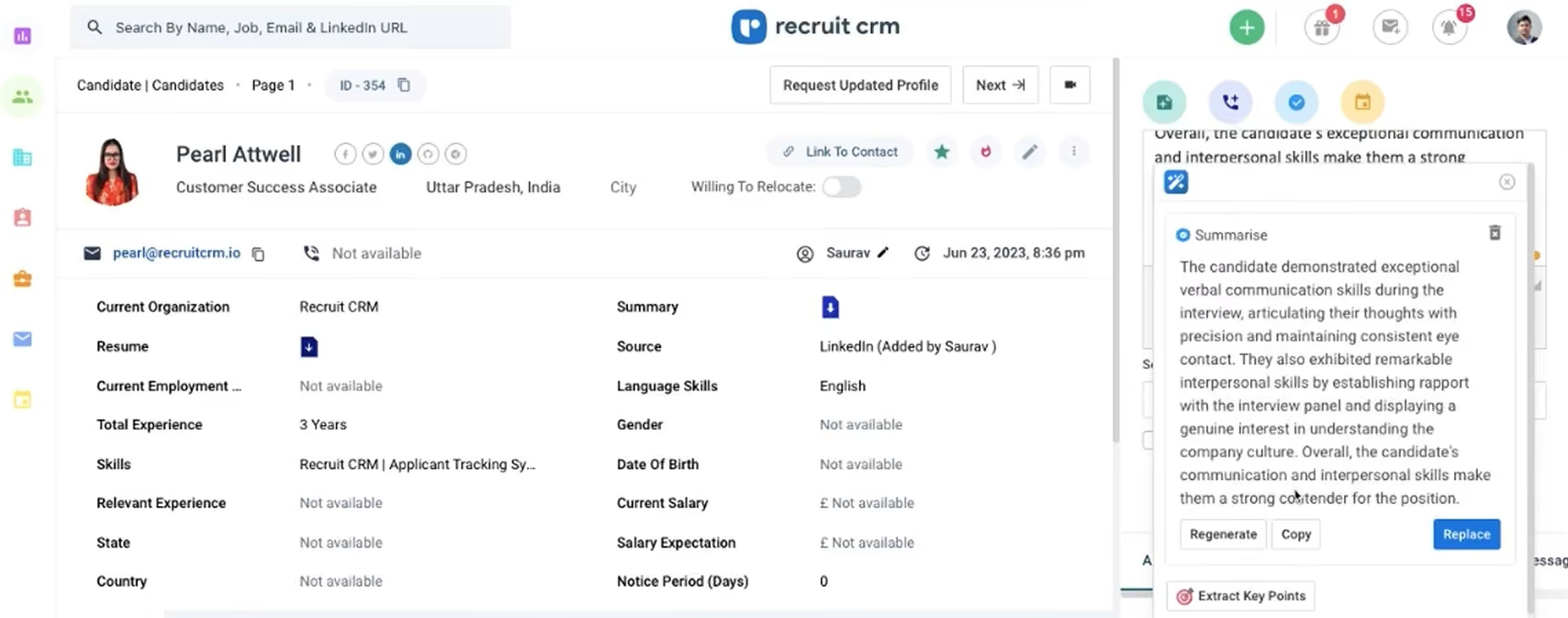
The Job-Candidate Matching tool stood out for its simplicity. Sliders let us tweak importance levels for fields like education or job title, and the results came back quickly. In one use case, the top five AI-ranked candidates were all legitimately strong fits. That said, we wouldn’t recommend skipping manual review. At the end of the day, the AI should help you narrow the field, not close the deal.
Email automation performed equally well in our testing. We built a five-step campaign using voice input (the system transcribes voice to text) and scheduled it to go out over a week. The UI made tracking opens and replies easy, and we appreciated being able to regenerate steps or edit specific emails without restarting the whole sequence. Again, just know that the entry-level plan only allows one sequence.
We also tried out the Call Transcript Generator by enabling recording during a candidate interview. The AI pulled action items and key takeaways, such as “follow up about relocation flexibility” and “send updated job spec.” It wasn’t perfect, but it was useful and faster than writing up notes manually.
However, most of these features are locked behind higher-tier plans, with only the Business and Enterprise tiers offering full candidate matching (up to 50 matches) and multi-step email sequences. If you’re on the Free or Pro plan, you’re capped at two AI matches per job and only one sequence, which may not be enough to justify investing time in setup or training.
Additionally, it’s important to know that Recruit CRM is clearly built with staffing agencies in mind. That means features like third-party candidate submissions, CRM deal tracking, and a sales pipeline are central to the design; thus, corporate recruiters may find themselves not getting much out of these parts of the system.
And while the AI-Assist tool has a generous monthly token cap (2 million per user), frequent users could hit that ceiling, particularly when combining resume parsing, email generation, and transcription across large candidate volumes. Even if you’re on a higher-tier plan, Recruit CRM limits its call transcription to audio files under 25MB (about 1-1.5 hours) per call, which can be a restriction for more extended interviews. Finally, during peak hours, we noticed occasional slowdowns in AI processing time, especially when generating multiple outputs back-to-back.
1,200+ companies, including Avizio, Zeren, and Cooper Coleman.
Recruit CRM's annual billing offers plans from $40 to $125 per user per month, with add-ons beginning at $12 monthly. A free trial is also available.
Best For
Small-to-midsize staffing agencies looking to streamline sourcing, screening, and communication using flexible, AI-powered recruiting workflows.

hireEZ
Sourcing, engagement, integrations, analytics, and collaboration are some of the most time-consuming recruitment tasks, so we appreciate HireEZ for embedding its AI into these exact steps. The dedicated support further makes it a sound option for teams with high-volume hiring.
PROS
- hireEZ is an all-in-one AI recruiting tool that includes sourcing, engagement, and analytics features.
- The dashboard is simple and easy to navigate, and the features are easy to use.
- AI-powered candidate recommendations save time and effort in sourcing candidates.
- Automated emails to candidates.
- Allows users to filter by by factors like gender, race, and ethnicity to support diversity.
- Helpful email, help center, and dedicated customer support.
- Offers a browser extension that is easy to use.
- Intuitive, modern, and continuously evolving UX.
- Quick and unique sourcing capabilities. Many users indicate they get compelling candidates they hadn’t seen with other sourcing methods, some of which lead to good hires. Often, this happens in less time than the methods they were trying before.
- Unlimited follow-ups with each contact you pay for. This demonstrates how self-assured hireEZ is with the quality of their sourcing. They are confident about people not abusing this feature and stop contact when it’s clear a candidate is not interested— or simply because they found the right ones and stopped their search.
CONS
- Some of the contact information provided by hireEZ may be inaccurate or out of date.
- Doesn’t connect well with LinkedIn.
- Lacks transparent pricing. No free trial.
- Since it’s always changing, parts of the platform may be buggy at times, which tends to be a minor nuisance we hear often from the mouths of recruiters. However, these bugs tend to get fixed quickly.
- Some recruiters have also pointed out a small whole issue performing searches: the tags for job titles are often too narrow, and sometimes the search function won’t include specific titles that they consider essential in their practice.
- While it has a growing list of integrations, it does not integrate with popular job sites like Wellfound. Furthermore, the LinkedIn integration could be expanded, and it only connects with ATS/CRM, calendars, and video interview software.
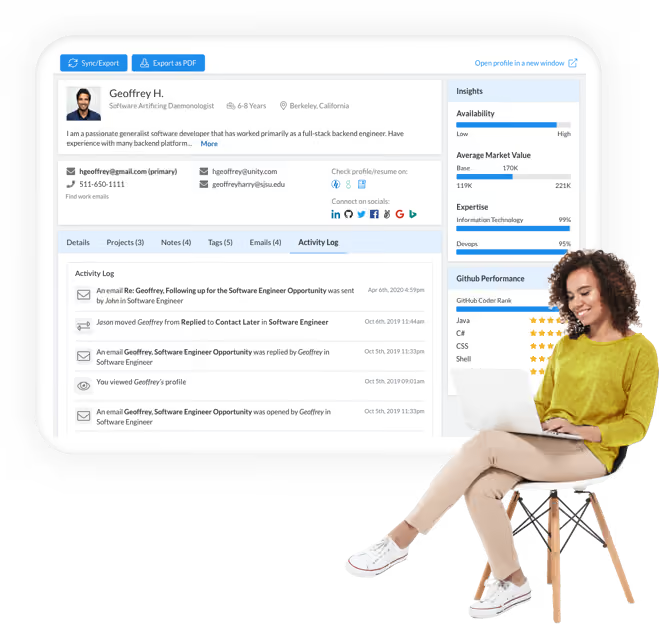
hireEZ has received positive ratings from our editorial team for its no-nonsense automation features. Built for mid-sized and large businesses, the platform’s primary focus is outbound recruiting. It has leveraged AI to roll out some very good sourcing, engagement modules, and analytics features. We like the simple UI – the features are arranged logically, and the workflows are intuitive. hireEZ even offers a dedicated account manager for personal support, but we haven’t encountered much of an issue that needs their assistance.
Our favorite feature of hireEZ is its AI-powered candidate recommendation tool. It works just like a personal sourcing assistant who reports every day via email to share the best candidates they’ve identified.
Reports are mostly favorable from users who have deployed the automated email sequences. They often emphasize time-saving and increased efficiency when tracking a candidate’s performance and progress.
An up-and-coming feature to watch for is the GPT3-backed AI applied to the automated emails.
hireEZ does have some drawbacks you should watch out for. Some users we talked to said the candidate data was occasionally inaccurate. Multiple reports suggest the platform doesn’t work well with LinkedIn.
Wayfair, Intel, Continental, Nike, and Dayforce.
hireEZ's pricing varies depending on your needs and employee count. Since all their pricing is custom, contacting them for an exact quote is best.
Best For
Mid-sized and large enterprises, particularlyIT, staffing, health care, security, and defense industries.

Amazing feature of the HireEz Insights (that LinkedIn doesn’t provide) is the average market salary per location and per position.
It helps in re-creating the sourcing strategy, when I think about skipping the countries that offer higher compensation than my opportunity could offer.
An interesting feature is that on each HireEz profile that you put in your project, you can have a scheduled reminder for the note. For example, on a Friday afternoon, it helps me set up the notification of the date and time for the next week when I should ask for a Hiring Manager to review, etc.
Another benefit is that it is integrated with Outlook and I’ve sometimes used it to schedule interviews.

One of the best things is that it is also an email discovery tool.
I find it very useful that mandatory and preferred skills can be separated.
The perfect advantage over LinkedIn Recruiter is the diverse set of filters: it is possible to focus the search to provide more results for women, African American candidates, etc.
The HireEz tool was bought as an additional sourcing platform besides Linkedin Recruiter. In an organization big as ours, many hundreds of recruiters have been already in touch with the same Linkedin profiles.
Therefore, HireEz was expected to help find more candidates who don't use Linkedin. My team was also interested in trying its AI Sourcing for high-volume recruiting. I’ve been using HireEz for around 1 year.
The same Boolean searches have been used on HireEz and Linkedin for Job titles and for keywords at the same time.
HireEz doesn’t provide much more results than Linkedin Recruiter. This was the case for different non-technical roles.
Filtering options for languages are more limited than on Linkedin.
You cannot choose the level of knowledge.
I’d like to point out that AmazingHiring also connects a lot of social networks together when creating a candidate profile - however on AmazingHiring you can actually choose which social network to research and which to skip when searching! I find that advantage amazing.
If your team has many members like mine I’d advise you to choose a leader of the project to get everybody accustomed to using HireEz, and to test it before that.
Think about how long your organization plans to use it. Maybe it is very useful as a long-term investment for big companies, since it has AI in itself, and can improve its customized results.
It started as an AI sourcing platform but recently it improved the features to the point that now it can be used as ATS.
I think it is very good for the huge organizations which have many open positions at the moment and the need for high-volume hiring.
Maybe it won’t be so useful for startups or small or new organizations.

Wellfound
Wellfound’s newly launched RecruiterCloud, which combines AI-powered sourcing with human calibration, is a powerful solution for tech startups to find top talent at scale. We also liked that despite the constant product updates, the vendor remains one of the best resources for connecting with startup-minded job seekers we’ve encountered.
PROS
- RecruiterCloud offers AI-powered candidate sourcing from an internal pool of 10M+ startup-minded candidates and an external network of 500M+.
- Users can delegate their sourcing tasks to Wellfound (Autopilot) or handle them independently (Self-Serve).
- AI tags streamline review by highlighting key strengths in a candidate's profile.
- Free ATS included unlimited job postings, native candidate communications, team scorecards, and interview scheduling.
- RecruiterCloud offers AI-powered candidate sourcing from an internal pool of 10M+ startup-minded candidates and an external network of 500M+.
- Users can delegate their sourcing tasks to Wellfound (Autopilot) or handle them independently (Self-Serve).
- AI tags streamline review by highlighting key strengths in a candidate's profile.
- Free ATS included unlimited job postings, native candidate communications, team scorecards, and interview scheduling.
CONS
- Doesn’t have a mobile app.
- Not suitable for non-tech roles at large enterprises.
- Built-in reporting and analytics are somewhat basic compared to some competitors.
- Doesn’t have a mobile app.
- Not suitable for non-tech roles at large enterprises.
- Built-in reporting and analytics are somewhat basic compared to some competitors.
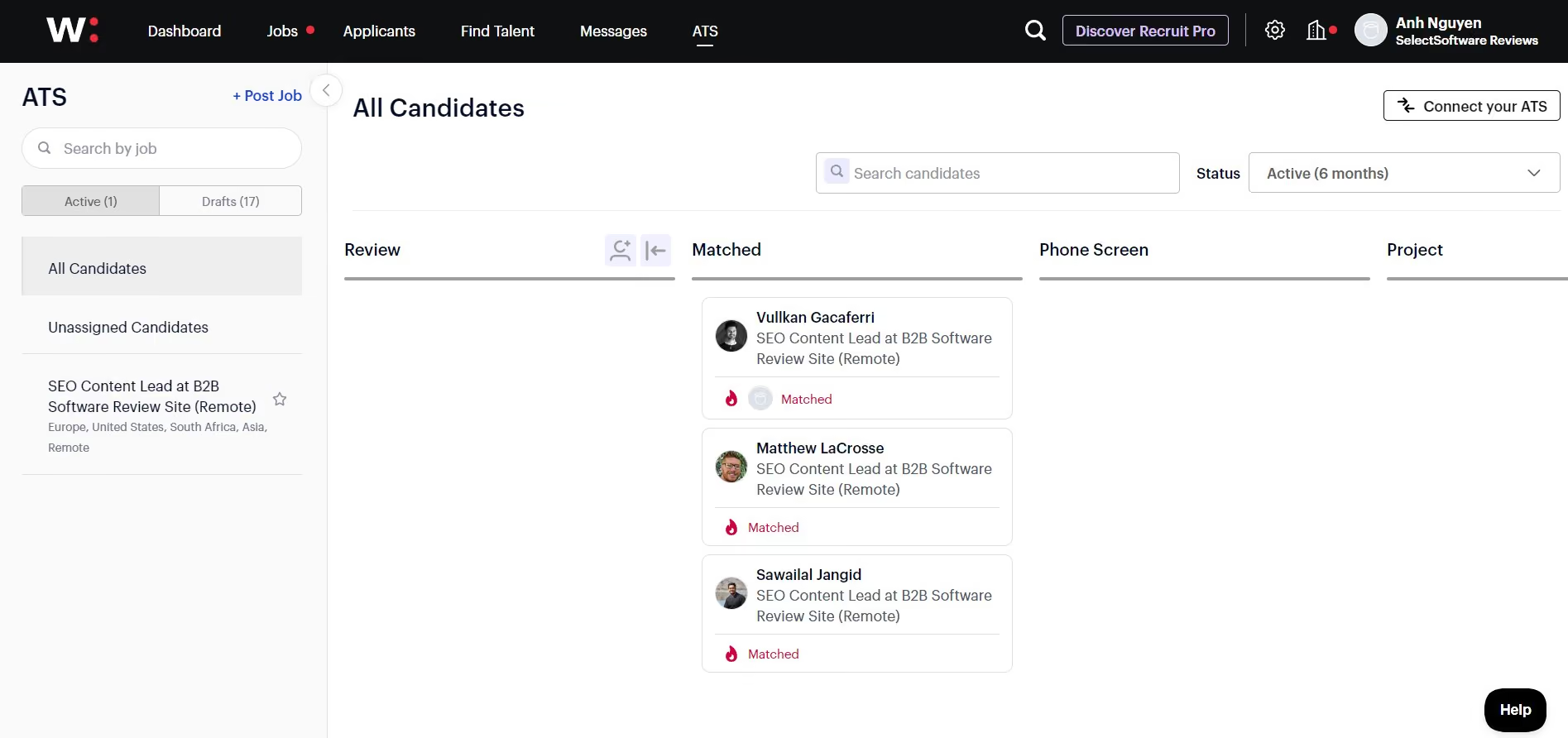
Wellfound (formerly AngelList Talent) is not the only AI sourcing tool in the market, yet what this software does so well that makes it stand out from many others we’ve tested is the vibrant community of tech professionals it hosts. Over ten million job seekers have built resumes on the platform and shared not just their work experience but also what they are looking for in their next job—something you won’t find in even good brands like SeekOut or LinkedIn.
If you’ve used Wellfound’s free ATS like we have, you know it's great, but it does have limits, with the talent reach confined to just its talent community. However, the pool becomes much bigger as you switch to the RecruiterCloud Autopilot module. Besides the in-house community, Wellfound will tap into its partner network of 500M+ profiles to find you the right matches. What we love about this module is that it’s not all left to AI—there's a real human touch involved to ensure that the 5-10 top candidates you get every week are the best fit for your needs.
If you prefer keeping everything in-house, RecruiterCloud Self-service is the way to go. As its name suggests, this module provides search engines and outreach to manage your sourcing and screenings.
A word to the wise, though: Wellfound is super focused on tech-related roles in product, engineering, or growth, so if those aren't your main hiring needs, don’t go for this tool.
We’d offer the same advice to those seeking an all-in-one recruitment solution that can also handle some parts of HR: look for enterprise-centered vendors like VidCruiter or BambooHR instead. Despite being stellar for what it does—connecting you with top-notch tech talent—Wellfound has no features like native onboarding, employee experience enhancements, or performance tracking. Plus, its integration options are limited to a few major ATS.
25,000+ companies, including Monograph, Affinity, and Mayfair.
Wellfound’s ATS is free, while its paid plans start at $149 per month. Add-ons and custom packages are available upon request.
Best For
Tech talent sourcing at startups and SMBs.

I use Wellfound for the following tasks:
- Job Posting – Standard job postings for startup-focused roles.
- Candidate Sourcing – Use of advanced filters (location, skills, experience) and curated lists to directly source candidates from the platform’s talent pool.
- Applicant Tracking – Monitor candidates' progress through the hiring pipeline and customize stages to fit the process.
- Messaging – Communicate with candidates using templates for acceptance and rejection emails.
- Automation – Schedule interviews through the platform.
- The global talent pool is highly focused on startups.
- Automation tools streamline sourcing, gauging interest, and scheduling interviews.
- Basic customizable workflows are easy to set up and use.
I work with a few startup syndicates as a freelance recruiter and have used the tool for some time. Wellfound is a hiring platform focused specifically on startups.
Pain Points:
- Difficulty sourcing startup-focused talent with niche skills.
- Manual candidate tracking and communication.
Key Benefits:
- Access to a large talent pool of startup-focused job seekers.
- Built-in ATS for managing pipelines and automating repetitive tasks like messaging and interview scheduling.
- Analytics for free listings are limited, making it hard to assess performance.
- Saved searches are auto-saved, which leads to clutter and disorganization.
- There is no built-in video interview feature—external integrations are required.
The platform is entirely startup-focused, unlike generic recruitment platforms. AI-driven sourcing provides deeper insights into candidates’ skills and preferences, yielding better matches than platforms like LinkedIn.
It is cost-effective, offering a free tier with limitations suitable for teams with smaller budgets. Basic employer branding features allow for customizable company profiles to improve visibility.
- Determine whether your target hiring audience aligns with the startup industry.
- Compare the features of the free and basic tiers based on your hiring volume.
- Evaluate integration capabilities with other internal systems.
- Consider the level of post-implementation support offered by the Wellfound team, based on feedback from other users.
- The candidate database has expanded significantly.
- It now supports a global user base.
- The user interface has improved.
- Employer branding options are now available.
Wellfound is a great tool for freelancers, startups, and startup syndicates.
Wellfound won’t be beneficial for enterprise organizations or larger mid-sized companies.

Findem
Findem combines Success Signals (career trajectory, outcomes) with Relationship Signals (network connections, warm intro paths) to surface candidates based on intangible attributes that keyword matching misses. They call this approach “3D data”. It's one of the rare few AI recruiting platforms we've tested that lets you search for criteria like "scaled a team through Series C" or "drove growth in declining markets" with precision.
PROS
- Attribute-based search filters by intangible criteria no other tool matches.
- Fia AI assistant converts natural language prompts into multi-channel searches.
- Relationship Signals surface warm intro paths through your existing network.
- Intelligent Job Post turns listings into autonomous sourcing agents.
- Continuous profile enrichment keeps ATS and CRM data current.
- Strong DEI analytics and market intelligence.
- Attribute-based search surfaces candidates that Boolean and keyword tools miss entirely.
- Copilot converts job descriptions into multi-channel searches across inbound, ATS, referrals, and external talent.
- Relationship Signals surface warm intro paths through employee networks and alumni connections.
- 850M+ candidate profiles enriched with company growth stage, funding history, and verified achievements.
- Real-time diversity analytics show demographic shifts as you toggle search criteria.
- Dedicated CSM and optional sourcing experts help build and refine searches at no extra cost.
CONS
- Enterprise pricing and minimum contracts; not for smaller teams.
- Not suited for hourly or blue-collar roles with limited online presence.
- Occasional data lag on recently updated LinkedIn profiles.
- Steep learning curve without dedicated onboarding.
- Campaign features less polished than core sourcing.
- Enterprise pricing and minimum contract requirements; not suited for SMBs or ad hoc hiring.
- Does not cover hourly, blue-collar, or roles where candidates lack professional online presence.
- Data can lag LinkedIn updates by a few weeks; occasional stale profiles.
- Attribute-based search logic has a steeper learning curve than simple Boolean tools.
- Campaign builder and outreach sequencing feel less polished than the core sourcing features.
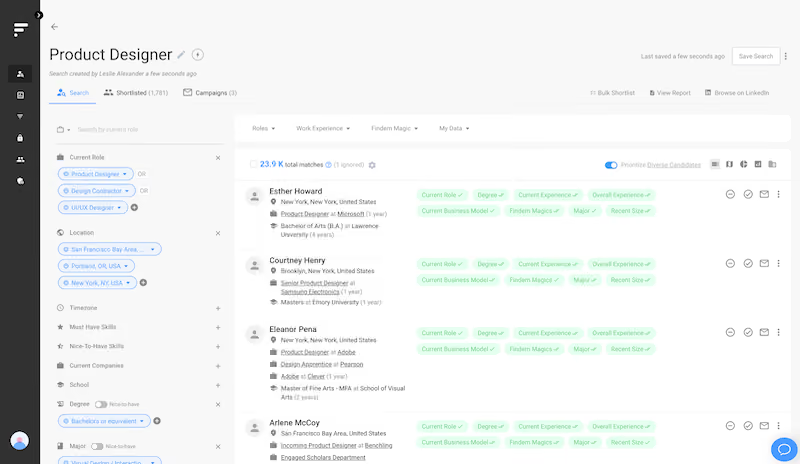
Findem has evolved from a sourcing tool into a talent intelligence platform with autonomous hiring capabilities. The 2025-2026 acquisitions of Getro and Glider AI now let it deliver candidates who are sourced, assessed, and verified before reaching hiring managers.
The core innovation is attribute-based search. In our demo, we tested searches impossible elsewhere: "engineers who scaled products from Series A to IPO" and "leaders who grew revenue in declining markets." The system parsed these and returned ranked candidates with an explainable scorecard showing why each matched. Where a typical LinkedIn profile contains about 4KB of data, Findem's 3D profiles average 50MB — layering tenure timelines against company headcount and financial growth to verify claims like "drove 4x growth."
The Copilot takes a job description and generates warm candidates in one click, ranking them by source warmth: inbound applicants first, then past ATS candidates, internal employees, CRM nurtures, alumni connections, and finally cold external talent. We appreciated the real-time diversity analytics; toggling "must-have verified code contributions" immediately showed women candidates dropping to 14%, enabling honest tradeoff conversations with hiring managers.
That said, the tool is definitely not for everyone. Findem's sweet spot is 1,000-10,000 employee companies hiring for corporate roles. It doesn't serve hourly positions where candidates lack online presence. Pricing runs ~$6,000/user/year with minimum contracts, and the platform requires training investment to move recruiters past keyword-search habits.
Findem serves mid-to-large organizations in tech, life sciences, and CPG, with strong traction among North American hyper-growth companies. Notable customer names include Adobe, Box, Medallia, Nutanix, RingCentral, Booster, and Plume.
Findem does not publicly disclose pricing. Industry estimates suggest ~$6,000 per user per year, customized by team size and integration complexity. The company now offers outcome-based pricing tied to hires for agentic capabilities. Minimum contract required; 3-month engagements available for sourcing-only.
- Glider AI Acquisition (March 2026): Adding skills validation, AI interviews, and identity verification for end-to-end hiring.
- Getro Acquisition (December 2025): Launched Intelligent Job Post — autonomous AI agents that source from job listings.
- Series C Funding (October 2025): Raised $51M, bringing total funding to $105M.
- Next-Gen Talent CRM (May 2025): Dynamic Talent Pools and automated attribution; 41% faster time to first response.
- Copilot for Sourcing (2024): Natural language search capabilities.
Best For
Organizations of 1,000-10,000 hiring corporate roles where keyword matching falls short. Particularly strong for diversity hiring or those with substantial employee networks to leverage for warm introductions.

Jobin.cloud
Jobin.cloud’s AI recruiting tools are designed for use cases where speed and search simplicity matter. It can help junior recruiters or generalists operate like seasoned sourcers, without writing Boolean strings or deeply understanding the target role.
PROS
- AI search autopilot expands and filters job descriptions semantically.
- Scoring engine distinguishes between proven, mentioned, inferred, and missing qualifications, great for soft skills or hard-to-filter criteria.
- Generous free plan offers enough functionality for solo recruiters to run full workflows at no cost.
- Outreach automation supports LinkedIn messages, connection requests, inMails, email, and multi-step sequences with smart fields and AI-generated prompts.
- Global sourcing from 3.2B aggregated profiles via X-ray and web scraping.
- Bulk LinkedIn sourcing with auto-enrichment—no LinkedIn Premium required.
- Up to 10,000 contacts stored and managed with filtering, tags, and pipelines.
- Built-in CRM with visual pipelines and basic activity tracking.
- Free outreach automation includes 15 daily LinkedIn messages and 100 daily emails.
- ChatGPT-powered personalization with 30 free AI prompts.
- Auto-update contact data and send bulk connection requests without spreadsheets.
CONS
- Interface is dense and takes time to learn compared to more modern designs.
- Lacks some core recruiting features such as video interviewing, hiring chatbot, and onboarding.
- Integrations supported via API, Zapier, and Make.com; no native one-click ATS/CRM connectors.
- Usage caps on messaging, enrichment credits, and AI queries limit free plan’s scalability.
- ATS feature is basic, with just one pipeline and limited collaboration or scheduling tools.
- Interface feels dated compared to modern recruitment platforms.
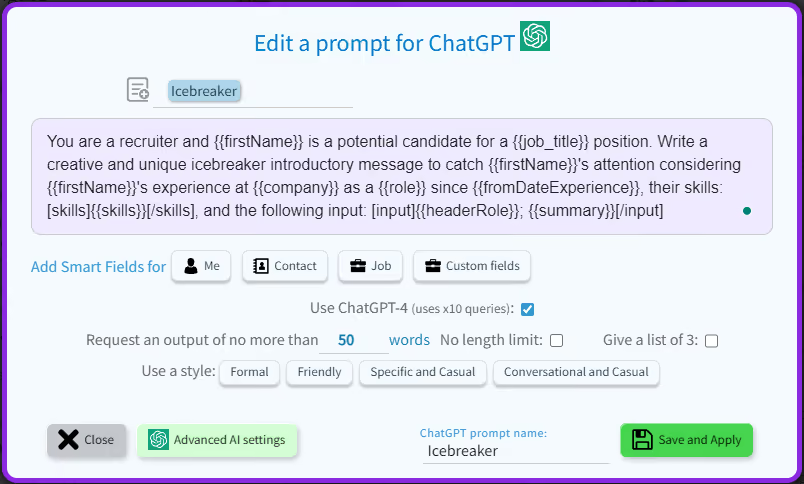
We evaluated Jobin.cloud’s AI functionality in live testing across multiple roles, including software engineers and healthcare professionals. In each case, we began by pasting in a raw job description. The system parsed the text, expanded it with semantically similar terms (e.g., “CI/CD” inferred from “DevOps”), and returned a list of matching profiles from LinkedIn and external databases.
What stood out most was the scoring report. The AI recruiting system doesn’t just say a candidate “matches” but also explains how. Skills and qualifications are marked as proven (explicit and demonstrated), mentioned, inferred (via context), or missing. We prefer this level of transparency to what we’ve seen in Fetcher, which provides candidate suggestions, but its logic is less exposed to the user.
We’re also a big fan of Jobin.cloud’s free plan, which is one of the most generous we’ve encountered. It includes auto-import from LinkedIn, up to 10,000 stored contacts, five enrichment credits, and limited outreach (15 daily messages and 30 AI prompts). These features alone could be enough if you’re a solo recruiter or a lean hiring team to run serious sourcing workflows, we’d imagine. For those exploring AI recruiting tools for the first time, it offers a low-risk way to get started, something that Fetcher and Findem don’t match with their paid-only access.
However, the design of this AI recruiting platform lags behind most competitors. It packs many features into a rather dense user interface, which may take some time to grasp everything fully. Compared to hireEZ’s clear layout or Fetcher’s guided workflows, Jobin.cloud does demand more effort to master.
Another gap is integrations. While we appreciate the vendor’s progress in rolling out support for Make.com and Zapier, we would have preferred one-click connections to common ATS platforms and recruiting CRMs. That kind of plug-and-play integration feels standard among AI recruiting tools and offers a smoother experience for teams already using other systems.
Jobin.cloud reports more than 5,000 users globally.
Jobin.cloud offers modular pricing, starting at €7.99 per month for LinkedIn Automation. Key additional modules include Contact Finder and People Finder, each priced at €16.99 per month, and ChatGPT messaging support for €3.50 per month (with a limit of 1,300 queries). A free plan with basic features and limited outreach is also available.
Best For
High-output sourcing teams or startups expanding into unfamiliar roles.

Eightfold
Eightfold's AI-powered recruiting platform automatically matches relevant candidates to your available jobs. It’s also one of the few recruiting platforms with features for employee coaching and skills development.
PROS
- Eightfold employs AI for precise candidate matching based on skills, experience, and potential.
- Streamlined filtering options ensure you see candidates meeting your criteria in terms of experience and salary.
- Encourages diversity hiring and mitigates bias through anonymous screening.
- Enhances employee experience with personalized training and development opportunities.
- Features a built-in CRM to efficiently manage HR data for candidates and employees.
- Eightfold uses AI technology to analyze your job postings and find the best fitting candidates. It can also rank those candidates based on their skills, experience and potential.
- You can filter candidate searches by experience level or salary range so that you only see candidates that fit your hiring criteria.
- The platform encourages diversity hiring and enables you to eliminate hiring bias through anonymous screening, aka profile masking
- It improves overall employee experience by providing tailored training and development opportunities based on their skill sets and interests.
- It has a built-in CRM to store and manage HR data about potential candidates, current employees, and previous employees.
CONS
- Lacks a note-taking feature within candidate profiles, which could be inconvenient for recruiters.
- While there's a mobile app for skills development, there's currently no dedicated app for hiring managers and recruiters.
- Some users report limitations in searching for candidates beyond the existing database.
- Pricing transparency is lacking, and there's no provision for a free trial presently.
- There isn’t a way for hiring managers and recruiters to leave notes on candidates profiles within the system which is rather inconvenient.
- Eightfold has a mobile app that employees can access for skills development but doesn’t currently have one for hiring managers and recruiters to manage their pipeline and perform other actions relating to the hiring process.
- Several users reported that the tool does not search for candidates outside its database.
- The platform’s pricing isn’t transparent and there is no free trial at this time.

Eightfold’s AI technology automates several chunks of the hiring process and ensures that only the most suitable candidates get through to the interview stage. Recruiters get every piece of information they need at their fingertips about previous candidates, employees, and contingent workers – helping them streamline workflows and processes across the entire talent ecosystem.
Eightfold’s deep learning capability also identifies the skills of job applicants with a detailed mapping of competencies. It takes the guesswork out of evaluating a candidate's skills by identifying Validated Skills, Likely Skills, Skills to be Validated, and Missing Skills.
The platform also includes a neat scheduler that integrates with corporate calendars to automate interview scheduling. Moreover, it helps you manage interviews with multiple people and reschedule or cancel them as needed.
Eightfold’s client list includes prominent enterprises like TATA Communications, LG, Vodafone, Bayer, Chevron, Morgan Stanley, and more.
Eightfold's pricing plans are not disclosed on its website. Contact their Sales team for a custom quote.
Best For
Organizations hiring more than 100 candidates per year.

I use Eightfold regularly to search for candidates based on skills and experience rather than relying solely on keyword matches. Talent insights help identify candidates that ORC typically would not surface.
I review talent pool analytics to assess the strength of candidate pipelines. Reporting and dashboards are used frequently to support recruiting operations. Eightfold complements ORC workflows by adding insight without requiring changes to our existing recruiting processes.
- Eightfold improves visibility into talent pools, helping recruiters identify qualified candidates they might otherwise miss.
- Reports are easy to interpret and useful in discussions with leadership.
- The platform integrates well with Oracle Recruiting Cloud, allowing ORC to remain configured as needed.
We implemented Eightfold on top of Oracle Recruiting Cloud (ORC) to supplement the native ORC reporting capabilities. ORC's standard dashboards were transactional and lacked predictive insights.
Eightfold provides a data layer that enhances recruiting data quality and visibility. It delivers AI-driven insights without requiring heavy customization or complex reporting structures. I have personally used Eightfold for two years.
- While reporting options are better than those in ORC, they could offer more flexibility for customization.
- Some candidate recommendations are occasionally irrelevant.
- End-user training can take time, as users need to learn how to interpret the AI-driven insights.
This is one of the better tools I have used, especially because of its skill-based matching capabilities. Previously, we relied on resume and job posting keyword searches, which were more limited in scope.
- Consider how well the tool integrates with your existing applicant tracking system.
- Be prepared to adopt a data-driven approach to recruiting.
- Ease of adoption and user training are important, particularly in how the platform supplements other ATS systems.
The reporting capabilities have continued to evolve, making it easier for users to share insights with leadership.
Organizations with a Recruiting Operations team or data analysts will benefit most, as recruiters typically remain in the native ATS while the operations team works within Eightfold.
- Organizations that are not ready to use data-driven insights.
- Very small companies with limited recruiting volume won’t need Eightfold.
- Organizations with manual or informal recruiting workflows.
Benefits and Use Cases of AI Recruiting Software
The best AI recruiting platforms allow HR and talent acquisition teams to supercharge their efforts through smart recruitment automation processes that eliminate tedious tasks and let them focus on the most strategic parts of their hiring. An AI recruiting platform can help with talent attraction, sourcing, pre-screening, candidate relationship management, to name a few.
- Recruitment Marketing: A recruiting chatbot on your career site allows job seekers to learn more about your company instantly without having to wait hours for a response, whereas recruitment marketing tools enable you to leverage AI to craft job advertising, talent outreach and nurturing, and even offer letters more easily.
- Candidate Sourcing and Screening: AI recruiting platforms can interpret a job req, find relevant folks through different databases (your ATS/recruiting CRM, or the open web), and then return a qualified list of potential applicants. Many can even automate the initial outreach through AI-generated text and email. Some can leverage algorithms to screen applicants based on your job requirements, give the conversation a sentiment analysis (via AI talent assessment tools), and even analyze how their interview responses match your hiring criteria (via video interview tools).
- Interview Scheduling: If interview scheduling is giving your hiring team a headache, using an AI recruiting platform with native interview scheduling tools not only frees up their time but improves candidate experience (no dropped balls, female candidates don’t interview with all men, etc.)
- ATS Re-Engagement: Your ATS is full of high-quality applicants who were silver medalists, applied too late, or weren’t fit for a specific role at a given point in time but would be great for a new req. A human would take a very long time to wade through thousands or millions of records, while traditional applicant tracking systems aren’t great at re-discovering old records. AI recruiting software, however, can look at your open req, and search your database for relevant past applicants to re-engage.
- Employee Referrals: AI recruiting tools are also great for supercharging employee referral programs. These platforms can review your employee networks against your req to make suggestions on who to refer to your recruiting team. In many cases, this can all happen with in a few clicks.
At SSR, we like to think of AI as an exoskeleton that allows humans to be smarter, and more efficient. To go with an easy metaphor we heard from Trent Cotton, Vice President of Talent and Culture at Hatchworks, think of Tony Stark and his Iron Man suit. The suit is actually powered by an AI he calls J.A.R.V.I.S., but the suit is not replacing the man. Rather, it’s adding to the remarkable character that Tony Stark already is.
Similar to Trent during his recent participation at The Elite Recruiter Podcast, we strongly believe that AI actually replacing human beings is a far-flung dystopia, and that it’s simply the menial tasks that are going to be taken over, which will still need human tweaking and inputs. So, there’s really no need to be afraid of this new technology, it’s basically just slightly smarter software that can automate more of the tasks you most likely don’t want to do.
Please also read the pitfalls below this section as there are several important caveats to these use cases and dangers that HR and recruiting teams need to be aware of!
Pitfalls You Need To Be Aware Of
AI recruiting tools’ common pitfalls tend to be associated with candidate experience, expectation, and AI bias.
- Candidate Experience: At the end of the day, we all want to be treated with respect, and replacing every candidate’s touch point with automation is definitely not a way to show your respect. Job seekers are smart enough to realize they aren’t getting any TLC, and will be turned off. Spend time with potential candidates to understand how they’re experiencing the various stages of your hiring process and when you’ve gone too far.
- Set Expectations: We are at the time when AI has become part of our work. That said, certain steps are still in the hands of humans. From an employer perspective, that’s engaging with candidates when the AI fails to assist them, being the one who guards the AI and makes the final calls on who to hire and who to reject. At the end of the day, AI is here to support, not replace our thinking and decisions.
- AI Bias: AI is trained on data sets and past inputs and interactions to determine outcomes, and this can carry bias. When selecting a vendor, a good question to ask on a demo would be what’s the NLP engine, and how it’s trained. Importantly, always treat AI outputs as suggestions and have humans sanity check the these outputs, regardless of how advanced the vendor claims their technology is.
AI Recruiting Software ROIs
The ROI from AI recruiting tools can be calculated in several different ways depending on the use case you’re using this software for.
So, we’d recommend checking out our HRTech ROI calculators (all are free to download) and picking the one that relates to what you’re trying to accomplish – decrease time to fill, cost per hire, time spent sourcing, etc.
Pricing of AI Recruiting Tools - What's the Best Pricing Structure?
Like most HR and SaaS software, AI recruiting tools are priced per user or per number of actions, in this case, job requisitions or postings. To find out more about pricing structures and how to optimize for this, we teamed up with Bob Pulver, an HR tech consultant for a number of years. On the question of recruitment software pricing, Bob mentioned that companies should feel free to suggest an alternative pricing structure to vendors, one better suited to their needs.
"With recruiting software, the value is created the minute you have a candidate that you can reach out to, why not have them charge for that instead?" According to Bob, some people in tech are willing to do that.
In such a pricing structure, your entire team has access to the tool but could be limited by a pool of candidate contact credits. This can save HR teams a lot of money, while still being fair and mindful of the software vendor's costs. As Bob explained, "If you have a team of recruiters and they charge you hundred per seat, you're very quickly into six-figure territory."
Problems To Solve with AI Recruiting Software
As put to us by one of the experts we consulted for this buyer guide, "The diversity of companies listed under AI Recruiting makes it very hard for the buyer to understand what pain points each solution is solving for and at what stage of the hiring funnel". Those are the words and wisdom of Bennett Sung, a marketing consultant for several early-stage HR software companies.
What Bennett is referring to is the wide variety of use cases that happen with AI recruitment software. While, let’s say, SeekOut and Paradox don’t share the same use cases, they are frequently lumped together under the same umbrella of AI recruiting.
Hence, it can become confusing to vet companies. As with any software purchase, the best thing for you to do is to be aware of the greatest challenges you need to solve, give them an order of priorities if they’re several, and let that guide every request for a demo and the actual conversations.
To give you some examples, here are some of the typical challenges you can solve with AI recruiting and recruitment automation tools:
- Filling Open Positions Takes Too Long: Certain features of AI software like chatbots can help with automating the pre-screening process, resume parsing, and in some cases, even scheduling interviews. Apart from saving thousands of dollars in man hours, this can also result in a faster and improved hiring process, where positions get filled quicker.
- The Quality of Hire is Still Subpar: Through intelligent screening of thousands of candidates, you can start your search right by setting up the appropriate tags and requirements. Then, you can focus on a pool of candidates who already seem like a great fit for the job.
There might be an (unconscious) hiring bias problem in our recruiting process: Some AI recruiting tools can eliminate human bias by only showing certain information about candidates before key hiring decisions are made.
Questions For Demos
HR and recruiting teams need to go into demos prepared to get the information they need. Part of that preparation is making sure you have the right questions lined up for any AI recruiting software vendor. As in other parts of this buyer guide, we teamed with Bob Pulver, HR Tech consultant at Cognitive Path, to put together some of these questions.
Here are a few specific questions you should ask on demos with vendors that relate to AI recruiting tools:
- How is your AI trained? Where does the data come from? How long does this take? How often does it happen?
- How do candidates interact with this tool?
- How do recruiters interact with this tool?
- How accurate is your AI? What metrics do you look at to measure this accuracy?
- What unique insights has your AI discovered?
- What is your sweet spot in terms of company size?
- Do you have outside funding? Where is this funding going?
- Are you investing in Customer Success? What does the implementation process look like for a company like mine?
AI Recruiting Software FAQs
What is AI recruiting software?
AI recruiting software are platforms or tools that use artificial intelligence to automate and enhance certain parts of the talent acquisition process.
How is AI used in recruitment?
AI is used in every aspect of the recruitment pipeline, including the following:
- Screening: Using chatbots to automatically answer candidate questions
- Video Interviews: Analyzing video interview responses to see how they fit into hiring criteria
- Tech Screening: Using AI to figure out the quality of a given candidate’s answers
- Sourcing: Scanning talent databases for candidates relevant to job reqs
- Scheduling: Automatically aligning candidate and hiring team schedules for available connection
- ATS Re-Engagement: Checking your ATS for former candidates who would be a good fit for a new role
- Referrals: Combing through employee networks for relevant candidates
How is AI changing talent sourcing and recruiting?
AI is changing talent sourcing and recruiting by automating the processes, saving hiring teams lots of time while also engaging a wider pool of talent. It acts as an exoskeleton that allows human resources teams to be smarter and more efficient.
Why use AI recruiting platforms?
You can use AI recruiting platforms to save your organization time and money. As AI becomes more integrated with HR tech, it will be increasingly difficult to operate without it as well.
Final Advice
The best AI recruiting software allows your talent acquisition team to become way more efficient. This is especially important given the war for talent, and the high cost of adding full-time employees to your recruiting team.
Without a doubt, AI will become a larger and larger part of your company’s business as a whole, and the recruiting function in particular. So, it makes sense to start utilizing artificial intelligence now in the use cases that matter to you the most.
Our suggestion is to pick one use case that is most pressing (scheduling, sourcing, screening, etc.), and then to talk with a few vendors that you can partner with. To help in your search, be sure to try out our HR and recruitment software buyer organizer to keep track of demos, questions, prices, and more.
About the Author


About Us
- Our goal at SSR is to help HR and recruiting teams to find and buy the right software for their needs.
- Our site is free to use as some vendors will pay us for web traffic.
- SSR lists all companies we feel are top vendors - not just those who pay us - in our comprehensive directories full of the advice needed to make the right purchase decision for your HR team.


