

15 Best Employer of Record (EOR) Services Compared - 2026
After hands-on testing with 40+ EOR platforms and completing live employee onboarding with 70+ actual hires across 7 countries (India, UK, Canada, Australia, Singapore, Philippines, UAE) between 2020-2026, we identified that Deel, Native Teams, Remote People, and Pebl deliver the best balance of speed, cost, and compliance.








The best employer of record (EOR) software enables you to legally hire talent in countries where you lack a physical office, handling payroll, benefits, taxes, and sometimes visa applications, among other employment duties, on your behalf but while retaining full visibility and control.
Following hands-on testing with 40+ EOR platforms and tracking their evolution over time, we identified top providers that deliver rapid onboarding (completing setups in 2 days compared to the 14-day market norm), cost-effective choices for startups and growing businesses, and vendors offering transparent payroll invoices with line-by-line employer expense breakdowns your payroll team will love.
Check out our full comparison of these options, including analysis of pricing, features, regulatory compliance, and customer support.
Key factors we considered when comparing EOR companies include the number of countries where they offer first-hand services, pricing transparency, customer support, and the quality of their user interface.
- Direct Entity Ownership: We understand that choosing the right EOR partner means entrusting them with your most sensitive operations – payroll, compliance, employee well-being, and reputation. That’s why we gave top marks to companies that own and operate their own local legal entities (rather than outsourcing to third-party aggregators) for higher accountability and control.
- Pricing Transparency: In dealing with payroll, it’s essential to be able to see exactly what fees you’re paying and why. The best EOR services consistently provide customers with peace of mind. We looked for companies that break down fees, avoid hidden costs, and clearly explain what you’ll be expecting to pay for during the demos so you can make informed decisions.
- Proven Customer Support: While many tools in the space promote a self-service approach, we favored companies with strong customer service. This includes dedicated account managers, region-specific experts, and a support team that is readily accessible. Few business aspects are as touchy as payroll, so vendors with a white-glove approach get prioritized.
- User-friendly Interface: The best EOR companies tie all of the above together through nice-looking and modern software tools. These products are where you can keep track of everything going on with your international payroll.
In line with our editorial guidelines, we identified the best EOR service providers based on our independent research, hands-on testing, and expert interviews. Specifically, we sat on dozens of product demos, held in-depth interviews with HR experts, tested the EOR services ourselves, and reviewed real customer experiences to understand where providers truly deliver and where they fall short.



Pebl

Pebl stood out for its speed-to-hire and deep compliance infrastructure, backed by over a decade of global labor law expertise. Unlike newer EOR entrants, Pebl blends proven audit processes with AI-powered automation, enabling fast, risk-mitigated expansion into 185+ countries.
PROS
- Global reach with built-in compliance across 185+ countries, including 17+ employment licenses in regulated markets.
- Fast onboarding with AI-assisted workflows that eliminate manual handoffs.
- Localized employee experience with in-country benefits, in-language support, and 24/7 service.
- Strong support for immigration, including visa and work permit assistance.
- Competitive flat-rate pricing at $399/month.
- Strong service and support during relocation or contractor conversion.
- Handles payroll, benefits, and compliance locally.
- Includes visa and work permit assistance.
CONS
- The user dashboard sometimes experiences bugs.
- Some users have noted that the onboarding process includes redundant steps.
- Targeting EOR services, the platform lacks comprehensive, full-suite HRIS functionality.
- Limited integration options compared to some other EOR platforms.
- Occasional bugs in the user dashboard.
- Some redundant steps in the onboarding process.
Pebl reflects a more mature generation of EOR platforms designed to minimize risk while supporting fast cross-border hiring. It is not positioned as a full HRIS, and in our view that focus is a strength for companies that need clean, compliant international hiring without excess tooling.

During our evaluation, Pebl’s advantages were clearest in time-sensitive and entity-free expansion scenarios. During our vendor interviews, a Series A software company stood our for completing full onboarding with Pebl (including identity verification, contract generation, compliance review, and payroll configuration) in 6 business days to hire their first employee in Singapore. This aligns with Pebl's stated 5-7 day average for compliant hiring in regulated markets.
The Alfie AI assistant is one of the most practical compliance features we have tested. It provides vetted legal insights and contextual prompts during onboarding, and the overall UX makes international workflows feel similar to local hiring. The expanded integration catalog, now supporting more than 200 tools, also helps HR and finance teams stay aligned as they scale.
Having said that, Pebl is not the right choice for every team. If you need a unified HRIS or do not plan to hire internationally, the platform may not be your perfect fit. The absence of a free trial also limits how much hands-on evaluation is possible before committing.
Pebl Key Features:
- EOR coverage across 185+ countries with 17+ employment licenses in regulated markets
- AI-assisted onboarding workflows with compliance review and payroll setup
- Alfie AI assistant providing vetted legal insights and compliance prompts
- In-country benefits, in-language support and 24/7 employee service
- Immigration support including visa and work permit assistance
- 200+ tool integrations for HR and finance team alignment
Honeywell, AB InBev, Linksys, Crunchbase, Betterment, Anaplan, Consensys
The base price for the Pebl EOR services starts at $399 per employee per month.

Best For
Pebl is ideal for startups, SMBs, and mid-market firms expanding globally who need fast, compliant hiring without investing in local entities.

Native Teams
Native Teams offers one of the most affordable EOR solutions we've seen, which starts at just $99 per employee per month. That alone caught our attention, but it’s the combination of built-in wallets, compliance support in 95+ countries, and visa services that solidified their place on this list.
PROS
- Good range of EOR services with compliant contracts, payroll, benefits, and visa support.
- Pricing is half the typical EOR rate, and a free trial is offered.
- Built-in wallet and debit card for employees, with 1% cashback on balances.
- Contracts are bilingual and can be partially customized with legal team review.
- Visa and mobility support embedded in-platform for 20+ countries.
- Automated workflows for bonuses, tax allowances, and leave tracking.
- Good range of EOR services with compliant contracts, payroll, benefits, and visa support.
- Pricing is half the typical EOR rate, and a free trial is offered.
- Built-in wallet and debit card for employees, with 1% cashback on balances.
- Contracts are bilingual and can be partially customized with legal team review.
- Visa and mobility support embedded in-platform for 20+ countries.
- Automated workflows for bonuses, tax allowances, and leave tracking.
CONS
- User interface lacks polish, and navigation can feel unintuitive.
- Onboarding can be slow, especially when syncing legal documentation.
- No HRIS integrations or open API (planned for 2026).
- Does not offer compensation benchmarking or planning tools.
- User interface lacks polish, and navigation can feel unintuitive.
- Onboarding can be slow, especially when syncing legal documentation.
- No HRIS integrations or open API (planned for 2026).
- Does not offer compensation benchmarking or planning tools.
Native Teams delivers a platform that covers all the EOR basics and a pricing structure well below industry standards. Most employer of record providers charge $499-$599 per employee per month. Native Teams undercuts that dramatically, starting at just $99, making it an easy choice for startups and budget-conscious global teams.
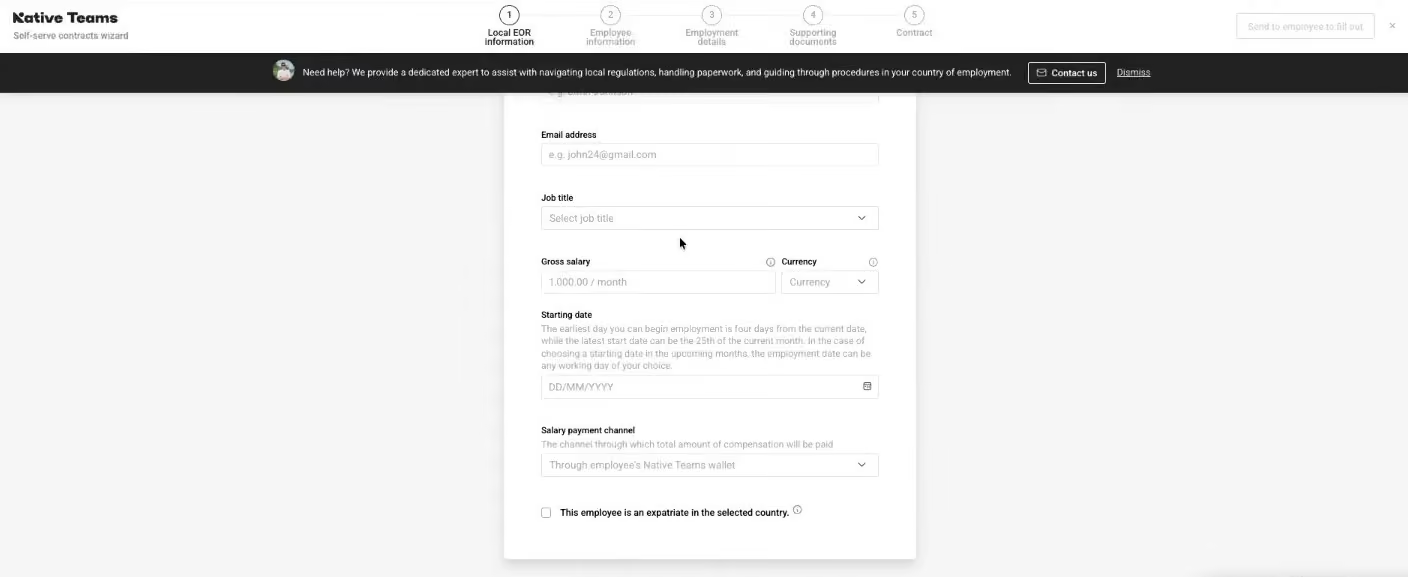
While customization isn’t their strongest suit, our demo made it clear that Native Teams compensates with responsive, hands-on support. Employers can generate compliant, bilingual contracts with limited editable fields, and any requested changes are reviewed by their legal team, usually within five business days. Payroll is streamlined with automation, and applying bonuses, logging absences, and using country-specific tax allowances felt intuitive.
The employee wallet and debit card also help Native Teams stand out. Workers can receive payments in multiple currencies, transfer money to a personal bank account, or spend with a Native Teams Mastercard. They also earn 1% monthly cashback on funds held in the wallet. If you’re comparing EOR vendors, you’ll notice this isn’t something typically found on most platforms.
On the accessibility side, Native Teams provides integrated visa and mobility support across 20+ countries. We gathered feedback from employee users who had direct experience with this feature. Many praised how easy it was to track requests, upload documents, and communicate with the in-house visa team.
As for drawbacks, the most notable stem from usability and early-stage limitations. Native Teams’ platform doesn’t have the smoothest interface, and several users mentioned needing help during onboarding. Just as important is the current absence of native HRIS integrations and compensation benchmarking tools, which could be dealbreakers for larger or rapidly scaling teams. Fortunately, the EOR shared that these capabilities were on the roadmap for 2026. We’ll keep an eye on progress and report back as those features roll out.
Native Teams Key Features:
- EOR services with compliant contracts, payroll and benefits across 95+ countries
- Bilingual, partially customizable contracts with legal team review
- Built-in employee wallet and Mastercard debit card with 1% monthly cashback
- Multi-currency payroll with automated bonuses, tax allowances and leave tracking
- Integrated visa and mobility support across 20+ countries
Semos Cloud, Mad Head Games, Kaiko Systems, inDrive, Dolce & Gabbana beauty
Pricing starts at $99/month per employee. Free trial available directly on Native Team’s website.
Best For
Native Teams is ideal for startups and SMBs looking to hire full-time employees in Europe, the UK, and emerging markets.

RemotePeople
RemotePeople stands out primarily for its price-to-service ratio. Its EOR offering starts well below many competitors while still covering global employment essentials. Furthermore, customers can easily incorporate additional services, such as IT asset management, background checks, and office leasing, on an as-needed basis.
PROS
- One of the most affordable starting prices among EOR vendors.
- Recently redesigned UI that feels cleaner and easier to navigate.
- Transparent payroll and invoice breakdowns for finance teams.
- Provides global employment in over 150 countries and counting.
- Optional operational services like IT equipment procurement and background checks.
- Free access to multiple useful HR resources, including payroll calculators, offer-letter generators, and country-specific hiring guides.
- Strong country hiring guides that go beyond basics and explain real compliance and payroll nuances.
- Affordable pricing (~$199/employee/month) compared to many EOR competitors.
- Covers 150+ countries, making it viable for broad international hiring.
- Clear payroll breakdowns with line-by-line visibility into costs and adjustments.
- Operational support services like IT equipment procurement and background checks.
- Free HR tools (salary calculators, offer generators, cost estimators) useful for planning hires.
CONS
- No phone support available for urgent issues.
- Support response times can be inconsistent for complex queries.
- Integration ecosystem is smaller than many modern HR platforms.
- Some services (e.g., Global Payroll, Entity Setup, Visa/Immigration support) only available in select countries.
- Limited integrations compared to platforms like Deel or Remote.
- No phone support, and response times can vary for complex issues.
- Some services (e.g., visas, global payroll) only available in select countries.
RemotePeople is architected for companies that want a straightforward path to international hiring without committing to an expensive enterprise EOR platform. While testing the platform and reviewing its documentation, we found that its strengths lie less in cutting-edge HR technology and more in the practical infrastructure needed to manage distributed teams.
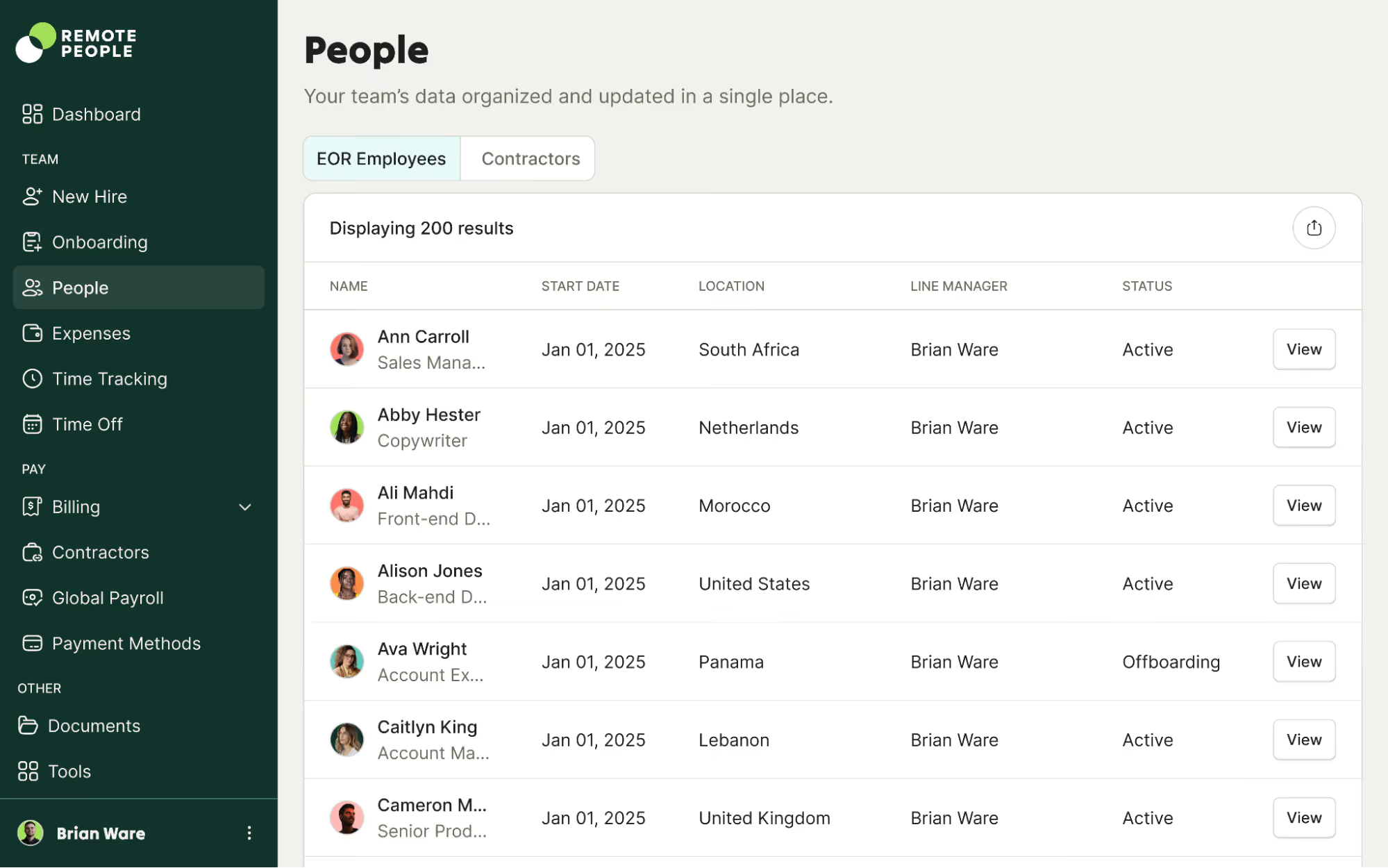
The platform supports hiring in over 150 countries and covers all key EOR requirements: employment contracts, payroll processing, tax remittance, and statutory benefits. What stood out to us, though, were the country hiring guides built into the ecosystem. Our editor spot-checked guides for markets like Mexico, India, Canada, and Vietnam, and they turned out to be far more than surface-level summaries. They walk through labor law basics, termination rules, payroll obligations, and hiring norms in each market.
This type of contextual guidance can significantly reduce the learning curve for companies entering international markets for the first time. It likely explains why a relatively new name in the market—founded in 2018—has already been adopted by more than 3,000 organizations worldwide, many of which are new to global employment compliance.
Teams responsible for monitoring international payroll costs may also appreciate the financial visibility the platform provides. Payroll invoices include line-by-line breakdowns of employer expenses, covering not only recurring salary components and employer contributions but also adjustments such as overtime changes or benefit updates.
Another aspect we found notable is RemotePeople’s operational support services. In addition to standard EOR functionality, the company can help procure IT equipment, run background verification checks, and assist with other logistical tasks related to distributed workforces. While these services aren’t required to use the EOR platform itself, they could simplify operations for companies building teams in countries where they lack local infrastructure.
To be fair, though, the EOR provider does have to sacrifice a few features to maintain lower costs. Support channels do not include phone assistance, and user reports suggest response times can vary depending on the complexity of the request. We also noticed that payroll corrections sometimes appear in later invoices through a reconciliation process called regularization, which can make month-to-month accounting slightly harder to follow.
The broader product ecosystem is also somewhat narrower than what we’ve seen from some EOR competitors. Specifically, the number of integrations is fewer, and certain services, such as global payroll processing, entity setup, and visa support, are only offered in select countries.
RemotePeople Key Features:
- EOR coverage across 150+ countries with employment contracts, payroll and statutory benefits
- Transparent payroll invoices with line-by-line employer expense breakdowns
- Country-specific hiring guides covering labor law, termination rules and payroll obligations
- Optional IT equipment procurement and background verification services
- Optional office leasing support for distributed workforce setup
- Free HR resources including payroll calculators, offer-letter generators and country hiring guides
Starts at $199/employee/month. Optional services (IT asset management, office leasing, background verification) are priced separately.
Best For
Small businesses seeking a low-cost EOR platform for international hiring.
.png)
Deel
Deel can operate as an employer of record in over 150 countries. They own entities in 130 countries and have focused on global-first companies for a long time. They have been tech-oriented from the beginning, boasting a stellar platform, coupled with solid EOR services.
PROS
- Outstanding 24/7 in-app support with fast 2-3 day onboarding
- Local payroll experts across multiple jurisdictions
- 100+ HR platform integrations with custom API support
- Self-service friendly with no lengthy demos required
- Hassle-free setup with identity verification within 24 hours
- Excellent 24/7 customer service with fast onboarding (2-3 days) and local payroll experts in each jurisdiction.
- Seamless integration with platforms like QuickBooks, BambooHR, and Greenhouse, plus custom integration options.
- User-friendly, self-service features enable quick setup; identity verification often takes under 24 hours.
- Automated invoices simplify payments, provided they're in English.
CONS
- Additional fees for advanced features like onboarding automation
- Limited flexibility in contract and service agreement changes
- Invoice generation available in English only
- Relies on third-party entities for EOR in some jurisdictions
- Key features like onboarding automation are add-ons, which may increase costs.
- Limited flexibility in modifying contracts or service agreements; changes often require an addendum.
- Invoices cannot be generated in languages other than English.
Deel has built one of the most robust platforms for managing global employment, with a strong focus on EOR services.

At the core of Deel’s EOR offering is its global footprint. Deel operates in over 150 countries and owns entities in more than 90 of them. In regions where they don’t have direct ownership, they work through a network of vetted partners. This allows companies to move quickly in most jurisdictions, though the involvement of third parties may affect control and response times depending on the country.
One of Deel’s biggest strengths is speed. We found that onboarding full-time employees in many countries could be completed in just 2–3 business days. Identity verification often takes under 24 hours, and new admins can get started right away, as there’s no need to schedule onboarding calls or wait for manual setups. For global-first teams that want to move fast, that self-serve experience really matters.
The user interface is intuitive, and the platform plays nicely with others. Deel integrates with more than 100 HR tools out of the box and offers custom integrations and APIs for those that need them. On the support side, they offer 24/7 in-app chat and access to local payroll and compliance experts, which proved helpful when testing edge cases during onboarding.
However, contract modifications are where this EOR company falls short. Any changes usually require a formal addendum, which can create extra administrative work. Additionally, bear in mind that certain features, such as onboarding automation, aren’t included by default. We also noticed that Deel’s invoice generation is currently only available in English, which may be a limitation for non-English-speaking stakeholders.
Regarding entity ownership, while Deel does own entities in most of the markets it serves, there are still countries where they rely on third parties to act as the local employer. That’s not uncommon in the industry, but it’s something we’d recommend you be aware of when evaluating long-term risk and compliance.
Deel Key Features:
- EOR services across 150+ countries with owned entities in 90+ markets
- 2-3 day employee onboarding with identity verification within 24 hours
- 24/7 in-app support with local payroll and compliance experts
- Self-service platform with no demos or manual setup required
- 100+ native HR platform integrations with custom API support
- Vetted partner network for markets without direct entity ownership
Deel is used by over 40,000 companies, including Brex, Google, Homelight, Duffel, and Andela.
Deel Hire offers Employer of Record services as a subproduct, which is available in two pricing tiers:
- Standard: Starting at $599 per employee per month.
- Enterprise: Starting at $899 per employee per month.
As a new product, Deel has changed a lot since its inception. Its newest offering, DeelHR, allows companies to complete most of their HR operations tasks in Deel.
Best For
VC-backed startups, scaleups, and global SMBs hiring full-time employees in countries where they lack a legal presence.


We use Deel on a weekly basis to hire, manage, and pay international employees for clients. Once a candidate has accepted our verbal offer, we use Deel to send the offer letter, new hire documentation, and collect information for payroll. Deel stores all of our new hire information such as employee benefits selections, tax information, and signed offer letters. We also use Deel to coordinate with our outside payroll vendor to ensure everyone is paid correctly and the proper withholdings are implemented.
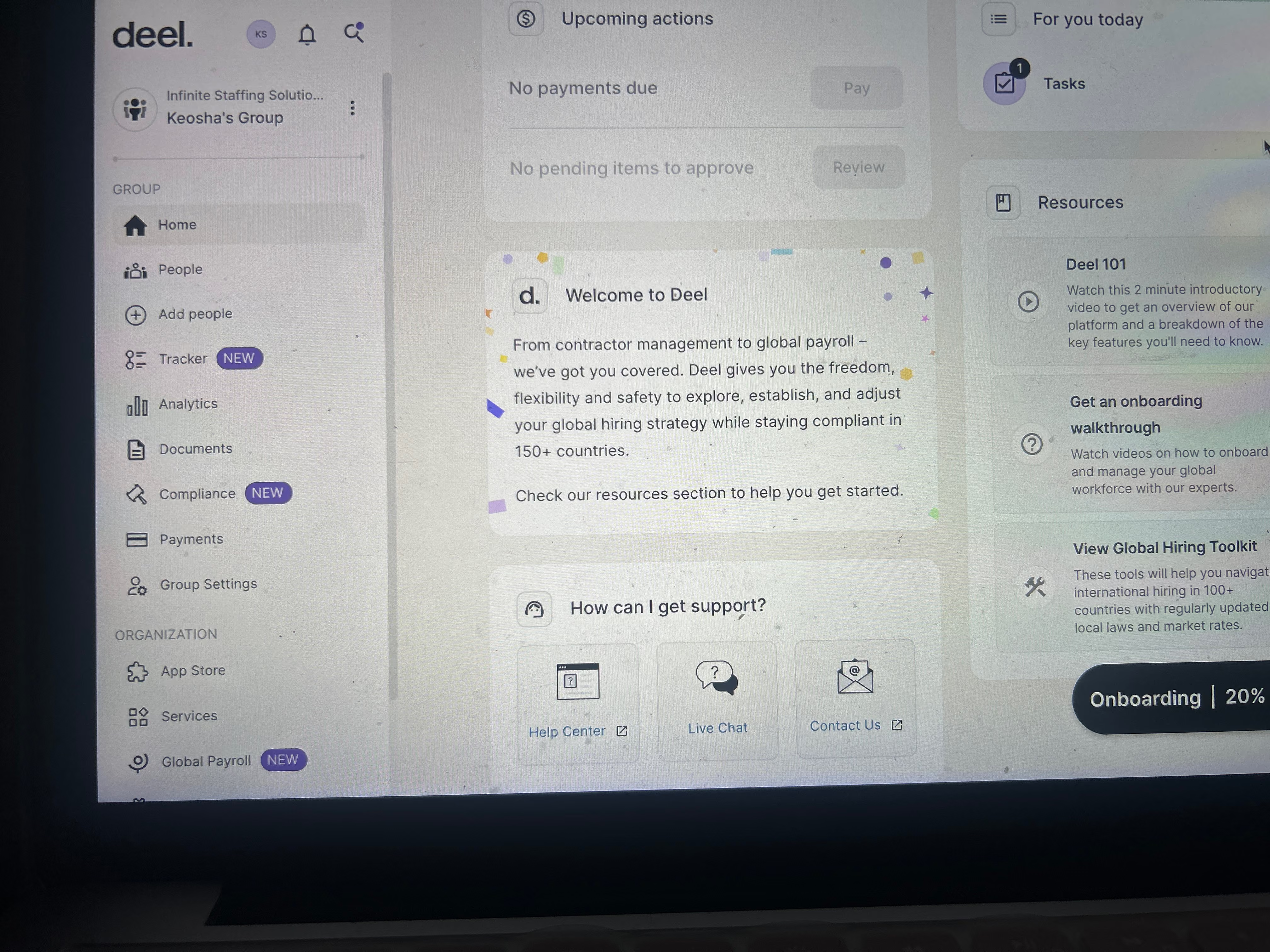
The first thing that we love is Deel HR is free! Not only is it free, it still offers all the bells and whistles of your typical paid platforms. I like that you can use Deel as the employer of record for international employees. Deel ensures we are compliant with local labor laws. Deel HR has replaced our need to purchase an HRIS system to serve as our employee management system.
We purchased Deel because we were seeking an affordable HR tool for our startup company. We were experiencing pain in the areas of documentation management, managing employee files on multiple databases, and wanted to streamline our operations. We were also seeking an onboarding solution that could integrate with our recruitment process. Deel has helped us centralize our HR functions and improve our efficiency in managing employee data and onboarding new hires.
The cost for the employer of record is very high for a startup company. This is an amazing solution to offer for a growing company, but I wish the price was lower or split into two payments across the month. Although it is easy to navigate, the UI could be nicer.
Deel is a one-stop shop for domestic and international hires. They have a built-in background check and visa and EOR in one platform. Other platforms require the use of multiple tools to accomplish these tasks.
First, they need to consider their hiring needs. Determine how many international hires annually to be able to do a cost-benefit analysis. They also need to have a defined hiring workflow to determine if Deel has everything they need to enhance their existing workflow.
Deel has done a great job with API and adding new integrations as the market evolves.
Global and domestic organizations of all sizes.
Deel is great for all companies and industries, especially if they want an all-around tool to take care of all HR needs including global payroll and EOR.

RemoFirst
RemoFirst makes an all-inclusive EOR platform aimed toward making remote global hiring a seamless reality. Its standout features include budget-friendliness and exceptional customer support, where every client is privileged with a dedicated 24/7 account manager.
PROS
- Payments in USD, GBP, EUR, CAD and SGD with local currency payouts
- Coverage across 150+ countries
- Modern, visually appealing user interface
- Competitive pricing compared to Deel
- Published pricing is easy to find, with EOR starting at $199 per employee per month.
- Contractor management includes a free tier, plus premium contractor payments at $25 per contractor per month.
- Broad coverage supports hiring employees in 185+ countries and contractors in 150+ countries.
- Dedicated account managers and 24/7 support are included, plus chat and a knowledge base.
- Useful add-ons reduce the need for extra vendors, including RemoHealth, RemoVisa, background checks, and equipment provisioning.
- Contractor-to-employee conversion makes it easier to move from pilot hires to full-time employment.
- Integrations like BambooHR, GoCardless, and ADP Workforce Now help it fit into existing stacks.
CONS
- Limited integrations and features due to relative newness
- Onboarding can exceed 5 days depending on country
- EOR delivery often relies on exclusive in-country partners, so service consistency can vary by country.
- The integration catalog is improving but still smaller than what you get with full HR suites.
- Reporting and analytics are not as deep as enterprise-focused EOR platforms.
- The $199 rate is a starting point and total cost can still vary by statutory requirements in each country.
- Some features that matter for global teams can become add-ons, which can increase total spend.
RemoFirst is still one of the more budget-friendly names in the EOR space, but the story is bigger now than “low-cost EOR.” They position themselves as a global Employer of Record and contractor platform that supports full-time employee hiring in 185+ countries and contractor hiring and payments in 150+ countries, with a flat, transparent pricing model as a core pillar. For buyers comparing vendors where EOR often starts in the $499 to $599 range, RemoFirst’s published EOR starting price of $199 per employee per month remains a meaningful differentiator.
What we think they do especially well is reduce the “too many tools” problem. Beyond core EOR compliance and local-currency payroll, they’ve added a global cost calculator for estimating country-specific employment costs, contractor-to-employee conversion workflows, and optional services that commonly force teams into extra vendors, like health insurance options through RemoHealth, visa and work permit support through RemoVisa (85+ countries), international background checks (185+ countries), and equipment provisioning.
Support is also a highlight at this tier: they include a dedicated account manager and 24/7 customer support, plus a knowledge base and chat. The trade-offs are mostly about depth and delivery model. Their integration roster is growing, but it is still limited compared with HR suite providers, and if your coverage depends on in-country partners, it’s worth pressure-testing how consistent service is in the specific country you care about, especially around payroll cutoffs, statutory benefits, and offboarding.
RemoFirst Key Features:
- EOR coverage across 185+ countries with transparent flat-rate pricing
- Contractor-to-employee conversion workflows
- Global employment cost calculator for country-specific estimates
- RemoHealth international health insurance options
- RemoVisa work permit and visa support across 85+ countries
- International background checks across 185+ countries
- Equipment provisioning for distributed teams
- Dedicated account manager with 24/7 customer support
The notable clientele of RemoFirst has included the likes of Microsoft, Mastercard, ZocDoc, QED, Labster, and Byrd.
RemoFirst’s pricing is straightforward and transparent. Their Employer of Record plan starts at $199 per employee per month, while contractor management is available at no cost for basic onboarding and documentation. If you need automated contractor payouts and additional reporting, they offer a premium contractor payments tier priced at $25 per contractor per month.
Best For
Tech companies with 100-200 employees that are looking to onboard a global remote workforce of full-time and contract workers while remaining compliant.
We used Remofirst for all HR and compliance functions. These included running background checks, processing work permits and visas, maintaining employee records, and managing payroll.
Our small HR team of five people relied on the platform daily. Thanks to the platform’s features, the onboarding process became much more efficient. Remofirst provided a streamlined approach to workforce management, simplifying the employee lifecycle.
- The platform is straightforward and user-friendly for everyone.
- Since it is designed for global use, it allowed for more seamless integrations, particularly with payroll.
- The platform offers different pricing plans, providing flexibility for teams of various sizes.
With one of my previous employers, I personally used Remofirst for one year. We implemented the platform during a transition period when we went fully remote and began hiring globally. We used Remofirst for employee records, background checks, payroll, and tracking work permits.
The organization needed a short-term solution due to the quick turnaround required. To this day, the company continues to use the platform, and my former colleagues have not reported any issues with it.
- The platform does not offer add-on services, meaning users are limited to its existing features.
- It did not evolve over time to address client requests or feedback.
Yes, I have used similar tools. While Remofirst is good, it is not great. Its lack of evolution forces clients to work within the constraints of its existing features without expecting improvements or updates.
I would advise potential buyers to ensure this platform meets their needs. Remofirst is better suited for smaller companies that do not require advanced or highly adaptable HR software. Organizations should consider whether they need a solution that can grow and evolve alongside their requirements.
It has not evolved over time, which is one of my main criticisms as a former user.
It is ideal for small companies without overly complex HR needs or highly specialized teams that require significant flexibility.
Remofirst would not suit large organizations with extensive HR requirements or those needing a platform that frequently adapts to their evolving needs.

Multiplier
Multiplier’s EOR platform helps you send contracts in minutes, run payroll, offer insurance, and manage tax contributions in compliance with tax laws in over 150 countries. They also offer 24/5 customer service.
PROS
- All-in-one compliance, payroll, onboarding and timesheets
- Multi-currency payments across 150+ countries
- Instant multi-lingual contract generation
- Multi-currency payments in local currencies
- Multi-lingual contracts made instantly
- Compliance, payroll, onboarding, and timesheets, all in one platform
CONS
- Limited HR tool integrations
- Restricted customization for contract terms and leave options
- Slow customer support response times reported by some users
- Limited integrations. As of Summer 2024, Multiplier only integrates with BambooHR, Personio, Workday, and HiBob for HCM-type tools, although they are working on adding more.
Multiplier is an established player in the global employment space with a platform-first approach to employer of record services. Founded in 2020, they've grown significantly from their early focus on Asia-Pacific markets to now covering 180+ countries, with strong presence across North America and Europe. Their HR management offering has also matured over this time, now available as a core module on most plans rather than an add-on.
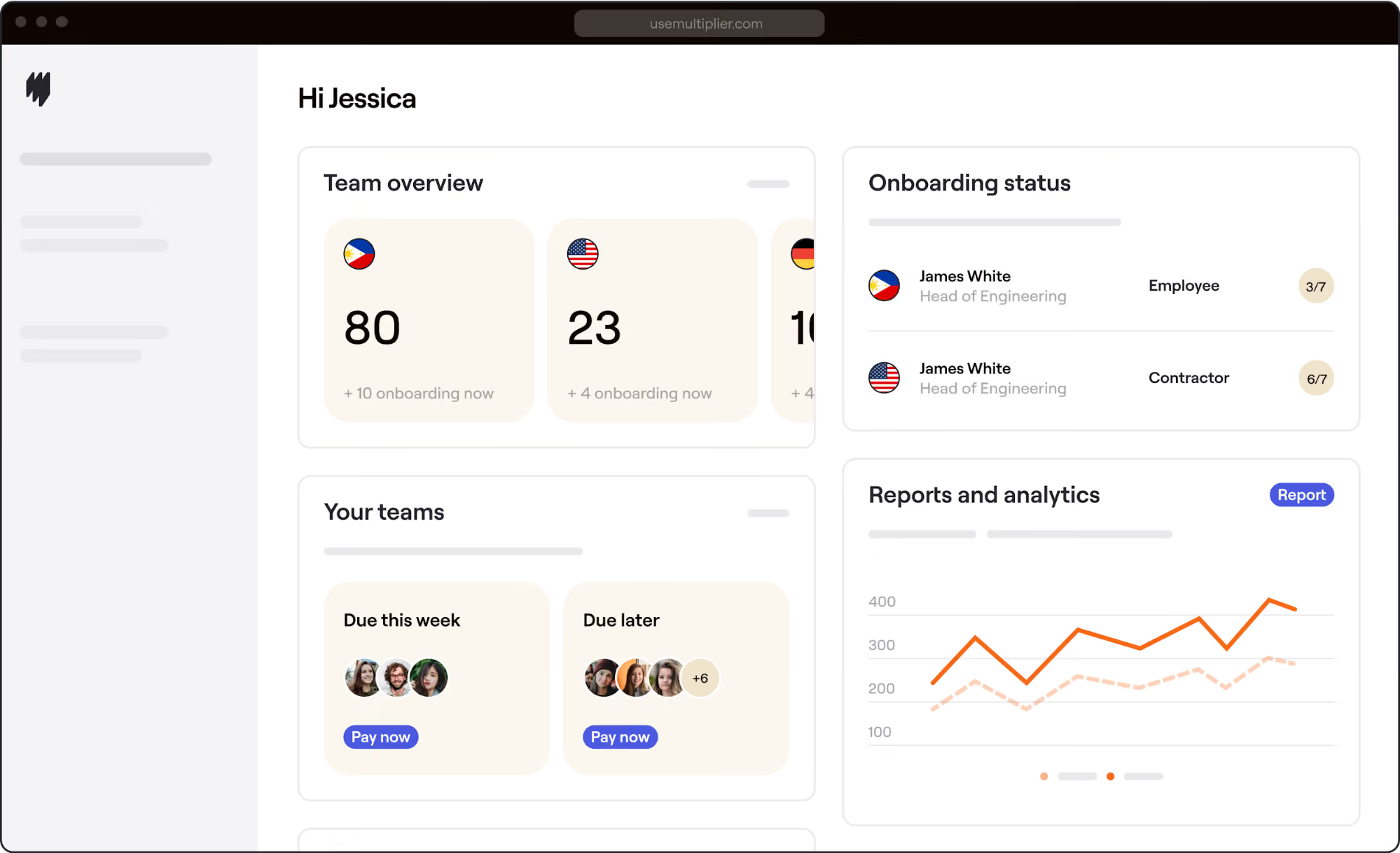
After multiple demos and several in-depth product walkthroughs, we found Multiplier's platform to be both capable and approachable, whether you're an HR team at a scaling startup or a global enterprise managing headcount across multiple regions.
The platform consolidates core EOR tasks — employment contracts, payroll, social contributions, tax compliance, and benefits administration — under a single, modern interface. We were able to generate compliant, multilingual employment contracts in just a few clicks, and the system made it easy to manage allowances, bonuses, and mandatory deductions across different jurisdictions.
One of Multiplier's standout features is multi-currency payroll. Payments can be issued in local currencies across 180+ countries, helping reduce friction for both employers and employees. Their contract generation tool also supports multiple languages, which streamlines onboarding for non-English-speaking employees.
Unfortunately, Multiplier currently integrates with only a handful of external HR tools. For teams that rely on complex tech stacks, this may require additional manual work or API development. We also heard from some users that customer support response times can be inconsistent — something worth considering if you're managing time-sensitive employment transitions.
Customization is another area with room to grow. Some customers noted they'd like more flexibility around contract terms and leave policies, particularly when aligning local labor requirements with internal company standards.
Multiplier Key Features:
- EOR services across 180+ countries with compliant employment contracts and payroll
- Instant multilingual contract generation in multiple languages
- Multi-currency payroll across 180+ countries in local currencies
- Automated tax compliance, social contributions and mandatory deductions
- Benefits administration integrated with payroll
- Core HR module covering onboarding, timesheets and employee management
- 24/5 customer support
Multiplier is used by many companies with a global footprint, including Amazon, PWC, ServiceNow, Korn Ferry, and Orange Business Services.
Multiplier’s EOR starts at $400 per month, while Contractors starts at $40 per month.
Their human resources management feature offering has grown over time, now established as a core HR module available on most plans.
Best For
Growing teams seeking compliant, standardized onboarding across regions.

We use Multiplier as an EOR for employees in specific countries within APAC and EMEA where we do not have offices. Typically, there are 2-4 new hires monthly in these areas, and the company continues expanding into similar regions. We use Multiplier for onboarding and contracting new hires, tracking work hours, and ensuring that these employees are paid in compliance with local laws, including handling final payments at termination.
It saves a significant amount of time and money by eliminating the need to manage local compliance in new regions. It makes hiring and onboarding new hires easy, saving internal HR and payroll resources, with integration to BambooHR. We appreciate the ease of terminating employees with the assurance that it is handled in compliance with local laws, particularly with regard to final payments.
Our company has been scaling globally at a rapid pace over the past two years. We were hiring sales executives in regions within APAC and EMEA where we did not have an established presence. To quickly and efficiently hire and onboard new sales employees without setting up a business entity, we found Multiplier to be an effective EOR (Employer of Record) solution.
The support is sometimes lacking, especially with terminations that require timely action. The tool may be inaccessible depending on internet connection quality. It could benefit from additional data analytics features.
The ease of use and real-time dashboard/display are features our previous EOR provider did not offer. The overall presentation and user-friendliness are also superior.
If HR is recommending or purchasing this tool, it is crucial to meet with senior leadership to explain the cost in alignment with the company’s growth goals and compare it with other available options.
So far, we have not observed much evolution in the tool since we started using it.
Multiplier is ideal for companies experiencing rapid global growth and in need of a secure, efficient, and swift solution for hiring employees or contractors in regions without a business entity.
Multiplier may not suit organizations that do not need an EOR; other more comprehensive HR/payroll platforms may be more appropriate in these cases.

Justworks
We picked Justworks for their compliance credibility, in-house HR support, and straightforward global hiring tools. Their EOR is especially appealing to U.S.-based companies that value trusted partnership and expert guidance when navigating international employment.
PROS
- Strong compliance foundation plus in-house experts in all supported EOR markets; no third-party vendors.
- Handles international payroll, localized benefits, PTO, time tracking, and reporting in a single system alongside domestic employees.
- EOR employees receive access to Travel Assist, providing emergency medical, legal, and security assistance during international business travel at no additional cost.
- Customers and employees receive guidance from in-house compliance teams, with 24-hour response times and structured onboarding and offboarding support.
- IRS Certified Professional Employer Organization (CPEO) and ESAC accredited, reflecting strong compliance standards.
- Transparent payroll pricing starting at $8 per employee per month plus a $50 monthly base fee.
- Integrated HR platform includes onboarding, PTO management, employee directories, and document storage.
- Automated payroll for salaried employees reduces administrative overhead.
- Guided benefits enrollment with plan explanations helps employees make informed choices.
- Strong support infrastructure with chat, phone, email, Slack, and text support options.
CONS
- The EOR product launched in 2024, making it newer than many established global EOR providers.
- Global hiring coverage currently spans 35 countries, which is narrower than many competitors.
- Pricing starting at $599 per employee per month may be higher than some EOR vendors.
- Core benefits such as medical, dental, and vision insurance are offered as add-ons.
- Pricing for benefits depends on carriers and market availability.
- Some organizations may still require third-party HR tools for deeper workforce analytics.
Justworks’ EOR stands out for bringing the company’s practical, support-heavy approach into global hiring. Their service is designed to help businesses hire internationally without opening local entities, while offloading the usual complexity around payroll, benefits, HR administration, and compliance. Based on our test and user feedback, what makes this offering compelling is not flashy functionality but a well-rounded foundation for employers seeking dependable support.

One of the strongest selling points is the breadth of operational support wrapped into the service. Justworks covers onboarding, paid time off management, document storage, localized benefits guidance, local-currency payroll, and international contractor payments. They also provide ongoing compliance support and on-the-ground HR assistance, including help coordinating with local vendors and guidance on immigration or visa sponsorship in certain markets. For small and mid-sized businesses, that kind of support can remove a meaningful amount of friction from international hiring.
We also think their travel support is a noteworthy differentiator. Employees traveling overseas for work can access emergency medical, security, and legal assistance, as well as 24/7 multilingual support, at no additional cost. That is a practical value-add for globally active teams and something not every vendor highlights as clearly.
Another reason Justworks inspires confidence is its U.S. compliance pedigree. They are IRS CPEO Certified and ESAC Accredited, which means they meet stringent standards in their domestic operations. While those credentials apply to their U.S. business, they still help reinforce the impression that Justworks takes compliance and operational rigor seriously.
Where Justworks’ EOR offering still trails some competitors is global reach and maturity. While the company has operated as a PEO since 2012 and holds respected compliance certifications, its EOR service only launched in 2024 and thus doesn’t have a long EOR track record. Coverage is also currently limited to 36 countries, so companies with broad international hiring plans may find the footprint narrower than they need.
Justworks Key Features:
- EOR services across 36 countries with in-house compliance teams and no third-party vendors
- International payroll, localized benefits, PTO, time tracking and reporting in one system
- Structured onboarding and offboarding with 24-hour compliance response times
- Travel Assist providing emergency medical, legal and security support at no additional cost
- Immigration and visa sponsorship guidance in select markets
- International contractor payments alongside domestic employee management
- IRS CPEO Certified and ESAC Accredited compliance foundation
1up, Andie, Second Nature AI, and Project Expedition
Starts at $599 per employee per month.
Best For
U.S.-based startups and small and mid-sized businesses that want a support-driven way to hire internationally in a limited but meaningful set of countries.

Justworks streamlines all HR processes for the company. Its tracking tools for compliance training are helpful particularly in multi-state businesses (as there are different requirements based on location). I use Justworks reporting tools to make accurate assessments for the health of company spending. I run weekly payroll using the service. I also use Justworks to check on competitive pricing for employee benefits.
Justworks has excellent and responsive customer service. Their pricing tiers are very affordable. It is a comprehensive service that is friendly to those who aren't tech savvy.
We use Justworks to manage payroll and employee benefits. I manage the HR onboarding functions for all new employees. Justworks allows you to track compliance training deadlines. The service also gives regular webinars with tips and tools for managing your business effectively. I have used the service for 3 years.
Justworks offers a PEO service but it can be tricky to confirm details. The service requires payroll to be run with a longer lead time in case of issues. You have to make sure Justworks actually submits tax withholdings to the IRS in time.
Justworks is a great platform. Its interface is easy to navigate and their customer service puts them ahead of competitors.
Do I need a PEO for my employees? Do my programs integrate smoothly with Justworks platform?
Justworks has incorporated training and suggestions for employers on how to improve their business. Their webinars are very helpful, particularly if you are new to HR management.
Justworks is great for small businesses or independent contractors.
I would not suggest Justworks to mid-large sized companies.

Papaya Global
Papaya Global does more than cross-border payments. The platform incorporates employee payroll, advisory services, and compliance tools, making it a solid EOR solution for large enterprises to hire, onboard, and manage employees and contractors in over 160 countries.
PROS
- EOR services for compliant employment across 160+ countries
- Automated payments in 100+ currencies with direct bank deposits in 80
- Dedicated support with location-specific payroll and employment expertise
- End-to-end payroll with guaranteed 72-hour payouts
- Four standalone solutions for flexible, scalable adoption
- Papaya Global packs the EOR services you need to do global payroll and employment compliantly in over 160 countries.
- Automated payments in over 100 currencies, 80 of them directly to the worker's bank account through its global banking partners.
- Dedicated customer support providing locations-specific knowledge regarding employment and payroll.
- End-to-end payroll guaranteed payouts in 72 hours.
- Offers four standalone solutions: data and insights, supplemental benefits & immigration support, payment services, and employee data management, making the platform more affordable and scalable.
CONS
- Relies on in-country partners rather than owned entities in all markets
- BI analytics and global immigration services cost extra
- Additional fees for setup, onboarding, employee lifecycle and tax filing, plus refundable deposit
- Limited native integrations, though free API and SFTP options are available
- No free trial or free plan.
- Doesn’t own entities in all the countries it serves. The platform forms relationships with existing local in-country partners to handle employment in a specific region on the client’s behalf.
- BI analytics reports and global immigration services cost additional fees.
- Charges extra fees for setup, onboarding, employee cycle, and tax filing. Also requires a refundable deposit.
- Built-in integration options aren’t very robust. However, the platform does offer pre-built APIs, SFTP, and custom API integrations for free.
Papaya Global has been chosen as one of our recommended EOR solutions for three main reasons: a complete suite of services for global employment, a straightforward and flexible pricing structure, and distinctive customer service.

From our experience testing the platform, Papaya Global excels at providing a range of EOR services that businesses need to ensure their global employment is compliant without having to establish a local entity in the hire's country.
The platform allows businesses to hire contractors and employees in 160+ countries. While the self-service portal is not new in this space, Papaya Global has made it helpful and engaging for end users. Employees can finish their country-specific onboarding, check their company org chart, time and attendance report, and access payslips, wage and tax statements, and employment documents.
Papaya, however, doesn’t own all the entities it operates through, with some EOR relationships being built through in-country partners. Price-wise, there are a few potential costs to be aware of, including setup and onboarding fees, employee lifecycle charges, and additional tax filing expenses. A refundable deposit is also required to begin services, which may be a consideration for cash-strapped teams.
Although we appreciated the inclusion of pre-built APIs, custom API support, and SFTP options, all offered without extra charge, the current native integrations are fairly limited.
Papaya Global Key Features:
- EOR services across 160+ countries with compliant employment contracts and payroll
- Automated payments in 100+ currencies with direct bank deposits in 80
- End-to-end payroll with guaranteed 72-hour payouts
- Employee self-service portal for payslips, onboarding and employment documents
- Dedicated support with location-specific payroll and compliance expertise
- Free API, custom API and SFTP integration options
Microsoft, Intel, Toyota, Wix, Fiverr, Johnson & Johnson, Deezer
PapayaGlobal offers Employee of Record services starting at $599 per employee per month, and Contractor Payments & Management services starting at $30 per contractor per month.
In addition to the three plans (EOR, Contractor management, and Global expertise services), users can now pick and pay for the solutions they need from its standalone offerings: full-service payroll, payroll platform license, data and insights, and payments-as-a-service.
Best For
Medium to large teams looking to hire international contractors/employees or those wanting to send staff to work in their international offices.
I primarily used Papaya Global to ensure we were hiring the right people globally while complying with local labor laws. It was invaluable when onboarding new employees, making sure everyone felt welcome and informed, no matter their location. The tool’s reporting capabilities were also extremely useful, particularly when reviewing compensation to ensure fair and competitive pay.
Additionally, it helped manage day-to-day HR tasks like monitoring employee well-being and managing benefits. It was essential in keeping everything organized and transparent across the company, regardless of where employees were based. I used it frequently, as it was like a Swiss Army knife for all HR tasks, especially for managing global operations.
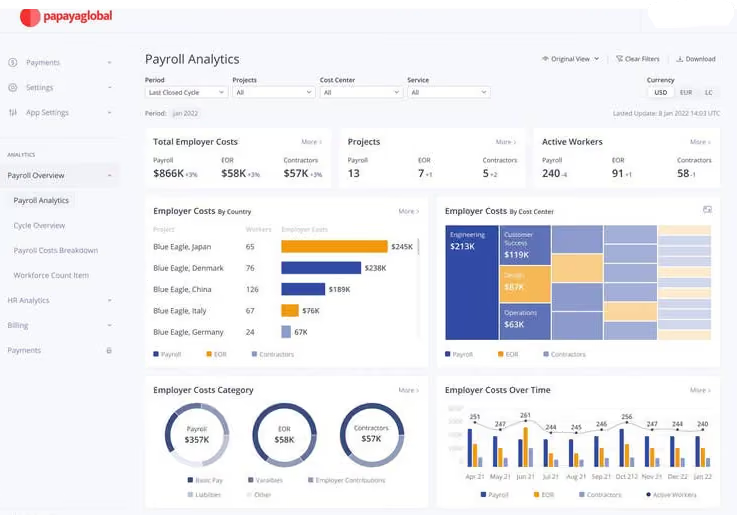
I liked the main dashboard because it was user-friendly, allowing me to access important information quickly. Papaya Global integrated well with the client's existing HR tools, making it easier for everyone and ensuring smooth data flow. The reporting was accurate, providing the exact details needed for decision-making. Lastly, the tool had great scalability, adapting to the client’s needs as they grew without any issues.
I used Papaya Global while working with a client as a freelancer in HR. They started using it because managing HR tasks across different countries was becoming overly complicated and time-consuming. They struggled to keep up with the various labor laws and maintain communication with their team spread around the globe. The tool was a lifesaver, providing a single platform to handle everything and keep everyone aligned.
Personally, I’ve been using it for about two years, and it has been incredibly helpful. It automates repetitive tasks that used to take up a lot of my time, all with the click of a button. It also integrates seamlessly with their other HR systems, allowing information to flow smoothly. It has saved both me and the client significant time and effort.
One major downside is that Papaya Global is quite expensive for what it offers. It doesn’t have enough advanced features to fully justify the cost. Additionally, it’s not very customizable, so it can be difficult to adapt it to specific business needs. While it automates some tasks, many actions still need to be done manually, which is disappointing considering the price. It also has a steep learning curve, so new users might struggle to get accustomed to it quickly, which can slow down adoption. Finally, customer support is not very responsive, which can disrupt workflows when issues arise.
Papaya Global stands out for its Employer of Record feature, which is especially helpful for managing legal compliance overseas. It effectively handles the regulatory challenges of working across different countries, providing peace of mind without the need for a large legal team. Although I haven’t used other tools, this one excels in handling international employment and compliance. The biggest advantage is the confidence it offers in ensuring compliance globally. Managing complex HR tasks across different countries is much easier with this tool, making it invaluable to our company.
When considering a tool like Papaya Global, it’s crucial to assess your company’s global footprint and ensure the tool can handle payroll, legal matters, and hiring across multiple countries. It’s also important to choose a tool that works in locations where you don’t have an office, as this helps you stay compliant with local laws.
Usability is another key factor; a user-friendly tool will help your HR team get up to speed quickly and keep operations running smoothly. Lastly, verify that the tool integrates well with your existing HR systems to allow for seamless data transfer.
By expanding to more countries, Papaya Global has stayed ahead of the competition. It now offers a broader range of services, helping companies manage global offices effectively. Over time, it has improved its legal compliance capabilities, which is critical when dealing with different countries' regulations. The tool has also become smarter with automation and reporting, streamlining processes and freeing up users to focus on more important decisions.
In addition, the platform has been enhanced to make navigation easier, even as it grows more powerful. This has made it a go-to choice for companies with employees spread across the globe.
Let's not forget about the look and feel of the thing. Papaya Global has put a lot of effort into making sure that using their platform is as easy as pie. It's all about making it simple to understand and navigate, even as it gets bigger and more powerful. This has turned it into a go-to choice for companies with employees scattered across the globe.
Papaya Global is ideal for large businesses that deal with complex salary management, especially when they operate in multiple countries. It’s perfect for companies with a diverse global workforce that need a robust system to comply with various labor laws and regulations.
Businesses that value seamless integration with existing HR systems and require advanced technology to handle complex tasks will find this tool especially beneficial. Even if a company doesn’t have offices in every country they hire from, this tool can manage payroll effortlessly.
Papaya Global might not be the best pick for companies with basic payroll needs because it could come with more bells and whistles than they actually need. If you're a small business with a tight wallet, the price might seem a bit steep, especially if you're not looking to manage payroll across different countries.
Plus, if your team isn't full of tech personnel or HR minded individuals, you might find it a bit tricky to use and might not get the most out of all its fancy features. For places like that, something simpler and easier on the budget might be the way to go.

G-P
G-P has evolved from a legacy EOR provider into a fully integrated global employment platform. With G-P Meridian and the AI assistant G-P Gia, users gain automation across contract generation, labor law navigation, and HR workflows. It’s particularly appealing to companies managing multiple countries or regulatory environments, thanks to a proven record of compliance, global infrastructure, and in-region experts.
PROS
- Flexible EOR plans covering employees and contractors
- In-country HR and legal professionals in every market
- Continuously improving, modern and intuitive UX
- Their G-P Meridian platform is heavily focused on the EOR space, but it’s offered in several plans that can cater to varying needs, even those that might only need to hire people as contractors.
- Using their tool also implies access to a team of HR and legal professionals with significant experience in each country they operate in.
- Their UX has evolved continuously and gotten more intuitive and modern each time we delve into the product.
CONS
- Customizable contracts limited to the Prime plan
- Background checks, equity management and IT equipment cost extra
- No self-serve trial; requires demo and proposal to get started
- Customizing a contract is only possible with the G-P Meridian Prime plan.
- Features like background checks, equity management, and IT equipment— to name a few— are only available as add-ons.
- There is no way to try out the software product unless you sign up for a demo and request a proposal.
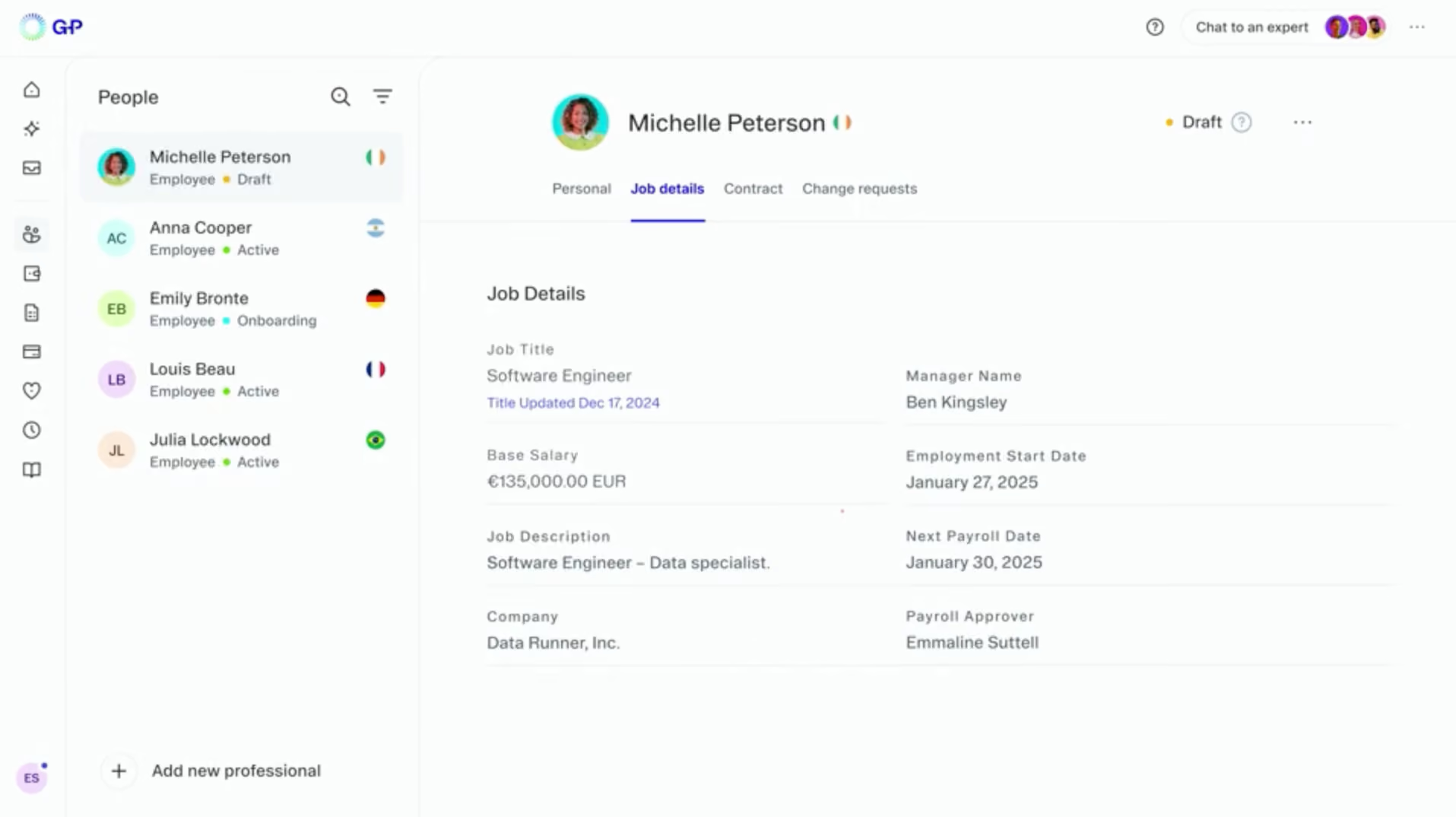
G-P (formerly Globalization Partners) is one of the longest-standing names in the EOR space, trusted by thousands of companies to manage compliant employment across more than 180 countries. Their platform, G-P Meridian, is designed to centralize onboarding, payroll, benefits, and compliance in a single, global system—streamlining operations for HR and legal teams.
In 2025, G-P introduced G-P Gia, an AI assistant trained to support hiring workflows, contract creation, and global HR inquiries. Combined with their in-house legal and HR infrastructure, the result is a powerful blend of automation and reliability that appeals to companies hiring at scale.
Customer feedback on G2 and Reddit often highlights their customer success teams, onboarding expertise, and legal clarity. While their UI can feel less modern than newer entrants and customization may be gated behind enterprise plans, their global reach and regulatory depth make them one of the most dependable EOR vendors in the market.
Buyers should expect a consultative sales process with custom pricing and onboarding timelines that vary by country. While not built for startups looking to move fast on a budget, G-P is well suited for companies hiring in multiple regions that need confidence in every step of the employee lifecycle.
G-P Key Features:
- EOR services across 180+ countries with in-country HR and legal professionals
- G-P Gia AI assistant for contract generation, labor law guidance and HR workflows
- Centralized onboarding, payroll, benefits and compliance via G-P Meridian platform
- Flexible plans covering both employees and contractors
- Contractor management with expense tracking and global HR workflows
- In-house legal and compliance infrastructure across all supported markets
G-P reports serving thousands of clients globally. Named customers include Zoom, Udemo, Distek, and Neurala.
Pricing is not published and varies based on country, employee type, visa needs, platform tier, and your particular mix of countries and employment types. G-P typically requires a demo before quoting.
Since SSR’s last review, G-P has launched G-P Gia, an AI assistant for generating contracts, answering labor law questions, and handling HR tasks at scale. The G-P Meridian platform has also expanded with better contractor management, new expense tracking tools, and improved global HR workflows—enhancing its appeal to companies managing large, distributed teams.
Best For
Organizations hiring at scale, especially when legal certainty, global reach, and white-glove support are priorities.

GoGlobal
GoGlobal offers hands-on, localized EOR services in over 100 countries and stands out for its direct entity model, deep HR expertise, and APAC market leadership. It’s especially strong for companies prioritizing compliance and personalized support over automation.
PROS
- Direct in-country presence with minimal third-party reliance
- Highly responsive in-country HR and legal support
- Strong expertise in Asia-Pacific hiring
- Rapidly expanding coverage across 100+ countries
- Nimble, self-funded and fully remote team
- Direct in-country presence with minimal third-party reliance
- Highly responsive in-country HR and legal support
- Strong expertise in Asia-Pacific hiring
- Rapidly expanding coverage across 100+ countries
- Nimble, self-funded and fully remote team
CONS
- Platform UX lags behind more tech-first EOR competitors
- Background checks and customizable contracts may require third-party solutions
- No free trial or transparent pricing available
- Platform UX lags behind more tech-first EOR competitors
- Background checks and customizable contracts may require third-party solutions
- No free trial or transparent pricing available
GoGlobal has earned a reputation as a fast-moving, dependable EOR provider for companies hiring around the world, especially in Asia-Pacific, where they first built their name. Since launching in 2018, GoGlobal has prioritized building direct local operations, avoiding third-party intermediaries wherever possible. This approach gives them more control over the quality and speed of onboarding, payroll, and compliance.

We first came across GoGlobal during the pandemic-driven EOR surge in 2020. At that point, they offered coverage in 50 countries. Since then, they’ve doubled that reach and currently support hiring in over 100 countries. Their growth has been largely organic, fueled by strong client demand and a fully remote, 250-person team with global presence.
The Goglobal platform focuses on delivering the essentials: employment contracts, compliance, payroll, and local benefits. While it doesn’t offer the same level of self-serve automation or integrations as competitors like Deel or Remote, the company offsets this with high-touch service and legal expertise in each region.
That said, teams looking for a highly automated onboarding experience or built-in background checks will likely need to supplement the platform with additional tools or vendor partners. There’s also no public pricing or sandbox access, which means prospective customers must go through a sales process to evaluate fit.
GoGlobal Key Features:
- EOR services across 100+ countries with direct in-country entity presence
- Compliant employment contracts, payroll and local benefits administration
- In-country HR and legal professionals in every supported market
- Strong Asia-Pacific hiring expertise and market knowledge
They have worked with some of the most well-known companies across various industries including social media companies, food delivery technology companies, streaming companies, and one of the largest liquor producers.
GoGlobal's pricing is custom-based.
Best For
VC-backed SaaS and remote teams that want direct control without third-party intermediaries.

We use GoGlobal daily at our company. The key workflows include managing payroll for our international team, which GoGlobal handles by automating tax calculations and compliance checks. Onboarding new crew members from different countries is another important task for us; the platform manages all the paperwork and legal requirements, allowing us to focus on getting them up to speed. We also rely on it for tracking employee records and ensuring everyone’s benefits are properly managed. It has become an essential tool in keeping everything running smoothly across our diverse projects.
- Effortless Payroll Handling: It simplifies managing international payroll, automating complex tax calculations and compliance tasks.
- Faster Onboarding: It handles all the onboarding documentation and legalities, saving us significant time and effort.
- Top-Notch Compliance Support: The platform keeps us aligned with local regulations across different countries, which is a huge relief from a legal perspective.
We bought GoGlobal because managing our international crew was becoming a significant hassle. With projects spread across various countries, we needed a tool that could handle the complexities of different payrolls and regulations without adding extra work. GoGlobal provided a solution that took care of compliance, payroll, and onboarding, which was a massive relief. I've been using GoGlobal for about a year now, and it has been smooth. The platform has streamlined our processes, saving us time and reducing errors, which was exactly what we needed.
- Limited Customization Options: It can be frustrating that we can't tweak things as much as we'd like to fit our specific needs.
- Slow Customer Support: The support team can be slow to respond, which is frustrating when we need quick solutions.
- Steep Learning Curve: The interface can be overwhelming for newcomers, making the learning curve steeper than it should be.
GoGlobal really stands out compared to other tools like Deel, Rippling, and Velocity Global. While those platforms have their merits, GoGlobal handles the complexities of international payroll and compliance better. Unlike Deel and Rippling, which often miss the mark on seamless automation, GoGlobal automates tax calculations and legal requirements flawlessly. Their onboarding process is much more streamlined and efficient compared to Velocity Global. Overall, it hits the sweet spot between simplicity and powerful features.
- User-Friendliness: Choose a platform that’s intuitive and easy to navigate; it’ll save you time and hassle.
- Process Automation: Ensure it automates tasks like tax calculations and compliance checks to reduce manual effort and errors.
- Support Quality: Evaluate the effectiveness and responsiveness of the support team, as prompt assistance is vital for resolving international issues.
- Growth Potential: Make sure the tool can scale with your business, handling more employees and expanding into new regions effortlessly.
- Regulatory Compliance: Robust compliance features are crucial for staying in line with local laws and regulations, especially with global operations.
The automation features have continued to evolve, keeping up with the competition. The onboarding process has also improved significantly. Overall, they seem to listen to feedback, as I've noticed some of my suggestions being implemented, which is encouraging.
GoGlobal is perfect for organizations with a diverse, international workforce. It's ideal for companies that operate in multiple countries and need a reliable solution for handling complex payroll and compliance issues across different regions. Businesses that prioritize seamless onboarding, efficient payroll management, and staying compliant with various local laws will find GoGlobal to be a fantastic fit. If you're managing a global team and need a tool to simplify intricate HR tasks, it's a great choice.
GoGlobal might not be the best fit for very small businesses or startups that operate solely within one country. If your organization doesn't have a complex international presence or diverse regulatory needs, the platform's advanced features might be more than you require. It is also not very budget-friendly.

Borderless AI
We picked Borderless AI for its AI-native foundation. Its HRGPT assistant is woven throughout onboarding, compliance, and contract workflows, enabling faster global hiring without an internal legal team. The deposit-free payroll and rapid updates sealed its spot on this list.
PROS
- In-country account and success managers for hands-on support
- Big Four accounting firm partnerships for tax and compliance
- No 30-day payroll pre-funding requirement
- Intuitive, visually appealing web and mobile platforms
- HRGPT agent delivers quick, reliable, and personalized answers on contracts, policies, and compliance.
- Payroll processes are among the fastest in the industry, with no requirement to pre-fund salary deposits.
- Questions and technical issues are handled by in-country Borderless account and success managers.
- They have partnered with local experts from the Big Four accounting firms for accounting and tax compliance.
- Both the web platform and the mobile app are intuitive, quick to figure out, and easy on the eye.
CONS
- No HRIS integrations available
- Reporting and analytics lack depth and ease of use
- No direct integrations with major HRIS platforms, which could limit larger teams seeking ecosystem compatibility.
- Reporting and analytics features remain basic, offering limited drill-down capabilities for detailed audits or trend analysis.
When we last reviewed Borderless AI, their standout feature was "Alberni," a GPT-like conversational tool. That tool has evolved and been rebranded as HRGPT, a more robust, AI-native agent we experienced firsthand in our latest demo. Unlike add-on bots in competitor platforms, HRGPT is deeply embedded throughout Borderless’ workflows. It consolidates global compliance intelligence, your internal company data, and employment contracts to instantly answer nuanced HR questions.

During our live test, we asked HRGPT to generate compliant employment contracts for hires in Brazil and Singapore. It produced error-free drafts in under a minute, automatically adjusting for local regulations. We also explored onboarding tasks, where HRGPT dynamically assembled checklists based on each country's legal requirements.
Payroll remains a key strength: Borderless AI’ infrastructure avoids the common EOR practice of pre-funding payroll weeks in advance. This frees up working capital for businesses and ensures employees get paid faster, with the platform processing salary payments as soon as client funds are transferred—a significant differentiator we haven’t seen in legacy vendors.
On the integrations front, Borderless AI has made progress. Since 2024, they’ve rolled out native integrations so clients aren’t limited to API workarounds. However, options are still limited; we saw only a handful of prebuilt integrations during testing.
We also found the reporting and analytics features to be fairly basic during our testing, limiting the ability to create detailed, custom reports and perform deep data analysis—a drawback for companies that need advanced workforce insights.
That said, another area we appreciated was customer service. Borderless AI’ support team is based entirely in North America and staffed by experienced payments and compliance professionals who work as an extension of your team.
Borderless AI Key Features:
- HRGPT AI assistant embedded across onboarding, compliance and contract workflows
- Instant compliant contract generation for 170+ countries
- AI-assembled onboarding checklists based on country-specific legal requirements
- Deposit-free payroll with same-transfer salary processing
- In-country account and success managers for hands-on support
- Big Four accounting firm partnerships for tax and compliance
Ritz Carlton Yacht Collection, WineDirect, ShiftKey, Colligo, Levanta, Raya, Presto
Borderless AI’s starts at $49 per contractor per month if you only hire people that way. To engage employees through an EOR, the monthly cost starts at $579.
That said, the final price will depend on your headcount and the jurisdictions you need to operate in.
Since our last update, Borderless AI has expanded from a fast-moving AI-first EOR to a more stable, scalable platform. HRGPT now runs on GPT‑5 for faster, more accurate responses across 170+ countries, and native integrations, starting with ADP, have begun rolling out. While still limited in number, they mark a shift away from API-only setups.
Platform upgrades include a revamped org chart with subtree controls, improved time-off workflows, and backend improvements such as graph-powered data, enhanced audit tools, and a PostgreSQL 17 migration.
Best For
Growing companies seeking an AI-enhanced, service-oriented international EOR partner.

Oyster
Oyster partners with local entities in over 180 countries, making it a legal employer you can rely on to handle compliance, onboarding, payroll, benefits, and terminations. You will also love the platform’s generous discounts if you’re hiring refugees or a nonprofit.
PROS
- ntuitive, easy-to-navigate interface
- Simple, competitive flat rate for employees and contractors
- Smooth onboarding and offboarding with legal and accounting guidance
- Free first hire for non-profits; discounts for refugees in direct-entity countries
- Helpful Academy, help docs and dedicated account manager on top tier
- No setup or cancellation fees
- Intuitive: The platform is easy to navigate and makes logical sense.
- competitively priced: The flat rate for employees and contractors makes cost comparisons simple, and is competitive in the market.
- Targeted for a remote workforce: Whether your employees are in one country or 100, Oyster can accommodate them accordingly, and this is a feature few platforms can boast.
CONS
- Local currency payment delays reported
- No phone support available
- Refundable security deposit required to start
- No native time-tracking, only in-app time-off tool
- Not suited for co-employment or partial HR outsourcing
- Slight delays in processing times for payments in the local currency are somewhat common.
- Immediate communication via phone support is not an option, but they do offer live support via Zoom when necessary.
- An initial security deposit is necessary to begin the engagement and is refundable.
- The platform lacks native time-tracking functionality and provides only an in-app tool for managing time off.
- If you’re looking to co-employ your employees and partially outsource HR responsibilities, Oyster isn’t for you. They are more akin to employer of record services (EOR) than a Professional Employer Organizations (PEO).
Oyster is a flexible and user-friendly platform businesses can rely on to compliantly hire global contractors and employees and handle onboarding, house payroll, benefits, and employee information — all these things under one roof.

We’re glad the platform didn’t lie when it said it’s designed with end users in mind. We found no difficulty navigating each of its service tools and were especially impressed with Oyster’s customer support. They got back within a few hours to our ticket and were very helpful in assisting with foreign employment law and regulatory aspects.
Diving into more details on Oyster’s EOR services, the first thing that stood out to us was its smooth onboarding process. There are no setup fees, but you’ll be expected to pay a security deposit (equal to one month of your total employment cost) by the first month of your team members.
It will be used to fund the team member's payroll should any unexpected payment issues of the customer invoice and will be refunded once all final invoices have been settled, which does make sense.
We liked how Oyster could carry many services: from hiring to onboarding, benefits, time off management, payroll, and offboarding, while maintaining a comfy UI. Our experience with the platform’s cost calculator tool was also positive: it let us quickly estimate potential costs and risks of hiring employees and contractors in specific countries.
Another reason for Oyster making it to this guide is the EOR’s remote work regulation guide: it provides remote work policies and regulations in different countries — very up-to-date, and even packs tips for hiring, paying, and managing global workers.
Our experience using Oyster was good overall, yet we still didn’t enjoy some parts of the EOR module. First, while the help center and customer service are punctual, there is currently no phone support. Dedicated account managers are also limited to the highest-tier plans.
Another drawback is that you must pay for local benefit plans as add-ons, which cost $80 per month or more. We also expected to see a native time-tracking system, but the current Oyster only supports a time-off management service.
Oyster Key Features:
- EOR services across 180+ countries with compliant hiring, onboarding and offboarding
- Global payroll with localized benefits and time-off management
- Country-specific cost calculator for quick hiring cost estimates
- Remote work regulation guide with up-to-date policies across markets
- Legal and accounting guidance throughout onboarding and offboarding
- Free first hire for nonprofits with discounts for refugees in direct-entity countries
Quora, Wagestream, Impala, and Grover are some companies on Oyster’s long list of customers.
Oyster offers a Contractor service that is free for the first 30 days and costs $29 per month per contractor thereafter. Their Employer of Record service costs $699 per month per employee, with discounts available for nonprofits and businesses hiring refugees.
Oyster continues to add countries to its service offering as well as additional Integrations with business management programs. Some recent additions on the integrations front are Okta, Slack, Workday, BambooHR HRIS, BambooHR ATS, Personio, HiBob, Expensify, Greenhouse, Xero, and NetSuite.
Best For
Small and medium-sized businesses, nonprofit organizations and organizations that are recruiting refugees.
Since I worked between both teams, I spent 50% of my time using features aligned with TA's needs and the other 50% using features aligned with HR's needs. I worked full-time and used the platform daily, Monday through Friday. I assisted recruiters and talent acquisition partners in sourcing candidates to fill vacant roles across the company.
When I worked with the HR team, we used Oyster to hire employees, onboard contractors, transfer personnel between teams, and, if applicable, convert them to different job profiles. By conversion, I mean changing someone to a W2 employee after they had been hired as a 1099 contractor.
Personally, Oyster is one of the better platforms. I appreciate how it emphasizes the importance of compliance. Since we were a global company, Oyster's functions allowed us to stay compliant with city laws, state laws, and federal regulations. Its onboarding functions are excellent.
Onboarding can often become messy with global companies, but Oyster streamlined the process. When it came to customer support, we felt confident because their team was easy to contact and provided helpful tools and resources.
I was with my previous employer for a 9-month temporary contract. We used Oyster as a "catch-all" platform for Human Resources and Talent Acquisition. The platform allowed us to source, onboard, and maintain personnel records.
While I was on that contract, I worked between both teams, which gave me a good grasp of the platform's functions, and I enjoyed using it. From my understanding, they implemented Oyster shortly before I joined because of a company shift that required HR and TA to work more collaboratively.
I don’t have many cons, but there are a few. Their reporting functions are not the best; for a platform that is so advanced, the reporting features are basic and require more manual work.
Additionally, the reliance on third-party services, which many companies use, can sometimes cause issues. When working with third-party vendors, processes can become messy and more time-consuming than necessary.
I have worked with similar tools in the past, and I can confidently say that I prefer Oyster. The platform operates efficiently and simplifies tasks for HR and TA functions. Its features are user-friendly and make our roles easier.
Companies and teams should assess whether they truly need this type of platform—just because it offers a lot doesn’t mean it’s the right fit for everyone. Since it is somewhat expensive, I would advise teams to carefully evaluate their needs before committing to a platform like Oyster.
Oyster did not change significantly during my time using it. It remained consistent throughout my contract role. However, due to the platform’s modern features and design, I felt it didn’t require much change.
Oyster is well-suited for HR and TA teams with 20+ members, especially companies that operate globally.
I don’t think it’s ideal for small, local companies. For smaller organizations, the platform might be excessive for their needs.

Remote
Remote is among a small number of EORs that operate as a local entity in the countries they service. They offer numerous global HR solutions in addition to payroll, including onboarding, taxes, and equity plans.
PROS
- Fully owned entities across all EOR markets, no third-party reliance
- Flat fee structure with no deposit required
- Country-specific benefits packages
- Strong IP and invention rights protection
- Responsive support via email and live chat
- Equity incentive planning with tax withholding across countries
- Easy-to-use employee mobile app
- Fast and compliant payroll in 170+ countries.
- Live chat support with local payroll experts.
- Flexible, localized benefit packages.
- Flat-rate pricing structure, no deposits or hidden fees.
- Mobile app streamlines expense reimbursement with autofill from receipt photos.
CONS
- No off-cycle pay runs supported
- No phone support available
- Limited integrations despite free open API access
- Doesn’t have a free trial.
- Redundant for organizations solely recruiting within the U.S.
- Help center documentation isn’t easiest to understand.
Remote has carved out a reputation as one of the most reliable EOR providers on the market, largely because they own 100% of the legal entities in every country where they offer EOR services. That’s a major differentiator in a category where many vendors rely on third-party intermediaries. Owning the infrastructure allows Remote to deliver faster onboarding, stronger IP protection, and greater pricing transparency.
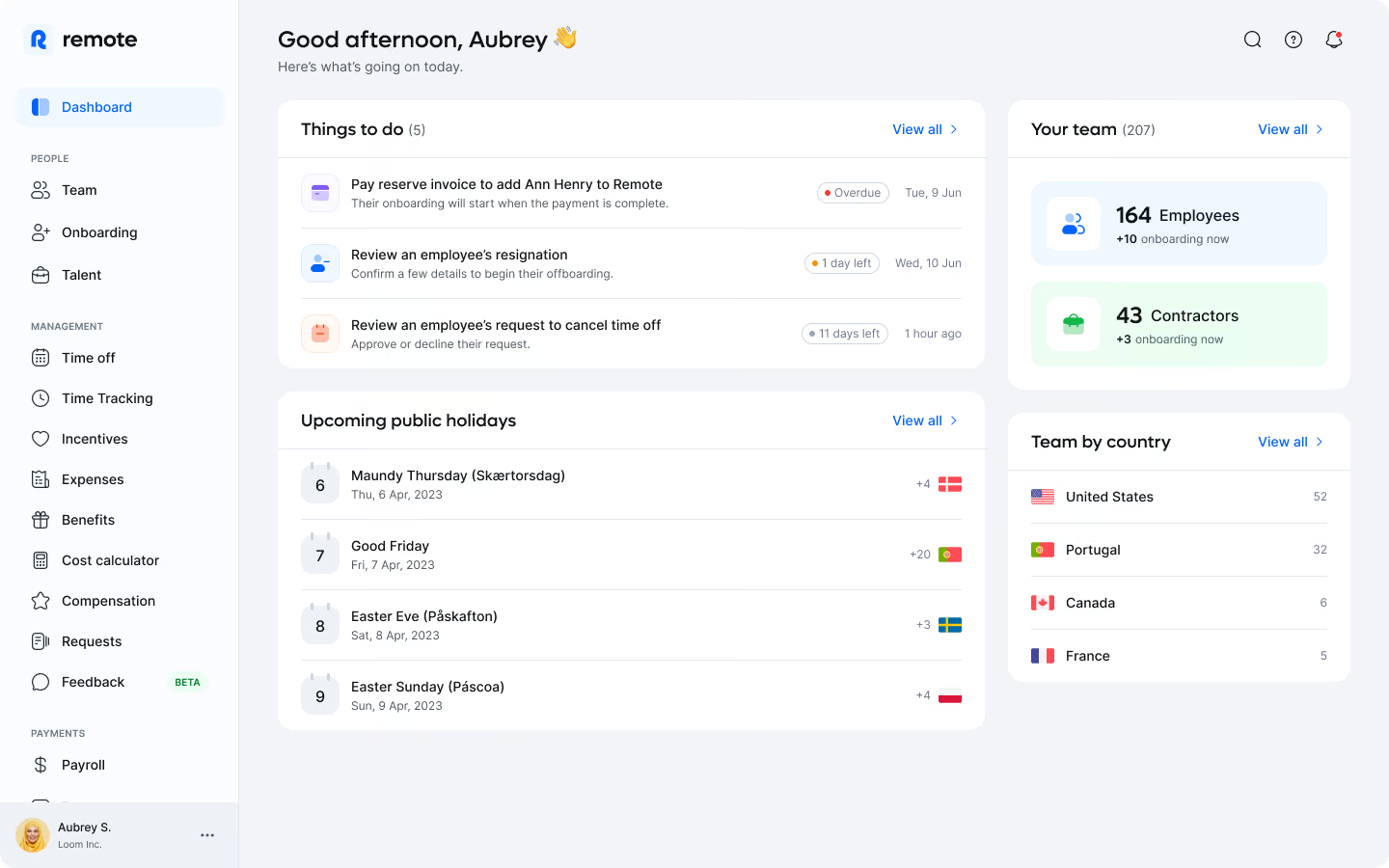
We (and most of Remote’s clients we surveyed) found the employer of record platform itself intuitive and well-organized. It supports global payroll, localized benefits, onboarding, equity incentive planning, and tax compliance across more than 60 countries. One particular pleasant experience we had was generating employment offers with country-specific benefits already baked in—something that saved us time and ensured compliance from day one.
Remote’s pricing is structured as a flat monthly fee, which we appreciate for its predictability. No security deposit is required for companies that meet their internal creditworthiness criteria (though they don’t publicly share what those benchmarks are). Another standout feature is IP protection: Remote offers clear and enforceable ownership of intellectual property and invention rights, which is especially important for tech companies hiring internationally.
The mobile app is also a plus, offering employees a user-friendly interface to view pay stubs, benefits, and tax information. Support is available via email and live chat, and during our tests, we found response times to be consistently solid.
Still, it’s quite a disappointment to find out that Remote doesn’t currently support off-cycle pay runs. For teams that need more flexible payroll processing, this can definitely be a significant drawback. We should also warn you that with Remote, there is no phone support, meaning you may experience a gap in coverage during urgent issues. And for those only working with a few contractors or employees, Remote might be a bit overkill.
Remote Key Features:
- EOR services across 60+ countries through 100% owned legal entities
- Global payroll with country-specific benefits packages built into employment offers
- Equity incentive planning with tax withholding across countries
- IP and invention rights protection
- Flat-fee pricing with no deposit required
- Compliant onboarding, tax compliance and localized benefits administration
- Employee mobile app for pay stubs, benefits and tax information
Loom, GitLab, DoorDash, HelloFresh, Workato, Semrush, Teamway
Remote's Employer of Record services begin at $599 per employee per month, while their Contractor Management services start at $29 per contractor per month. Eligible startups and nonprofits can receive a 15% discount on both of these services for a duration of 12 months.
Best For
Remote-first enterprises seeking a full-fledged and trusted EOR.

Rippling
When Rippling entered the global payroll and EOR space, competition got harder. They are able to offer first-hand EOR services backed by a platform that’s already widely known as a best-in-class HRIS and payroll suite.
PROS
- Full HRIS built on top of a global payroll suite
- Work authorization support with local authorities
- Local HR advisors for immigration, terminations, leave and more
- Contractor and part-time employee payments across borders
- Robust built-in applicant tracking system
- All-in-one platform for employee management + PEO services offered, and even a suite of other IT products
- With 500 integrations, it’s very likely that they integrate with other key tools from your tech stack.
- Operates globally with any currency
- Workflow automation
- Analytics opportunities
- Provides a holistic view of company outflows—headcount costs included
CONS
- EOR and global payroll only available as a bundle
- EOR pricing higher than some competitors
- Cost and complexity may not suit small or slow-growth businesses
- Total buy-in to Rippling is essential
- Very SMB-oriented, in case you’re a larger company.
- New features tend to be buggy in ways that tech teams are not accustomed to fixing
Rippling's platform can manage every element of the compensation process for a company. This goes from monitoring employees' and contractors' working hours to performing tax and PTO calculations. This has long been the case with the US-based company, but they can now do this internationally.

When processing payroll globally, you as the HR manager or business owner get to choose how to pay employees overseas. You can run payroll through Rippling’s own EOR entities in the country of destiny, or have them help you set up your own local entity and manage everything through the platform.
This contrasts with most global payroll companies; since the majority only act as intermediaries between multiple third-party vendors. What they do is unify all those processes in a single platform, so you get to see everything on a dashboard that's way easier on the eye.
Don't get us wrong, that was quite novel not so long ago, and it's still a useful way of employing people internationally while making sure you're abiding by all local tax regulations.
Rippling’s approach, however, is new in the sense that local EOR entities are set up and handled by themselves. They provide the local contracts and thus avoid acting as an intermediary.
This approach also lets them offer benefits management, stock options, and global support, with more flexibility; and all this on top of the entire HR suite they are famous for. We were happy to demo it once again in late 2022, and can confirm that their global payroll and EOR offering is worth looking into if you're also in the market for a new HRMS.
Rippling Key Features:
- EOR services through owned local entities across multiple countries
- Full HRIS, payroll and EOR in a single unified platform
- Global payroll with choice of EOR entities or own local entity management
- Work authorization support with local authorities
- Local HR advisors for immigration, terminations and leave management
- Contractor and part-time employee payments across borders
- Benefits management and stock options for global employees
Proxy, Dwell, Superhuman, Expensify, Checkr
Rippling pricing starts at $8 per user per month. However, their EOR fee is undisclosed.
Rippling's latest EOR updates focus on tightening payroll controls and expanding global coverage, with notable improvements for teams managing cross-border compliance.
- Canada ROE management now supports draft creation for termination and non-termination reasons, draft refreshes with latest earnings data, and amendment submissions
- Canada payroll controls added Province of Employment reporting and retroactive corrections, new Employer Health Tax fields, and year-end filing validations
- Global payroll setup now allows teams to preview and edit their first payroll run immediately after setup, without waiting for entity activation
- Centralized payroll filings in Canada and Germany combine filings preview and documents into a single Records tab
- US contractors can now be hired under any global entity, not just US entities
- Austria added to EOR country coverage for entity-free hiring, onboarding and payroll
Best For
SMBs that value a seamless user experience and seek comprehensive HR tools in a unified platform.

I used Rippling daily throughout the campaign. Staff clocked in and out using the mobile app for their shifts, and I approved timecards in bulk each evening in under five minutes.
There were a few issues with people forgetting to clock in or out, but these were usually accidental.
We were able to run payroll twice a week entirely through Rippling in just a few minutes. Onboarding was easy—tax forms were integrated, and I could get new hires enrolled in about five minutes.
- I liked that Rippling made hour tracking easy from anywhere.
- We could meet at a park, and everyone could clock in without issues.
- The app was lightweight and simple to use.
- Geofencing helped ensure people didn’t just go hang out at McDonald's (which actually happened), so that feature was very useful.
We chose Rippling because I was working on a political campaign. It was temp work for most people, so there were rapid staff fluctuations as people found long-term work or decided it wasn’t a good fit. We needed documented proof of hours for campaign spending and couldn’t waste time on manual timesheets or handling payroll separately.
Before Rippling, field organizers were texting photos of paper timesheets. People made frequent errors, and with constant turnover and staff changing locations, some claimed hours they hadn’t actually worked.
With Rippling’s mobile app, staff could clock in and out with geofencing (so we knew they were actually at the doors), and hours were automatically tallied with fewer errors. Some people still missed clocking in or out properly, but the improvement was significant.
- Rippling was sometimes slow—if users didn’t wait a few seconds after clocking in or out, the app wouldn’t log it.
- The cost per user, instead of a flat rate, felt inefficient and made tracking costs more tedious.
- Geofencing didn’t always work properly; it sometimes lagged by as much as 15 minutes, which made locating workers difficult.
I haven’t used similar tools enough to compare. I’ve used Instawork briefly, but not to a degree that allows for meaningful comparison.
Rippling is great for field operations time tracking, as you can clock in and out from anywhere. The geofencing helps ensure people are where they’re supposed to be.
Support was responsive and helpful. Payroll reports could be generated in just a few clicks, saving a lot of time.
I don’t know. I used Rippling for a three-month period in 2024 and haven’t used it since.
Field operations—door-to-door sales or similar types of jobs can benefit from Rippling.
I can't think of a specific type, but Rippling might be unnecessary and too expensive for brick-and-mortar locations with a steady base of employees.
.avif)
Atlas HXM
Atlas combines industry expertise and technology in its offering, empowering companies to hire and pay employees beyond their borders while keeping them compliant with local labor laws.
PROS
- Owned legal entities across 160+ countries for compliant hiring and payroll
- Global Compliance Risk Calculator for fast worker classification risk assessment
- Industry-specific EOR services including venture capital and government solutions
- Atlas has legal entities in over 160 countries. They’ll help you take care of employee onboarding and payroll processing in any of those countries, eliminating the need to engage any local service providers.
- The platform simplifies how you hire, manage and pay employees and contractors abroad, without needing to set up an operation where they are located.
- Atlas helps you stay compliant with local labor laws and frees you from employer liability.
CONS
- Global payroll only available to EOR clients
- Limited prebuilt integrations, though API access is available
- No transparent pricing
- Atlas currently doesn’t offer global managed payroll for non-employer of record (EoR) clients; so if your company doesn't need Atlas to take on from you as EoR, but need to use Atlas' global payroll services, you can't do so at this time. Do note though that the team at Atlas is planning to offer this service next year.
- Atlas currently has limited prebuilt integration modules but they do offer API access for users to plug in third-party tools.
Atlas has long been one of the few players to guarantee a fully direct Employer of Record model, and that’s a major reason it stands out in an increasingly crowded field. For companies hiring abroad, the ability to avoid third-party intermediaries translates to more consistent service delivery, greater control over compliance, and often faster onboarding.
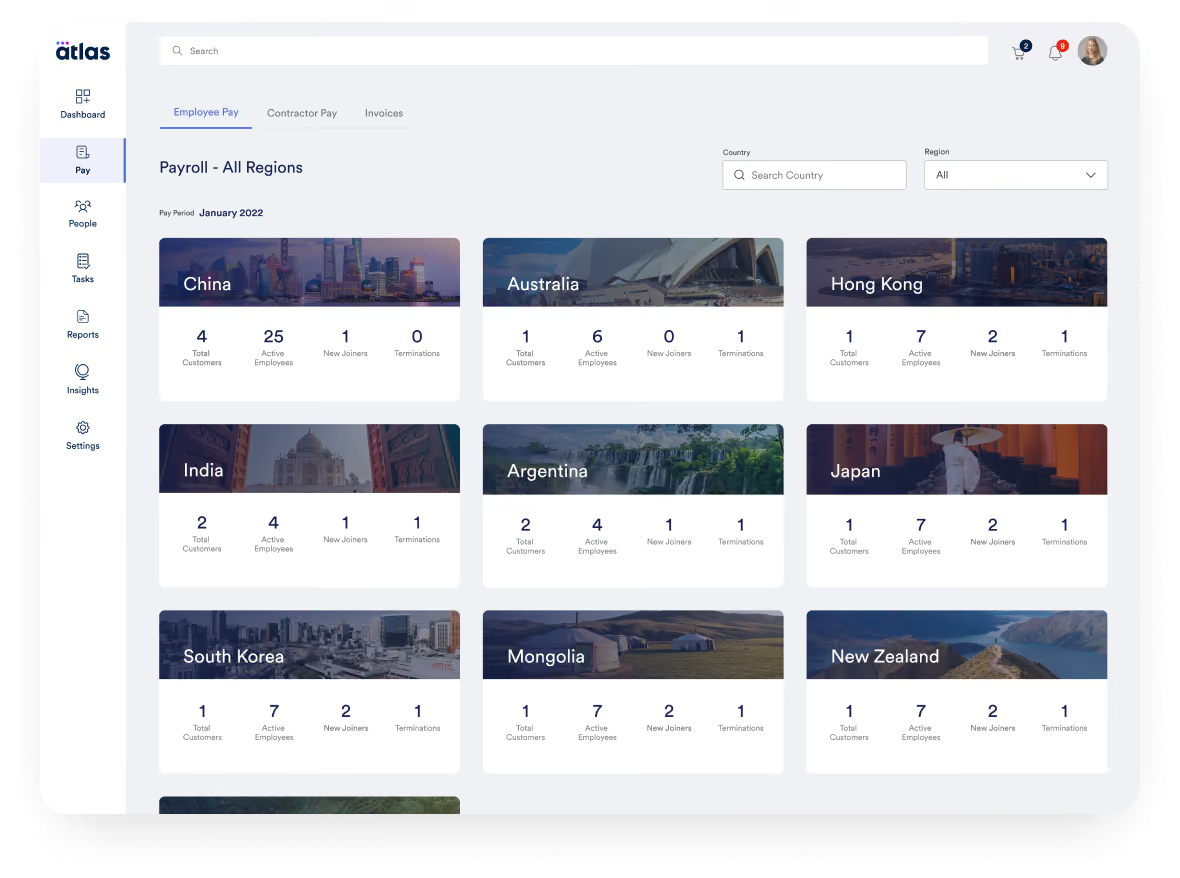
The platform currently supports hiring and payroll in 160+ countries. Unlike hybrid EOR providers that rely on partner networks in some regions, Atlas owns legal entities in every country it operates in. That direct model gives clients tighter control over employment terms and fewer surprises with service levels.
From our hands-on exploration and early demos, Atlas has also made noticeable strides on the product side. The UI is now sleek and easy to navigate, and core workflows, such as onboarding, payroll approval, and document generation, are well-structured. Admins can move through tasks quickly, and employee self-service is reasonably robust.
Another notable feature is the Global Compliance Risk Calculator, a built-in tool that enables HR teams to identify potential worker classification issues in just a few minutes. While it doesn’t replace formal legal advice, it’s a solid first-pass risk screen for global hiring teams. Atlas also caters to unique customer segments, including dedicated resources for venture capital-backed startups and government contracts, which are not often seen in this space.
There are, however, a few trade-offs. First is that if you’re looking for managed global payroll outside of their EOR service, Atlas doesn’t currently support it. The employer of record, similar to Papaya, leans more towards API connections and has a pretty limited number of prebuilt integrations. And sadly, its pricing details are no longer publicly disclosed.
Atlas HXM Key Features:
- EOR services across 160+ countries through fully owned legal entities
- Global Compliance Risk Calculator for fast worker classification risk assessment
- Compliant onboarding, payroll approval and document generation workflows
- Employee self-service portal for HR and payroll tasks
- Industry-specific EOR resources for venture capital and government sectors
- Contractor payment management
Atlas is used by over a thousand companies, including Toyota, CACI, Bath & Body Works, Coupa, PAE, and Namely.
Atlas's pricing structure is no longer publicly available, but our research indicates that their Contractor Pay begins at $49 per month per contractor, and their Employer of Record services start at $595 per month per employee.
Best For
Companies looking for a fully direct EOR model with high compliance standards and embedded risk assessment tools.

We used Atlas HXM as our Employer of Record (EOR). It was used as a payroll and global HR database for records. Atlas was our company's legal employer. Atlas acted as a liaison for our HR department, connecting and assisting us with global compliance questions and needs. It is compliance-focused.
I liked the reliable customer-centric focus of the Atlas team. I could count on their compliance and global regulatory guidance. I liked the cost-benefit.
We used Atlas HXM for three years. My company had cross-border employees, both inside and outside of the US. A pain point for them was maintaining one database, one source of truth for their employee records, and needing the flexibility to hire people quickly in new global regions. The key benefit of Atlas was that they were the employer of record, which was better than a PEO, saving me a lot of time setting up employer and other tax-related accounts. It is a good system and an alternative to the big players who are only interested in the bottom line. Customer-focused system.
It lacks flexibility in customized functionality. They could improve their customer support response time (but it wasn't bad considering the time zone differential). They could reduce costs or provide more incentives for smaller businesses or startups.
I have used many similar tools. Atlas HXM is truly a global provider! From Western to Eastern Europe, they are everywhere! I preferred this system over others because I could rely on them consistently in areas of global rules and regulations I was unfamiliar with.
Are you in need of a global employer of record for your business? How many countries do you have employees in? Do you struggle to keep current with global compliance at your company?
I haven't seen many changes, but since they are small, I assume evolution will happen quickly.
Global entities with cross-border employees.
An organization not wanting an EOR.
Benefits of Using Top EOR Services
Key benefits of using the best employer of record services on the market include easy workforce expansion, handling of legal responsibilities, flexibility and scalability, cost-effectiveness, local market knowledge, and recruitment support.
Easy Workforce Expansion
The main benefit of using an EOR company is the ability to easily expand your workforce outside of its home country or jurisdiction. In other words, an employer of record makes hiring international employees easier[1]. In fact, 51% of organizations use employer of record services to hire specialized talent by expanding their search beyond domestic borders, according to recent EOR statistics[2].
Handling of Legal Responsibilities
The EOR service provider bears all legal responsibilities. That means using one to access a foreign talent market can be significantly quicker than establishing your own legal entity with all the associated compliance and regulatory hoops to jump through.
Given laws regarding employee rights and benefits vary significantly in different countries, by using an EOR, your company can ensure that your hiring practices comply with these laws, reducing the risk of legal disputes or fines.
Flexibility and Scalability
The flexibility and scalability of an EOR are evident in how these global employment organizations support various staffing needs, whether for contracts or full-time employment.
For instance, a client facing fluctuating staffing requirements for a new project in another country can utilize an international EOR service provider to quickly hire and pay temporary, international contractors as needed, without the commitment of long-term employment contracts[3]. Later, if the client decides to hire full-time salaried employees in that country or even in other regions, the global EOR company can assist with that, too.
Cost-Effectiveness
For many companies and reasons, partnering with an EOR can be more cost-effective than setting up a fully functional subsidiary.
Let’s say you’re a small e-commerce business wanting to hire staff in Australia. You’ll most likely find the costs associated with establishing a local entity prohibitive due to administrative and legal fees. On the other hand, by using an EOR, your company can hire employees in the country while only paying for the EOR's service fees.
Recruitment Support
Finally, while an employer of record service company is not a staffing agency[4], some of them can indeed help with recruitment. Some have in-house capabilities, while others partner with staffing agencies in relevant territories, which we’ll detail in the next key benefit.
Local Market Knowledge
Another advantage of partnering with an employer of record company is the local market knowledge and know-how in terms of employment, payroll, and benefits administration the EOR provider can share with you. This can be very helpful, particularly for growing companies.
For instance, a startup scaling rapidly might not have the resources to manage payroll for employees in multiple locations. An EOR can handle everything from salary distribution to offering employee benefits and perks tailored to each region without straining the startup’s internal team.
Risks Associated With Using EOR (and How to Mitigate Them)
The risks of using an EOR service include limitations on your company's ability to engage in certain business activities and enforce compliance or rule changes for EOR-hired staff[4]. However, EOR services can become cost-efficient as teams grow larger.
- Regulated Professions: It may not be possible to hire workers in regulated professions via an EOR company. In some jurisdictions, this restriction can be solved by the EOR company itself receiving the necessary licenses, but beware of the added costs that may be incurred.
- Lack of Control: On balance, the fact that an EOR company takes on all legal and compliance obligations is a strong selling point for the services it offers. However, in situations where you want to enforce new HR policies or change working conditions, this hands-off approach could become problematic. Issues may also arise with respect to data protection if sensitive information is being shared between your business and a third party.
- Scalability Issues: As your teams grow larger, EOR services that charge on a per-employee basis may become cost-efficient. At a certain point, the advantages of having full control over your operations in that jurisdiction, with the legal obligations that this entails, become more financially prudent than outsourcing.
So, even with an EOR company, hiring people overseas is no picnic. Here are some suggestions for how some of the issues above can be mitigated:
- Knowing Local Laws: Just because the employer of record service provider will be doing the work for you, doesn’t mean you shouldn’t be aware of what that work is. As an employer or HR professional, you should know what laws and regulations you need to adhere to in each country where you’ll be employing someone through an EOR.
- Know Your Costs: Try and calculate how much you’d spend if you choose to go with individual providers in each country rather than an EOR service, or even set up an operation there and handle it in-house. Among these costs, you should also consider the fines that you would incur if you become non-compliant, or even the potential cost of churn if your employees and/or contractors leave you for not providing the full range of benefits.
- Be Mindful of Data Protection: Data protection laws, especially GDPR[5], should be one of your concerns if you’re planning on hiring people in new markets. If you’re trusting a software company with your employees’ personal data, you should know which laws are being obeyed when it comes to said data’s safekeeping. You should also know what kind of practices are put into keeping it safe, beyond the legal requirements.
Other Employer of Record Services Worth Considering
This buyer guide focuses on employer of record providers with broad, multi-country coverage, making it best suited for teams hiring across several regions or planning ongoing international expansion. However, if your hiring plans are focused on one specific nation, a country-focused EOR provider may be a better fit. These providers often offer deeper local expertise, clearer pricing for that market, and more tailored compliance support.
For that reason, we’ve also published separate buyer guides for some of the most common hiring destinations, including:
- Best EOR in Canada
- Best EOR in India
- Best EOR in the Philippines
- Best EOR in the UK
- Best EOR in UAE
- Best EOR in Singapore
If you’re hiring in a country not covered above, simply reach out to our editors, Anh or Rodrigo. We regularly expand our country-specific EOR coverage based on reader demand!
Best Use Cases for EOR Service Companies
Building remote-first teams, exploring new markets, scaling quicker, acquiring assets, and maintaining compliance are all solid use cases for employers of record:
- Building Remote-First Teams: EOR services are ideal for organizations that prioritize hiring remote employees from the start. Setting up full operations in multiple countries is unnecessary if you have only a handful of employees in each location[6].
- Exploring New Markets: For businesses aiming to establish a foothold in a foreign country, EOR services offer a valuable starting point. They provide insight into operating within a new market without the need for extensive initial investments.
- Starting and Scaling Quickly: When a company needs to launch operations swiftly, especially after identifying potential workers in a foreign jurisdiction, an EOR can facilitate a rapid start.
- Supporting Acquisitions: In the acquisition process, if a deal doesn’t include establishing a new legal entity in the target country but involves acquiring a local workforce, an EOR provider can maintain the employment relationship smoothly.
- Ensuring Compliance: Top employer of record companies are beneficial for teams with numerous independent contractors abroad who do not plan to convert them into full-time employees, such as many remote startups. An EOR can help mitigate non-compliance risks related to local regulations.
How to Choose an EOR
To identify a suitable EOR for your business, you might want to consider looking into their understanding of local regulations, whether they have a presence in the local market, their cost structure, how well they align with your company culture, and potential exit strategies.
Factor #1. Expertise in Local Regulations
How much do they know about the country (or countries) you’re expanding into? Ideally, they should be true experts in tax laws, work permits, payroll processing, benefits insurance[7], background checks[8], employee onboarding[9], and everything about the employment relationship within the foreign country.
One easy place to check this is the company website—do they post any thought leadership or content that demonstrates their expertise in the space?
Factor #2. Local Entity Presence
Do they have a permanent local entity in the country you’re looking into? Some EOR companies rely on local partnerships instead of having an entity of their own. This is common if the company is new in the jurisdiction or hasn’t seen much interest in that geography from their current clients.
Ask if they have some type of legally incorporated entity within the country. The answer will reveal how much of a priority your target country is for them (and therefore your likely quality of EOR service).
Factor #3. EOR Cost Structure
What cost structure does the EOR employ? Typical cost structures include per-contractor/per-employee or flat rates, while some vendors will offer custom pricing models. The best pricing structure for your business depends on the number of people you intend to employ through the EOR and the type of work that they will be doing (extra costs may be incurred if things like professional licenses are required).
Factor #4. Cultural Fit
Is the EOR service a good cultural fit? It pays to do extensive due diligence on any third party you are engaging for services, and an EOR company is no different. You should make sure that nothing in their terms of service or modus operandi will clash with your organizational culture[10] and employer brand-building efforts[11].
Factor #5. Exit Strategies
Are potential exit avenues clear? Before you commit to an EOR company, you should assess potential exit strategies should the relationship not work out for any reason. Enquire about things like fees for early termination from fixed terms and exclusionary clauses.
Employer of Record FAQs
What is an EOR?
EOR stands for employer of record. An EOR is defined as an entity that acts as a legal employer on behalf of a client company in a jurisdiction where that client has no presence. Employer of record companies take full responsibility for all aspects of employment in the relevant territory, including payroll, taxes, and legal compliance.
What are the differences between EOR and PEO?
In essence, the main difference between EOR and PEO is that an EOR enables you to hire staff in other countries without establishing a legal entity there[12], whereas a PEO is a full-service co-employment arrangement for overseas workers.
How much does an employer of record cost?
Employer of record costs for contract workers typically range from $25 to $50 per month, while costs for full-time employees range from $199 to $599 per month. There may also be a fixed monthly fee per employee or a percentage of payroll added[14].
What are the top employer of record companies?
Some of the best EOR companies include: Papaya Global for global EOR services across 140+ countries, Deel for savvy local expertise tailored to remote international companies, Multiplier for APAC expansion, Remofirst for top-notch customer support, and Remote for international HR and payroll services.
Last Advice on EOR Companies
The right EOR partner should reduce your legal exposure, lighten your HR workload, and give you the operational confidence to grow in new markets without delays or surprises.
We recommend reaching out to the companies listed here that best align with your needs, getting a quote based on your current global expansion plans, and examining how you feel while interacting with these people. An EOR services firm will become a crucial part of your relationship with your employees, so it’s important that you feel comfortable with them.
References
- [1] The Ultimate Guide to Hiring International Employees
- [2] 2026 Employer of Record Market Trends, Key Players, and Stats
- [3] How to Pay International Contractors and Employees
- [4] Employer of Record vs Staffing Agency: Differences & Use Cases
- [5] 6 Major Employer of Record Risks You Can't Afford to Overlook
- [6] GDPR
- [7] A Recruiter’s Guide to Hiring Remote Employees
- [8] Employee Benefits Insurance: Everything You Need to Know
- [9] Background Checks: What's Included & How to Conduct Them
- [10] Strategic Employee Onboarding: How to Set up New Hires for Success
- [11] What is Organizational Culture? Benefits, Types, and Development
- [12] Employer branding: A Guide to Showing Em What You’re Made Of
- [13] PEO vs EOR: The Key Differences You Should Know About
- [14] How Much Does an Employer of Record Cost in 2026?
About the Author


About Us

- Our goal at SSR is to help HR and recruiting teams to find and buy the right software for their needs.
- Our site is free to use as some vendors will pay us for web traffic.
- SSR lists all companies we feel are top vendors - not just those who pay us - in our comprehensive directories full of the advice needed to make the right purchase decision for your HR team.


